

AGScriptLearner
Known Participant
June 11, 2020
Answered

IllustratorSaveOptions - Compatibility Javascript reference for CC2019

  • June 11, 2020
  • 4 replies
  • 4124 views

Hi all,

I'm trying to write into a Javascript to save back from the latest Ai2020 version 24.1.3 to CC2019.

I can't seem to find an updated reference that works for "Compatibility.ILLUSTRATOR19"

There is a suggestion here: scripting-constants-compatibility but just upping the version number from an existing script which I use to save back to Ai8 doesn't work. I receive the following error:
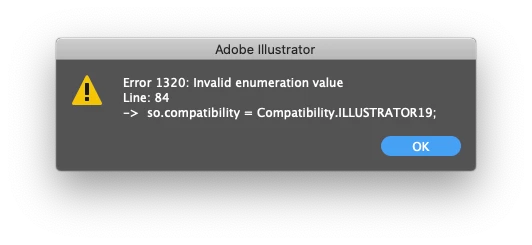


I've tried swapping "19" for "CC", as per the display in the save as dialog panel but to no avail.

Code snippet is here:

// Save with AI2019 compatibility
// AI2019 save options  
var so = new IllustratorSaveOptions();
so.compatibility = Compatibility.ILLUSTRATOR19; 
so.pdfCompatible = true; 
so.embedLinkedFiles = false; 
so.embedICCProfile = true; 
 

// save as 2019 overwriting 2020 version  
doc.saveAs(File(originalDocPath + "/" + originalDocName + "_legacy.ai"), so);  

app.activeDocument.close();


Does anyone have any ideas on the update reference for compatibility to 2019 please?

Thanks.
This topic has been closed for replies.
Correct answer Charu Rajput

Hi,

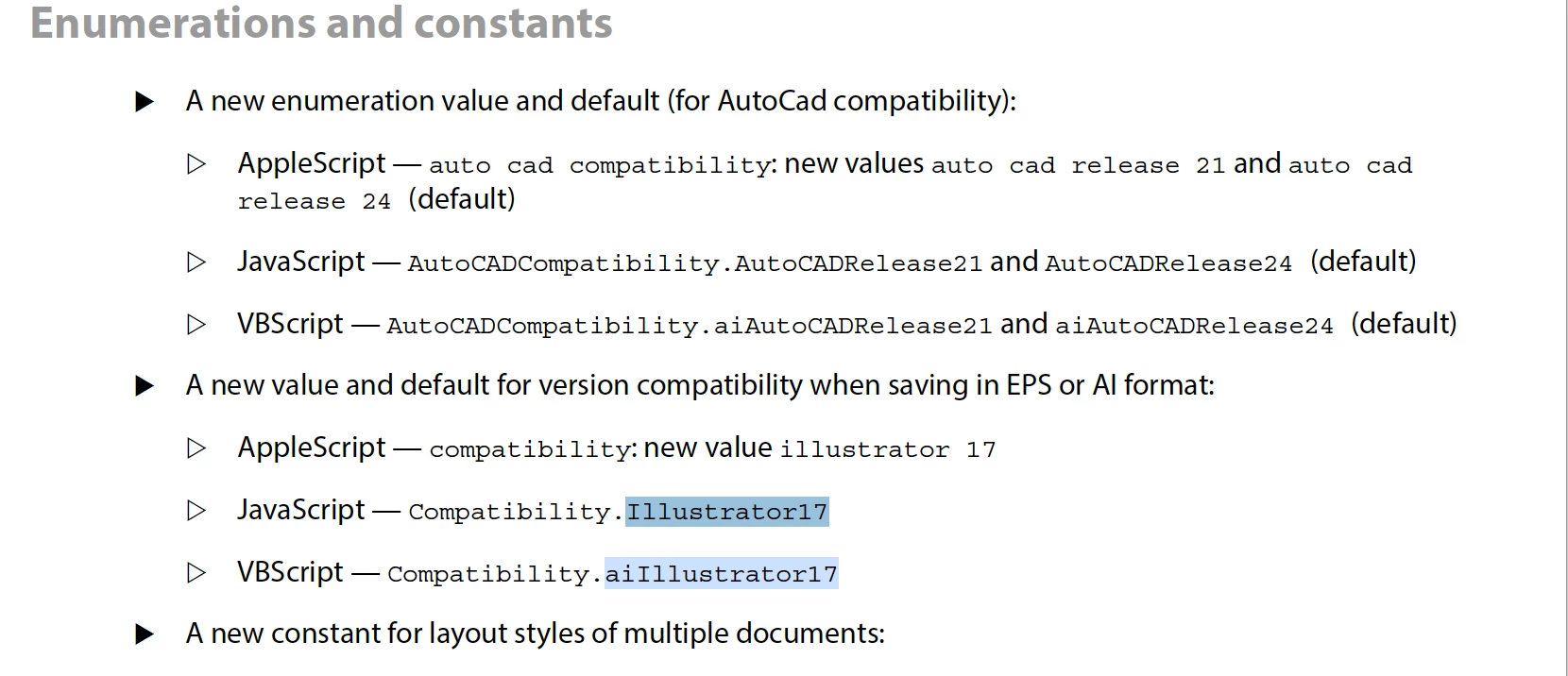
I see the option is available at the link you specified but it does not work for me too. But I have one document "Adobe Illustrator Script Guide 2020", which does not have this value. Attached is the document. You can check the latest value added as ILLUSTRATOR17 on page 12 of the document. Attached screenshot from that page.


Link to the file

Scripting Guide 2020 

4 replies

CarlosCanto
Community Expert
Community Expert
June 11, 2020

ok, digging around a bit...


in CC2019 there was no such thing as Legacy format, we could only save as CC or down to each CS version. So, there was no matching compatibility specifically for CC2014-CC2018 in the API. 


Illustrator CC = Compatibility.ILLUSTRATOR17;

Illustrator CS6 = Compatibility.ILLUSTRATOR16;


now that we have Legacy format, CC2020 became version 24 and all previous CC versions kept v17.


Illustrator CC2020 = Compatibility.ILLUSTRATOR24;

Illustrator CC Legacy = Compatibility.ILLUSTRATOR17;

Illustrator CS6 = Compatibility.ILLUSTRATOR16;


thanks

Carlos

AGScriptLearner
Known Participant
June 11, 2020

Thanks @CarlosCanto for the thorough explanation.

CarlosCanto
Community Expert
Community Expert
June 11, 2020

my pleasure 🙂

CarlosCanto
Community Expert
Community Expert
June 11, 2020

CC2020 is v24, so CC2019 is v23


Compatibility.ILLUSTRATOR23;


[edit] hmm...it doesn't seem to work


Larry G. Schneider
Community Expert
Community Expert
June 11, 2020

Anything to do with the drop down listing CC Legacy as a file specification?

Charu Rajput
Community Expert
Charu RajputCommunity ExpertCorrect answer
Community Expert
June 11, 2020

Hi,

I see the option is available at the link you specified but it does not work for me too. But I have one document "Adobe Illustrator Script Guide 2020", which does not have this value. Attached is the document. You can check the latest value added as ILLUSTRATOR17 on page 12 of the document. Attached screenshot from that page.


Link to the file

Scripting Guide 2020 

Best regards
AGScriptLearner
Known Participant
June 11, 2020

Thank you @Charu

AGScriptLearner
Known Participant
June 11, 2020

Seems like the current scripting reference is only effective up until version 17. Which isn't actually an issue for what I'm trying to achieve, so happy days!