
Participant
October 2, 2018
Answered

Instagram doesn't upload good illustrator vectors.

  • October 2, 2018
  • 3 replies
  • 8076 views

Hello. My name is Hafsa Abdul Salam. I have recently joined 'Graphic Designing' and i am having some issues with my work. I recently made this vector art in illustrator. . I used gradient in the background. The size of my art was 1080 x1080 pixels (Instagram resolution). I saved my art using 'Save for Web' and uploaded on instagram. The artwork when i exported from illustrator looks smooth .But when i saw the upload on my Instagram feed, my picture has lines (Like a banding in gradient). This ruined the quality of my whole art. My questions are:

  1. How to upload good quality of vector art that includes gradient on Instagram.
  2. Is there any other way that i can use to make background for my vector art?
  3. What is the ideal resolution to make vector art in illustrator?

Please help me. I have tried every solution present here and on google. Nothing helped. I'm in desperate need of help. I am attaching picture below of my art.
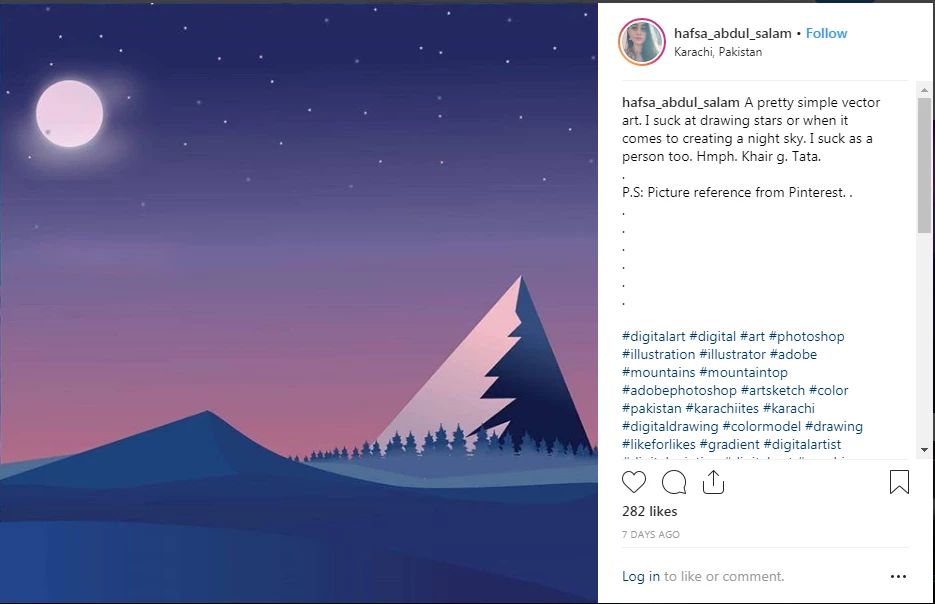
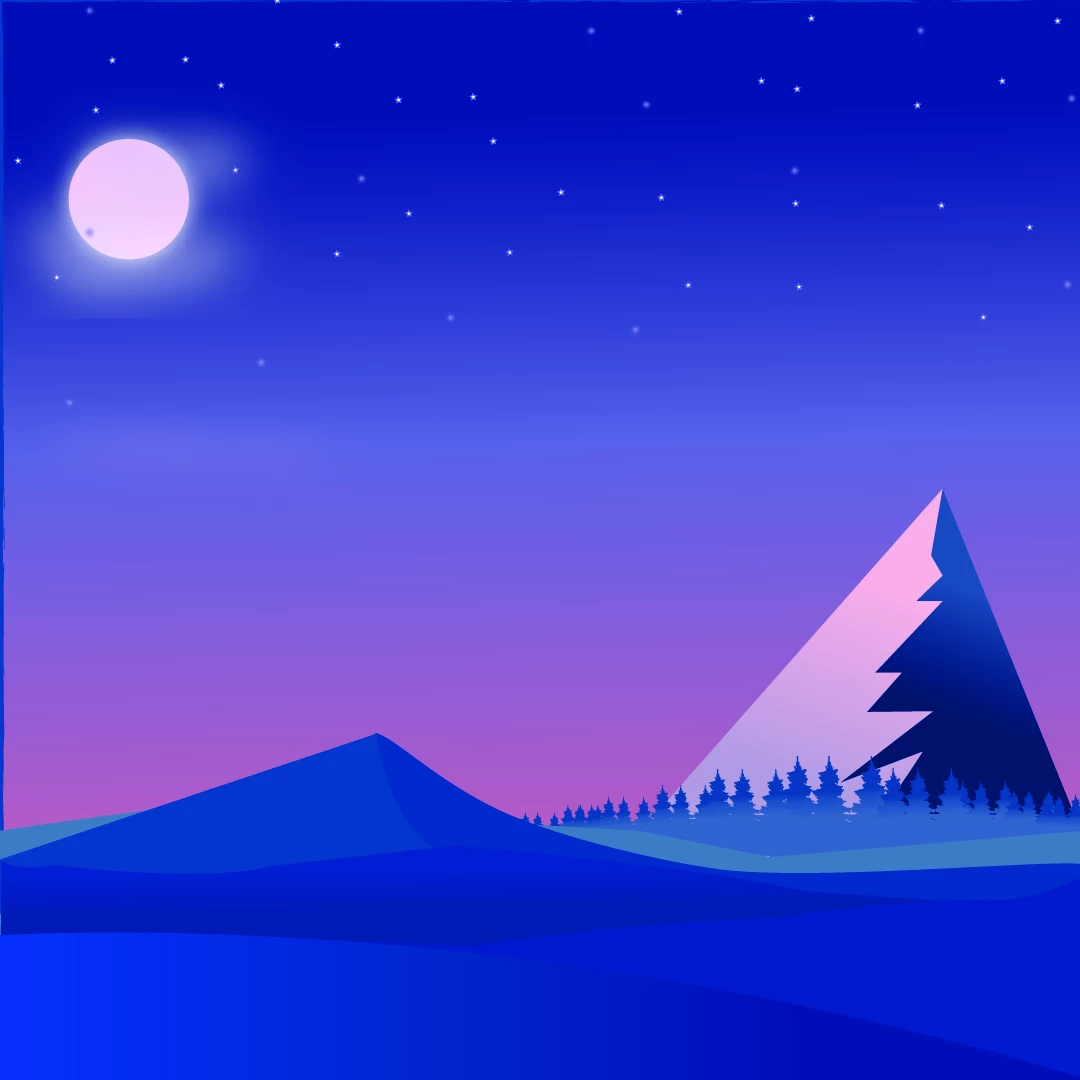
    This topic has been closed for replies.
    Correct answer Monika Gause

    You don‘t upload vector artwork at all on Instagram, but raster files. On top of that Instgram further compresses your file.

    3 replies

    Misbah26095507fgod
    Participant
    September 13, 2022

    same happened with my art .. even mine had no gradient,it still had those lines...I found a solution of it even though quality will not be much improved but you can take vector to PS and save it there as jpeg .It worked for me. atleast I got rid of those lines and also the picture detail was much better then the illustrator's jpeg.

    Anubhav M
    Community Manager
    Community Manager
    September 13, 2022

    Hello Misbah26095507fgod,


    Sorry to hear about this experience. I would request  you try using the following settings when exporting from Illustrator and share your observations:


    Set the Color Model to RGB
    Quality to Maximum
    Resolution to Screen (72 PPI)
    Anti-aliasing to Art Optimized (Supersampling)

    Looking forward to your response.


    Thanks,

    Anubhav

    Legend
    October 2, 2018

    No there are NO VECTORS on instagram. Everything is a raster by the time it is uploaded. Be sure you understand the difference, and the effect of saving as PNG or JPEG. Be sure you understand how JPEG compression works.

    Also, as an artist you will be very particular about the precise design. Try to see with the eyes of your audience.

    Monika Gause
    Community Expert
    Monika GauseCommunity ExpertCorrect answer
    Community Expert
    October 2, 2018

    You don‘t upload vector artwork at all on Instagram, but raster files. On top of that Instgram further compresses your file.

    Participant
    October 2, 2018

    Is there any way i can convert my vector file to raster?

    Participant
    October 2, 2018

    Instagram is a photo service. It will make changes designed to make photos smaller. These will damage your files, which are not vector by now. Find a service not made for photos or accept the damage. I


    I see people uploading vector art on Instagram. Their work seems smooth.