



Issue with simple isometric transform Action
Hi, I downloaded a free action from Daniel Stefanotto at https://dribbble.com/shots/3702541-Freebie-Illustrator-isometric-actions
I'm sure I've used it before without issues but for some reason it's got a slight inaccuracy when I use it now:

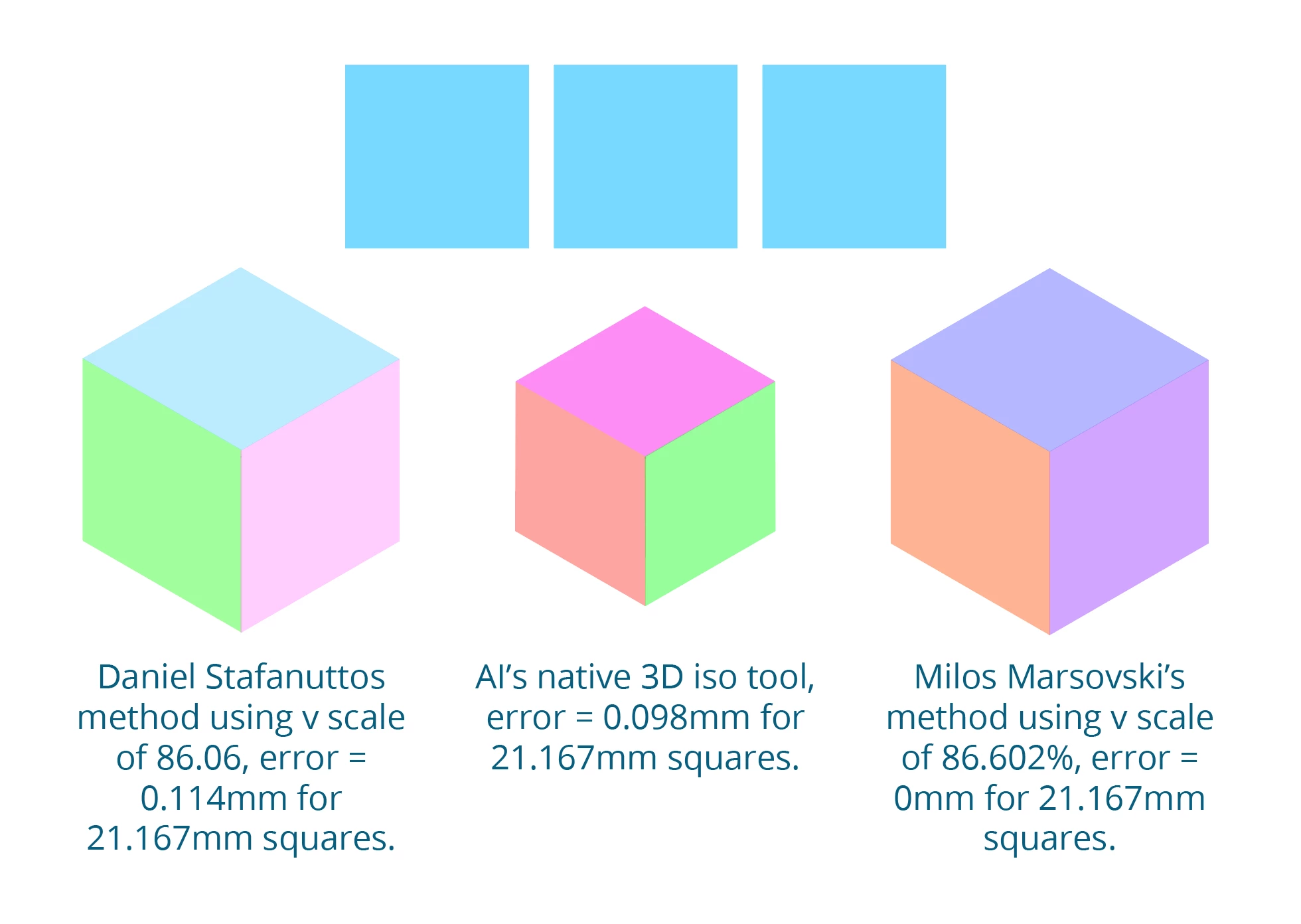
Squares transformed using the action "isometric transform top" end up too narrow, causing "isometric transform left" and "isometric transform right" to not fit. when you try to make an isometric cube.
It's a tiny inaccuracy, but very puzzling!
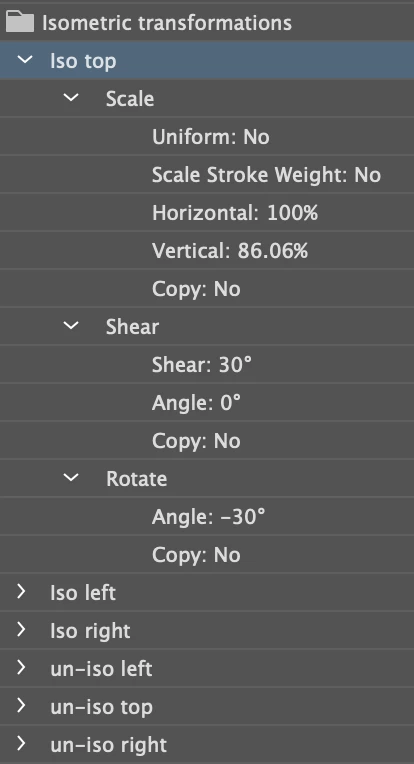
All three original squares are perfect squares and all three actions use 86.06% for scaling.
If you start with a 21.167 mm square then the top iso transform action is wrong (short) by 0.114 mm.
Doesn't sound like much but for a professional workflow (games, etc) it needs to be far more accurate than that.
Not sure if Daniel's maths is off or it's an Illustrator thing?
Here's a grab of the"isometric transform top" action:
Maybe I should re-record the actions myself using a value of 86.602% instead?
But would that create a transfromed object that would be properly isometric (as isometric is understood in gaes design- some Geometers call it "faux-isometric")?
Not good with maths myself so any help appreciated!
Thanks.
PS- this tutorial seems to do the whole job without needing scale, which is interesting:
https://creativepro.com/quick-tips-for-isometric-artwork-in-illustrator/

 AdChoices