
Participating Frequently
November 7, 2017
Answered

Items from CC Libraries not placing correctly

  • November 7, 2017
  • 6 replies
  • 3986 views

Hi Adobe Community,

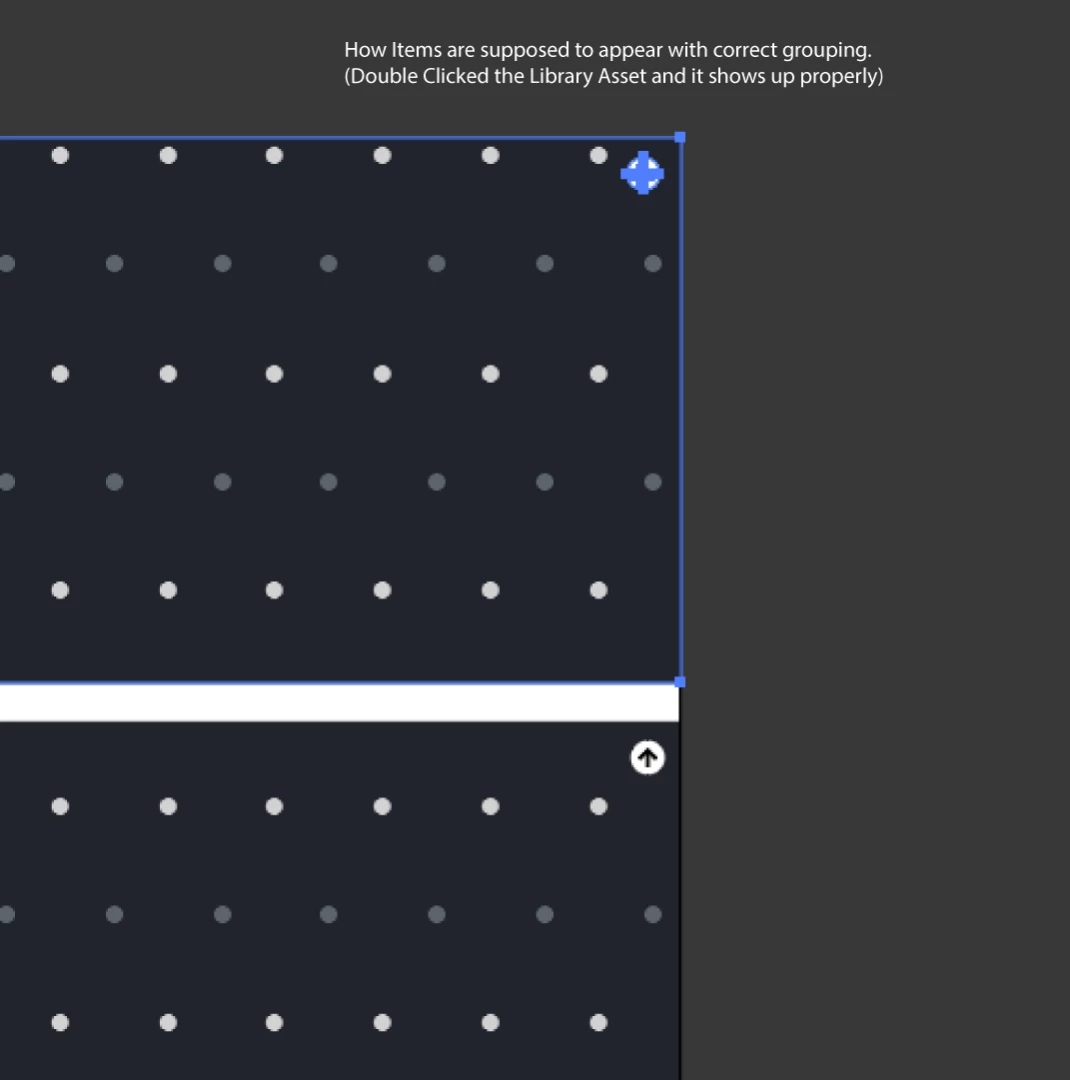
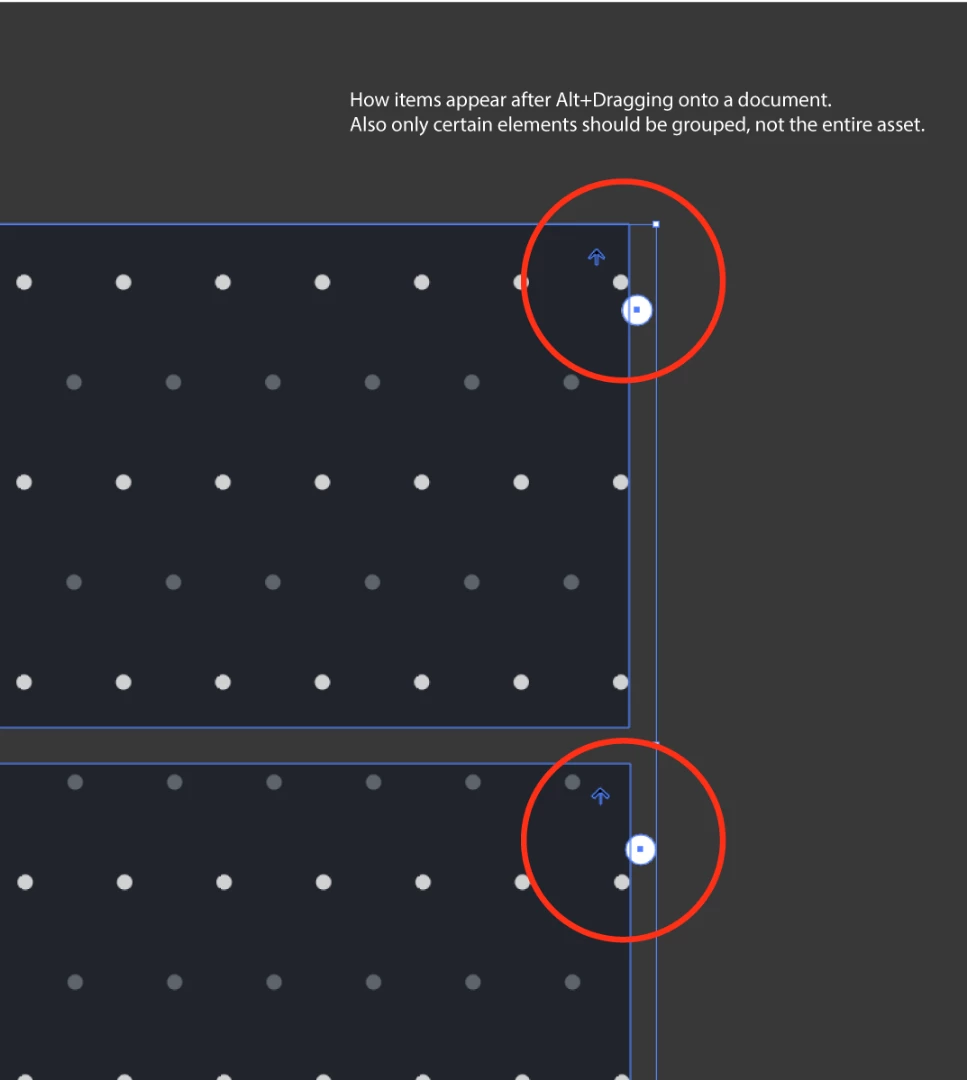
I recently updated Illustrator to Version 22.0.1 on my work Mac OS High Sierra system. Our company relies heavily on the Adobe CC Library's ability to Alt+Drag an item to a document for printing templates. I noticed with the recent update that when pulling an asset with multiple elements from the Library onto a document, all items are automatically grouped together and some elements are misplaced. I've included some screenshots below to illustrate what I mean.
Thanks for your time.
This topic has been closed for replies.
Correct answer Mike_Gondek10189183

Certainly!

Here's a link from Google Drive. Let me know if you have any trouble viewing or downloading this file.

Print_Template_Adobe.ai - Google Drive https://drive.google.com/file/d/17N6XE6-YbBPXcO77tvn9wbjprwyym_pc/view?usp=sharing

When I double click to preview the asset in the library, everything is in it's right place and properly grouped.

I've also confirmed that this also happens on my co-workers computers with different assets as well.


This is because you have a pattern.

Object >> Expand Appearance , then add to the library.

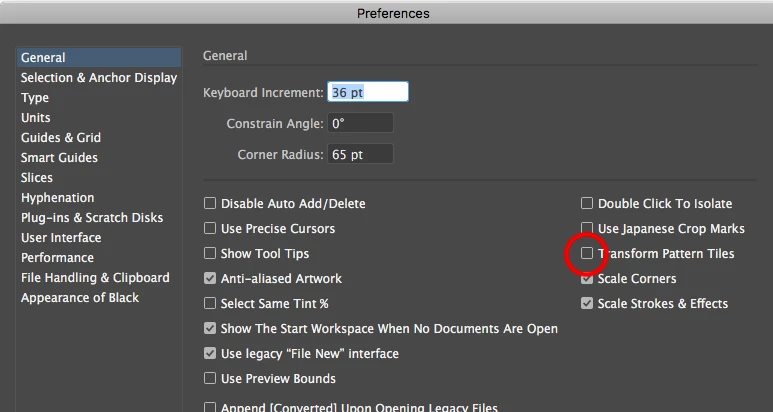
This has to do with your pattern its based of 0,0 on your rulers. You have have to either

1) place this directly at 0,0

2) place this, then move to 0,0 with this setting off.

6 replies

MADink_Designs27
Inspiring
November 28, 2017

I have a similar issue with the 2018 (22.0.1) release that I just submitted feedback regarding.

Not only is the auto-group an issue for me with text and simple shapes, but the loaded cursor feature is cumbersome to me.

I liked to right-click and have the artwork place in the center of the screen and I could move it later. It feels like it's another step. Maybe the Adobe team could create an option the preferences menu.

Most importantly, CC Libraries in this release no longer adheres to the "Paste Remembers Layers" option in the Layers Panel Menu. This has adverse effects on my workflow. For a lot of my CC Library items such as templates, I relied on them to paste in the appropriate layer or even create a layer if it didn't already exist within the document.

Ton Frederiks
Community Expert
Community Expert
November 28, 2017

Did you see this topic and vote?

Option dragging a graphic from CC library does not remember layers in update 2018 – Adobe Illustrator Feedback

I agree with you that the Place cursor slows down.

Ton Frederiks
Community Expert
Community Expert
November 17, 2017

And, yes Mike's suggestion to expand the Pattern before you create the Library object will solve the problem, because then it is not a pattern anymore.

Srishti Bali
Community Manager
Community Manager
November 15, 2017

Hi almeniac,

I would like to know if the steps suggested by above worked for you, or the issue still persists.

Kindly update the discussion if you need further assistance with it.

Thanks,

Srishti

Participating Frequently
November 15, 2017

Hello,

Sorry for the delayed response.

I tried the steps mentioned November 10th of renaming my settings folders and files and launching Illustrator CC 2018 from the Creative Cloud, I still had the same issue.

In response to MikeGondek,the objects still shifted off from it's original position when viewing in outline mode (Command Y).

Mike_Gondek10189183
Community Expert
Community Expert
November 15, 2017

Would like to know is if you

  • recreate this asset, does the offsetting happen everytime?
  • double click on the asset preview to edit the original asset in illustrator, does the position look off?

Can you please post a copy of your graphic in .ai format using dropbox or similar ftp sharing link. Would like to see if this happens on someone else computer, which would mean there is something in the construction of the asset

Ton Frederiks
Community Expert
Community Expert
November 11, 2017

Maybe you can comment on this bug and add your problem with the displaced items:

Option dragging a graphic from CC library does not remember layers in update 2018 – Adobe Illustrator Feedback

Mike_Gondek10189183
Community Expert
Community Expert
November 11, 2017

Since you are on mac, assume you meant option.

Seems once you pull from library and extra group command is added to your original art You should be able to do one ungroup command after placing to fix that..

I could not reproduce the position moving using Sierra. What happens if you drag without option to place as cloud item. I realize that you want to edit the objects but curious.

Top item is original prior to adding to library, bottom is option dragged from library.

Try Command Y to see if this is a preview bug retailed to GPU preview.

Note in CC2018 they lost the ability to remember what layer your art should be on. I did 6 key lines yesterday and did not notice until later that all the elements I pulled were on wrong layers.

Srishti Bali
Community Manager
Community Manager
November 10, 2017

Hi almeniac,

Please try resetting preference for  Illustrator.

Close all Adobe applications.

~/Library/Caches

~/Library/Application Support/Adobe

~/Library/Preferences

Delete or rename Adobe Illustrator, com.adobe.illustrator and Adobe Illustrator 22 Settings folders.

Launch Illustrator from the creative cloud.

Kindly update the discussion if you need further assistance with it.

Thanks,

Srishti