


Barefoot22
Inspiring
December 22, 2020
Question

Large Canvas Size makes pixel perfect art not possible ?

  • December 22, 2020
  • 3 replies
  • 1362 views

Does anyone know what the max canvas or artboard size is for being able to export pixel perfect art as png? It only seems to work when the artboard or canvas size is below a certain threshold.  Has anyone else experienced this?  


I have two projects which are both 160,000 px in width.  I can export pixel perfect art from one but not the other.  The only difference as far as I can tell is the canvas size or the artboard size.  


The working project was created with 5 artboards of 400 pixels x 120 pixels which created a default canvas size of about 16,000 pixels wide. 

The exported png appears as it should when brought back in (pixel preview).  
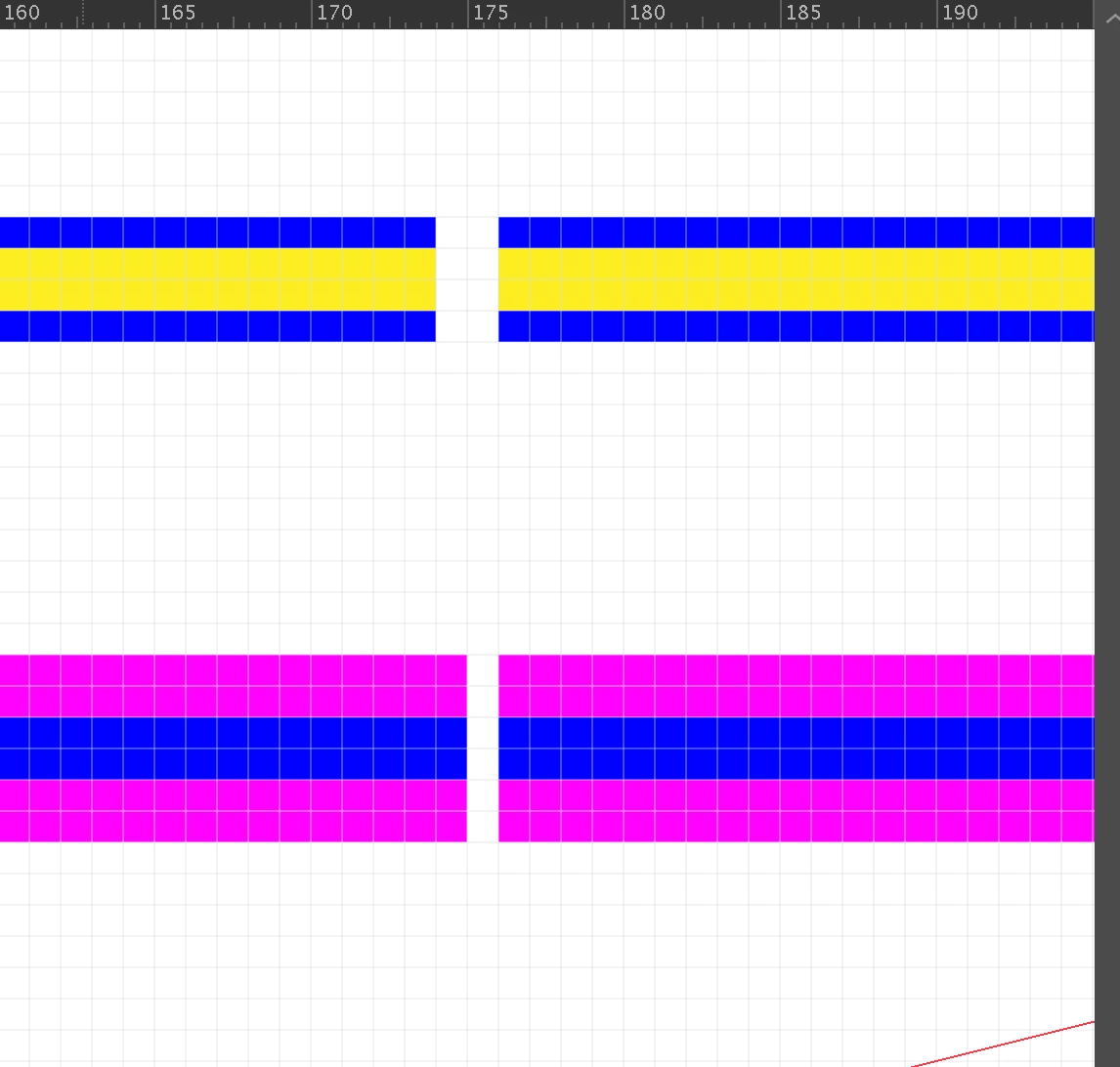
 

The NOT working project was created with 5 artboards of 160,000 pixels x 120 pixels creating a default canvas size of about 160,000 pixels wide.

The exported png DOES NOT appear as it should when brought back in. Although the size of the overall image matches the artboard (a resized artboard which is 400 x 120), the pixels have shifted around and multiplied somehow (pixel preview).  The imported png is on the right with original rectangles on the left:
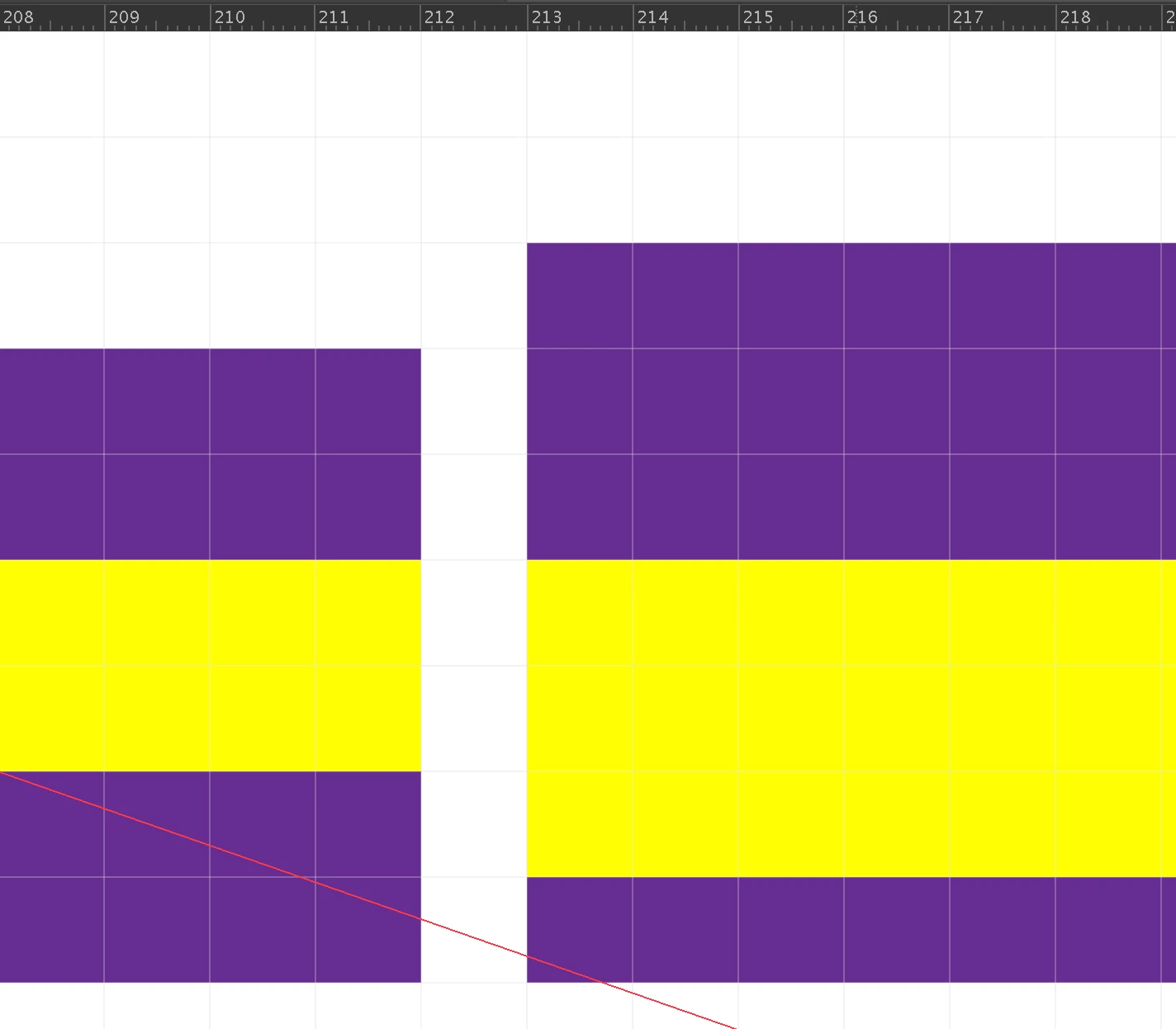
 

So either there is a bug or there is something fundamental that I'm missing.


From testing I know that this pixel problem only occurs with adobe's new large canvas layout.  So maybe that is the issue here as the working project has a canvas which is only 16k in width (despite my having set the project dimensions as 160k in width)?


I'd like to work with the max width possible (163830 pixels seems to be the max from what I can tell).  Any tips or specific settings which can fix this are greatly appreciated.  There must be some way of creating pixel perfect art on a very wide canvas...


Packaged working project:  https://drive.google.com/drive/folders/1qHlEysYVrTEwzIM6JKowIdgyeF0VegQv?usp=sharing

Package NOT working project:

https://drive.google.com/drive/folders/1XCfFjtFB89atJPEj7k3VfE73I2m0CCeX?usp=sharing


Cheers,

Jen

This topic has been closed for replies.

3 replies

Ton Frederiks
Community Expert
Community Expert
December 22, 2020
Barefoot22
Inspiring
December 26, 2020

Yes, that was me- thanks.  Not sure why it always shows up as anonymous by default.  

Barefoot22
Inspiring
December 26, 2020

*Just noticed a typo from my innitial post.  I said x=163,830 pixels was the max size for avoiding the (problematic) large canvas format.  In fact its 16,383 pixels.  Cheers.  

Ton Frederiks
Community Expert
Community Expert
December 22, 2020
Barefoot22
Inspiring
December 22, 2020

Thanks but that hasn't solved the issue.  I tried all that about a month ago before switching over the photoshop.  Alas

Ton Frederiks
Community Expert
Community Expert
December 22, 2020

These threads ar confusing, but if you go towards the end of that thread you will see the same problem mentioned.

Ton Frederiks
Community Expert
Community Expert
December 22, 2020

Yes, the Large Canvas always anti-aliases artwork.

So it is not useful for pixel perfect artwork.

You may want to report it here:

https://illustrator.uservoice.com

Barefoot22
Inspiring
December 22, 2020

Hi Ton,


  Thanks for the tip.  If Adobe had bothered to post that to the known issues section on this page I would have saved days: https://helpx.adobe.com/in/illustrator/kb/large-sized-canvas-troubleshooting.html#sa_src=web-messaging

  Did you simply figure that out through trial and error?  


  For 6 weeks now I've been trying to create pixel perfect artwork on a long (wide) timeline and keep going back and forth between Illustrator and Photoshop to avoid these hidden quirks.  I guess I may be the only human trying to create pixel perfect art at such large dimensions, so perhaps my project is simply not possible : (  


Ton Frederiks
Community Expert
Community Expert
December 22, 2020

I don't think Adobe Illustrator engineers are aware of this problem as long as it is not reported on Uservoice.