
Participating Frequently
January 23, 2019
Answered

Layers changes on saving to SVG.

  • January 23, 2019
  • 1 reply
  • 2696 views

Hi everyone!

I am using SVG's for configure avatars on a website. The ID's of the layer are used to change properties like fill, stroke or display, so the ID's must be well defined.

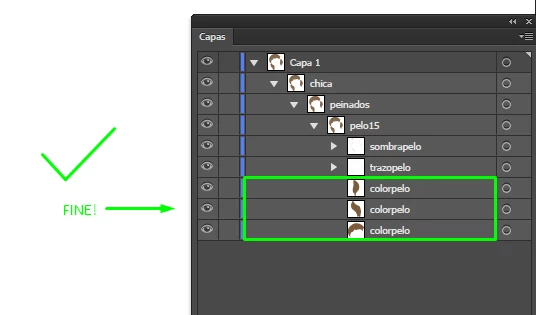
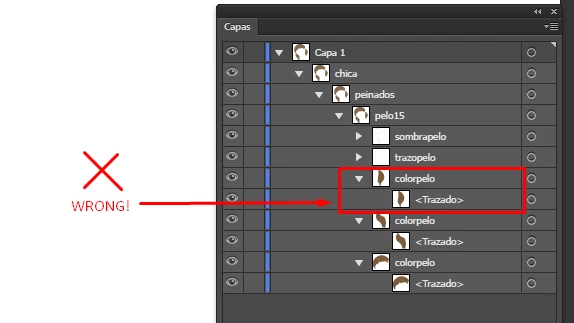
I have a problem with the last model. When I export it to SVG, some paths are converted to a layer with the path inside. The layer has the ID instead the path:

Original Illustrator file (.ai):
SVG exported opened with Illustrator:
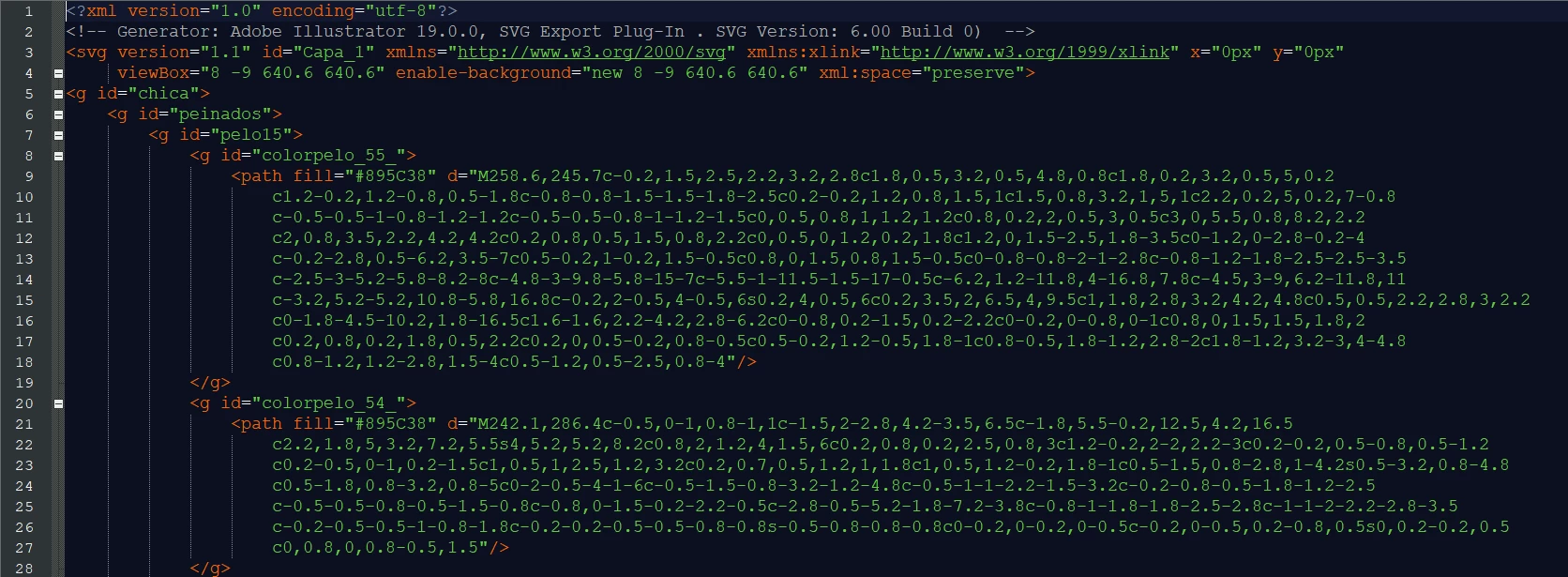
SVG exported opened with notepad++:
SVG corrected manually (editing the code):

Why is this happening? How can I fix it without doing it manually? (There are hundreds of layer's names to change).

Thank you!

Downloadable files:

https://drive.google.com/open?id=1ztkXVjbqvQmh77dLTAQM7NGwPfUHsUJd
    This topic has been closed for replies.
    Correct answer Monika Gause

    Hi Monika.

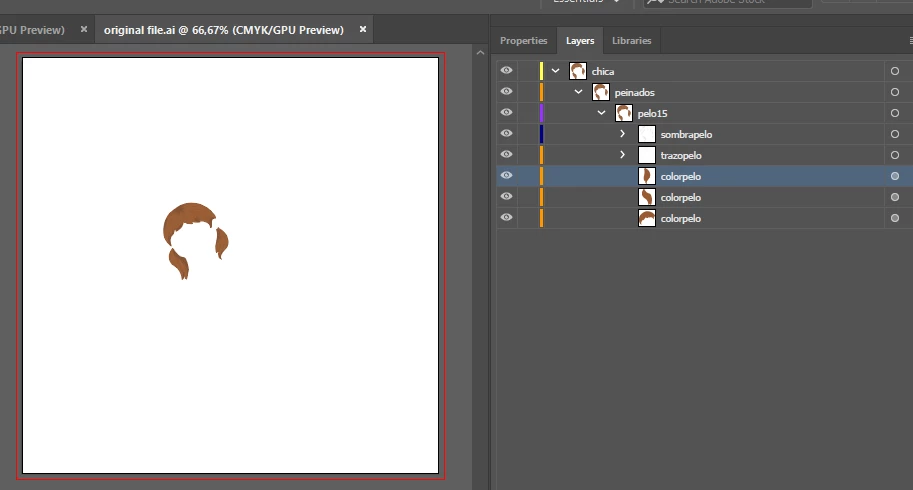
    I have uploaded the correct file again. The filename is "original file.ai". Could you check it again please?

    Thank you.


    You have no stroke on the shapes, but there is a calligraphic brush applied (you can't see it, but it's there). Try and delete that it seems to throw off Illustrator.

    1 reply

    Monika Gause
    Community Expert
    Community Expert
    January 23, 2019

    Is the original AI file included in the dowload?

    Participating Frequently
    January 23, 2019

    Yes!

    Monika Gause
    Community Expert
    Community Expert
    January 23, 2019

    When I open that AI file, it opens with groups in it.

    Are those plain paths? Or what are they?