Participant
April 12, 2021
Question

Matching curve with pen tool?
  • April 12, 2021
  • 4 replies
  • 805 views

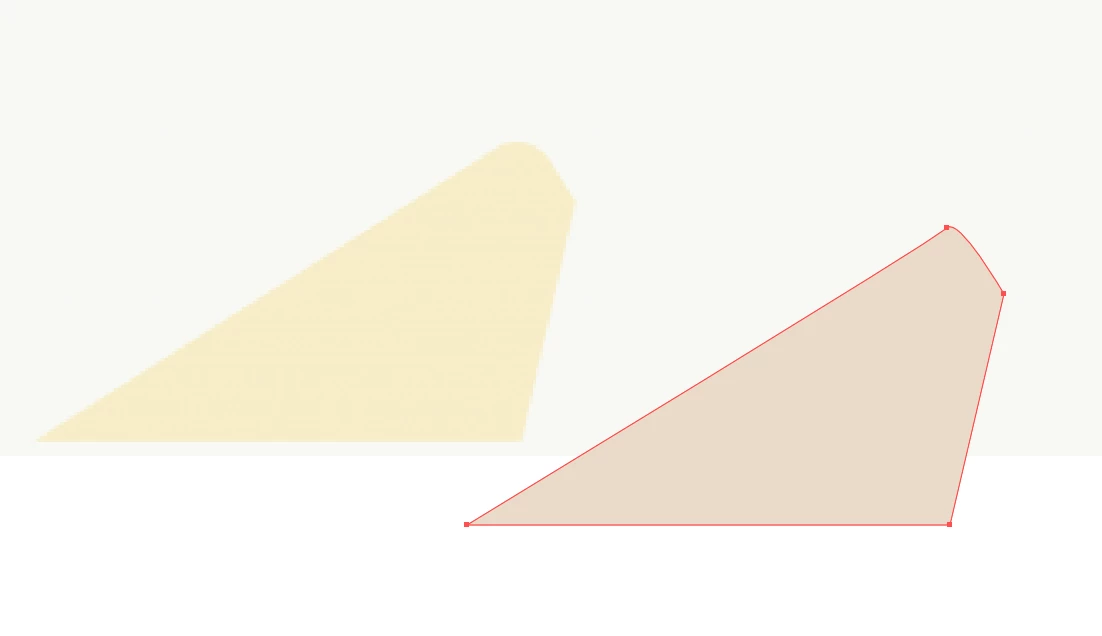
I am trying to match the curve of the shape on the left with the shape on the right.  I'm having a hard time accurtely doing this with the pen tool.  Any suggestions?

This topic has been closed for replies.

4 replies

Participant
April 12, 2021

Heres a side by side of the original image and the shapes I tried to recreate.  I used the pen tool to create all of them.  Any suggestions on a more effective method.  Also follow up question.  

I cropped my art board so that only the parts of the shapes I wanted were in it, but it exported the entire thing, see the circle at the top left is supposed to be a semicircle but its not because of the way it exported.

michelew83603738
Community Expert
Community Expert
April 12, 2021

Yes, there is. A smooth or curved anchor point has handles coming out of them while a corner or straight poin does not. It appears that that topmost point is a curved point. If instead, you just clicked and made a corner point, rather than clicked and draged out a handle to create a curve, when you then go to the direct select tool or white arrow, you will see a little round widget inside where all of the anchor points are (as long as the object is selected). If you double click on the widget by the topmost anchor point, you will be able to curve the line to better match what you are trying to match. I hope that this is clear. I will try to record a video for you if it isn't.

pixxxelschubser
Community Expert
Community Expert
April 12, 2021

You can get the result with a little practice.


But you can also do something like this:

  • draw your shape with sharp edges


  • select (only) this anchor with the Direct Selection Tool ("white arrow tool")


  • drag the little dot until you get the radius you want

Participant
April 12, 2021

Wow thank you, this makes a lot of sense actually.

michelew83603738
Community Expert
Community Expert
April 12, 2021

I would make them all corner points and then you can transform the corner point, double click so that just that one side is transformed.

Participant
April 12, 2021

I'm sorry I'm very new to illustrator.  How would I go about do that?  Is there some sort of indication of what is a corner point and what isn't?