


tomasg33705904
Participating Frequently
July 10, 2019
Question

Measurement precision FAIL

  • July 10, 2019
  • 2 replies
  • 4832 views

Hi,

I'm having troubles to make precise patterns because Illustrator keeps changing the measurement of my object.

Actually I'm having problems with patterns because white lines appears (but that's another issue...) so in order to fix that I read that it was needed to make forms with rounded figures. So I made a 20x20 mm square with the form of my pattern. See below.
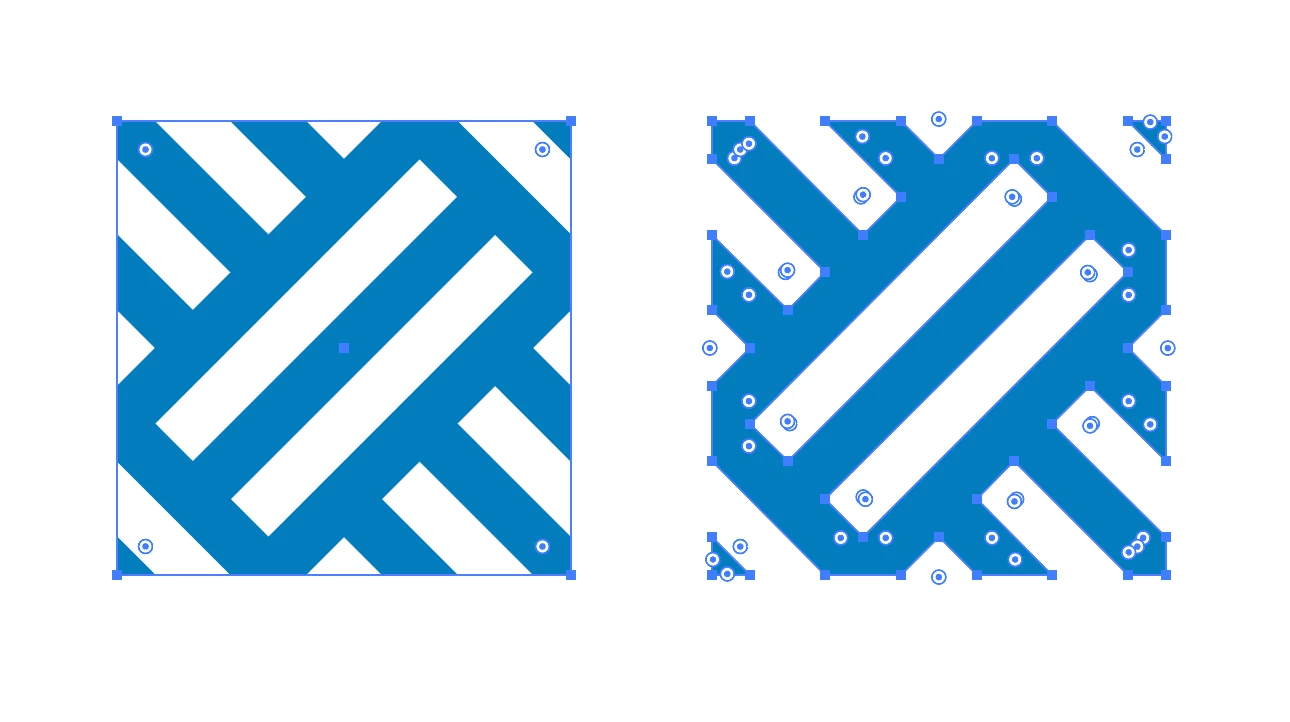
(I selected them so you can see the difference) I first tried with a 20x20mm mask (the one on the left) but the white lines kept appearing. So I decided to trim it (the one on the right) but what surprised me –and here comes the issue I'm asking help for– is that illustrator changes from a 20x20 mm square to a 20,03x20,02 mm square for a reason I can't understand. See below.
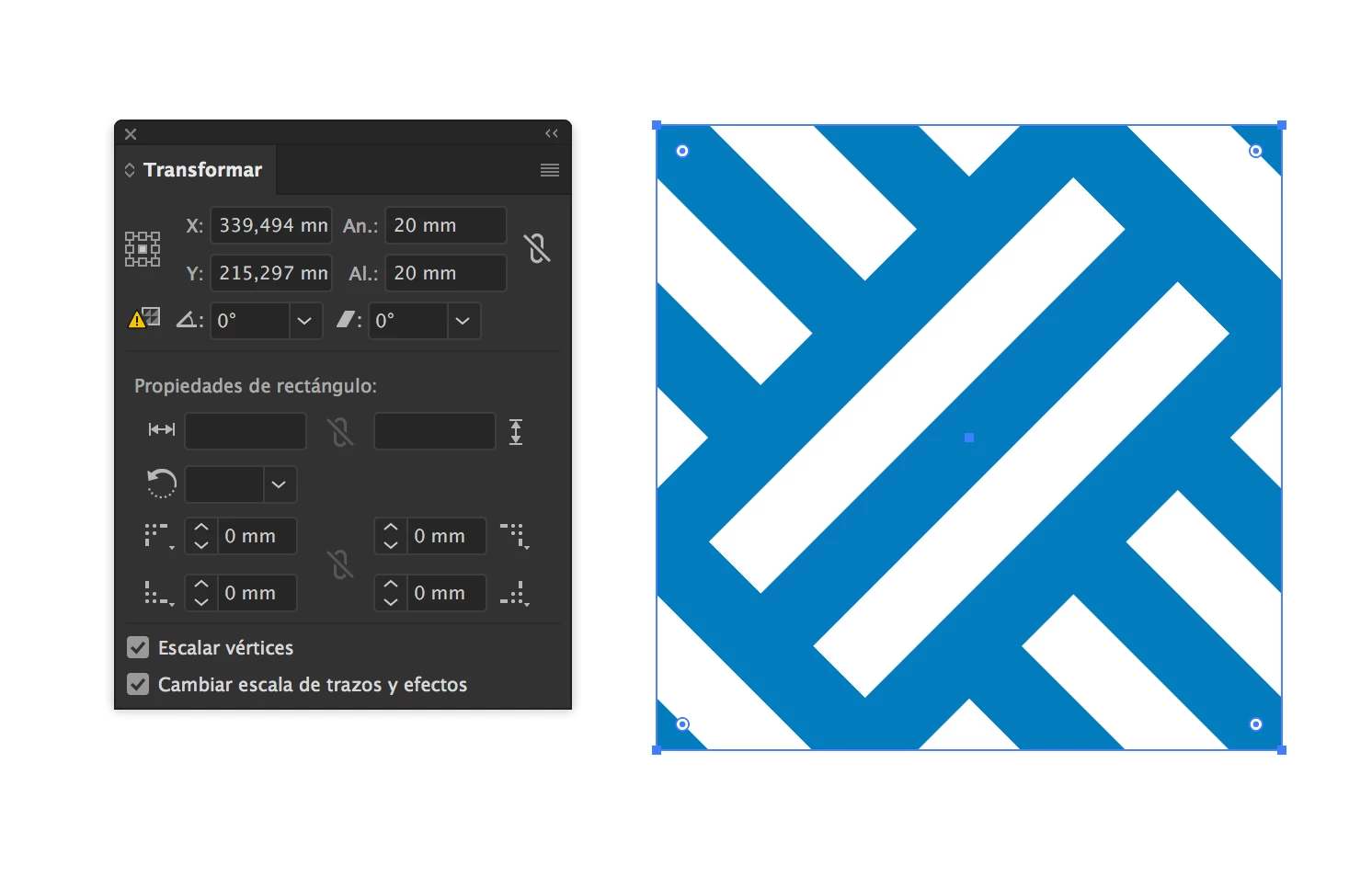
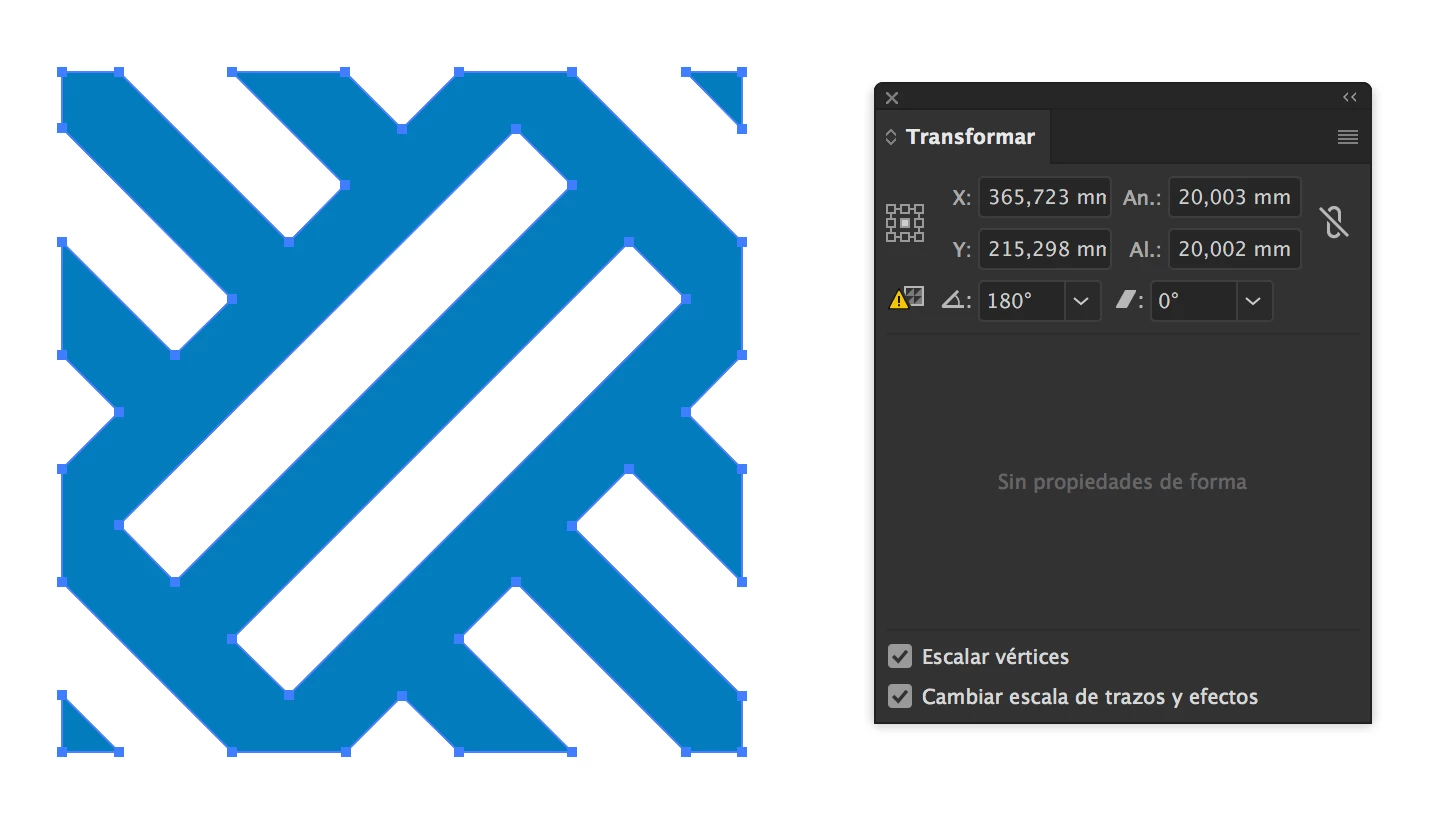
And that's very anoying. It's not the first time that I have this kind of issue.

Does anybody know why this happens?

Thanks a lot

This topic has been closed for replies.

2 replies

Ton Frederiks
Community Expert
Community Expert
July 11, 2019

tomasg33705904  wrote

Actually I'm having problems with patterns because white lines appears (but that's another issue...) so in order to fix that I read that it was needed to make forms with rounded figures. So I made a 20x20 mm square with the form of my pattern.

The rounded figures should be point or pixel values.

When exporting as an image, fractional pixels get rounded (anti-aliased) as whole pixels, and can give you extra unwanted pixels.

Your example of 20mm leads to these extra pixel: 20mm = 56,693 px

tomasg33705904
Participating Frequently
July 11, 2019

Great! Thanks for this answer! I think this will solve the white lines problem.

But what about the arbitrary measure increase?

Thank you

Ton Frederiks
Community Expert
Community Expert
July 12, 2019

I trimmed it with the shape builder tool. Anyhow I've set the Pathfinder precision to 0,001 pt just in case.

I can see that the shape builder tool rounds up the decimals because, as you said, it might be working with pixels, points or inches. So, isn't there a way to work with milimeters and be precise in Illustrator?

Thanks


tomasg33705904  wrote

I trimmed it with the shape builder tool. Anyhow I've set the Pathfinder precision to 0,001 pt just in case.

I can reproduce your problem with Shape Builder  and Live Paint.

It looks like the Shape Builder (and its family member Live Paint) is less exact than the Pathfinder.

Your white lines are caused by using fractional pixels, but the imprecise numbers are caused by the Shape Builder.

Monika Gause
Community Expert
Community Expert
July 10, 2019

The white lines are preview issues. Most likely they don't exist.

Try and turn off Antialiasing in the Genereal preferences. If the lines are gone, you're good.

tomasg33705904
Participating Frequently
July 11, 2019

I don't think that's the issue because when I export a JPEG they are still visible.

Thank you for your answer anyway!