Participating Frequently
December 15, 2018
Answered

Moving objects with perspective grid

  • December 15, 2018
  • 1 reply
  • 2589 views

When I have objects drawn on a perspective grid, and then change the viewpoint of the perspective, I lock the station point and then change the grid. Some of the objects move with the grid, but some don't.

    This topic has been closed for replies.
    Correct answer Monika Gause

    Hi

    Thanks for taking the time.

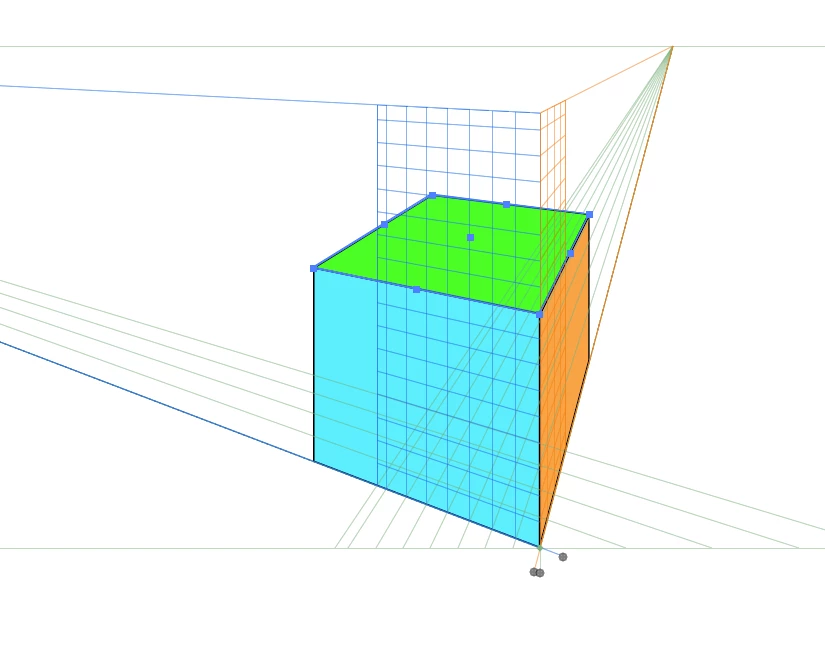
    I just drew a simple box using the rectangle tool, with the corners aligned by the corner anchor points. When I move the grid, the green lid doesn’t move correctly.

    If I subsequently move the lid to the correct position using the 5 key, it snaps into place. However, it doesn’t move correctly in the first place, so I have to faff around with the drawing (I am testing this for a building project) and I was wondering why.

    Adobe Help Chat doesn’t seem to have the answer.

    kind regards


    You draw it like this:
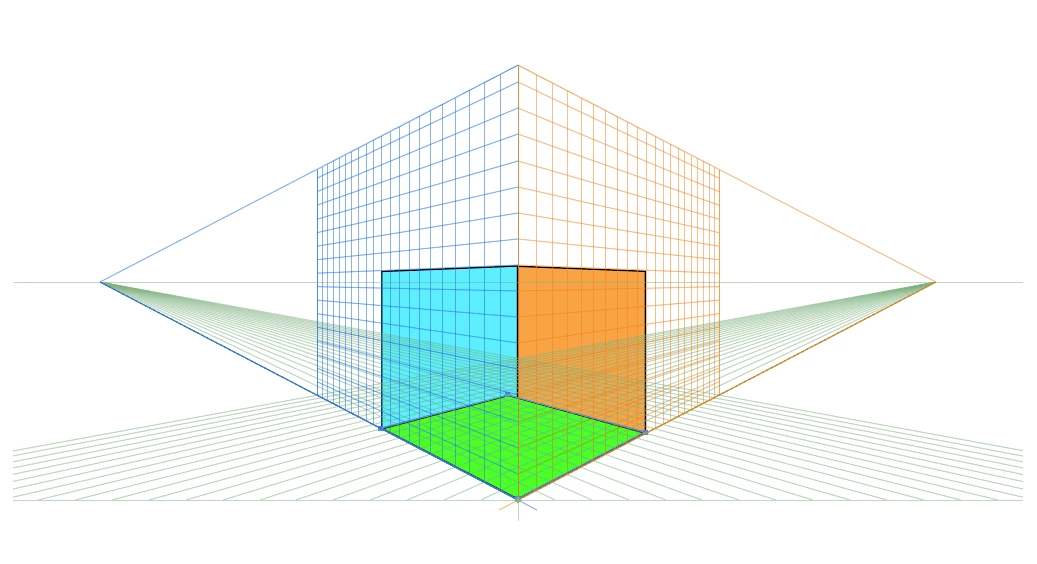
    Then with the perspective selection tool move the bottom upwards while pressing 5 until it is over there:
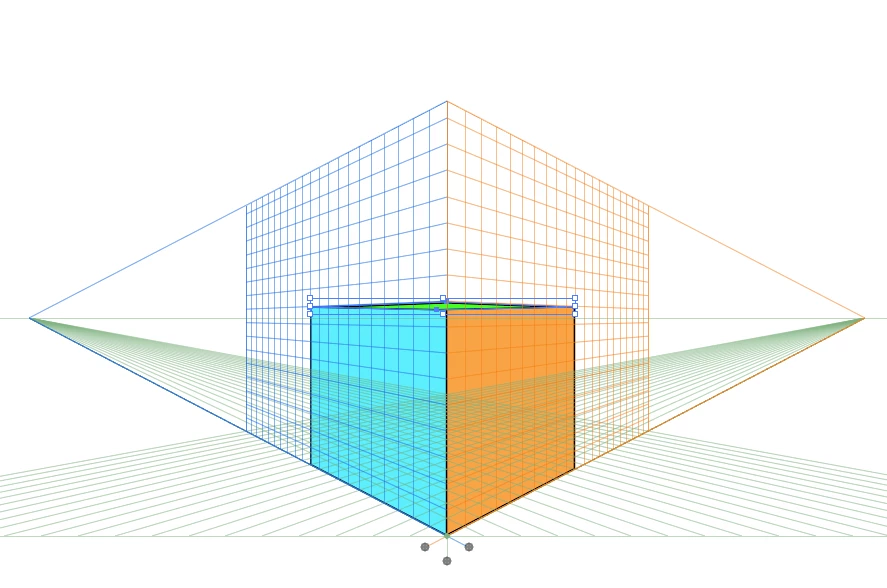
    Then you can change perspective.
    BTW: you should rename yourself on the forum. E-Mail is not allowed and on top of that you're inviting spammers :-)

    1 reply

    Monika Gause
    Community Expert
    Community Expert
    December 15, 2018

    The objects need to be attached to the grid. If you drew them ouside the grid e.g. by just using the pen tool) or if you released them from the grid, it will not work.

    Participating Frequently
    December 15, 2018

    All the objects are made on the grid. It is just a simple cube for test purposes. The blue and orange grid objects both move with the grid, but the green grid object moves differently, leaving it lost in space. I have attached the file.

    Monika Gause
    Community Expert
    Community Expert
    December 15, 2018

    Attachments don't work here.

    Upload to Dropbox, Google Drive or Creative Cloud and share a link.