

Need Help Minimizing Illustrator Pattern Size
Hi,
I'm having trouble reducing the file size of my massive/slow loading (occasionally slow loading without even being massive) illustrator patterns.
At the moment I use photoshop to build non geometric patterns, and I used to import and embed the photoshop file itself. Recently I've been experimenting with indexing the photoshop file, saving as a png (to preserve transparency), and dropping/tiling in illustrator. This is very slow and the computer at work can hardly handle it- they crash most of the time upon attempting to save the larger files. Apparently our factory couldnt process one of my designs due to this issue, and a coworker had trouble with my files aswell.
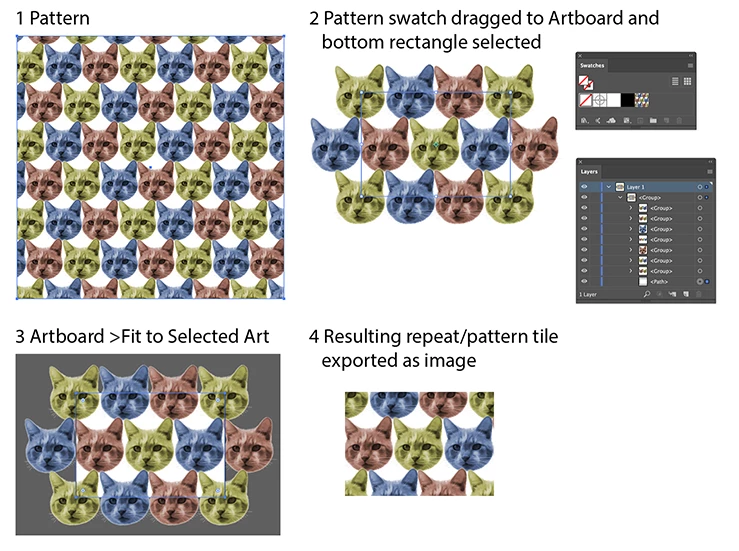
I've tried expanding the pattern after its been created, and cropping the repeat (to retile without a million embedded images) with a darken clipping mask, but its not proving to be very effective.
Occasionally my artwork is roughly 50"x50". We work with color chips so pixelation you'd expect from a bitmap/indexed image is fine by me- I'm guessing the printers output is in absolute colors when printing in pantone colors (coworkers/boss not knowledgeable enough to confirm/deny this for me, and they dont want me talking to anyone including our the factory/our buyers).
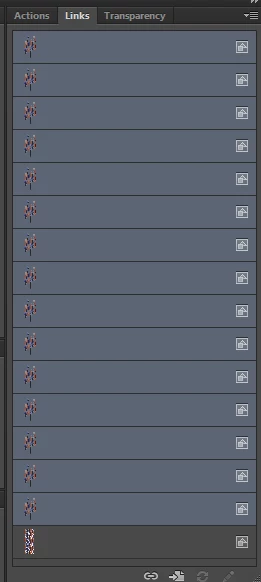
Anyone have any suggestions? Below is an image of the embedded images involved in a single REPEAT I'm working with- each 30"x60"... I'd prefer to keep the pattern creation in illustrator if possible, as doing the same in photoshop seems prone to misalignment/more difficult than necessary.
 AdChoices