Participant
May 25, 2020
Answered

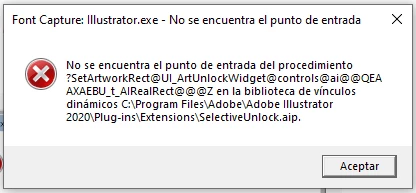
No se encuentra el punto de entrada del procedimiento ?SetArtworkRect Illustrator

  • May 25, 2020
  • 2 replies
  • 3734 views

Hola! Desde que instalé Illustrator no he dejado de tener este error al iniciar; sigue funcionando correctamente, o al menos eso parece. Han tenido el mismo problema? Cómo lo solucionaron?

This topic has been closed for replies.
Correct answer Srishti Bali

Hi José,


Sorry to hear about the trouble you are facing with Illustrator. I understand how frustrating it could be. Let us help you fix this. Looks like you are working on a Windows machine and using Illustrator 2020. Please try following these steps one by one and let us know how it goes:

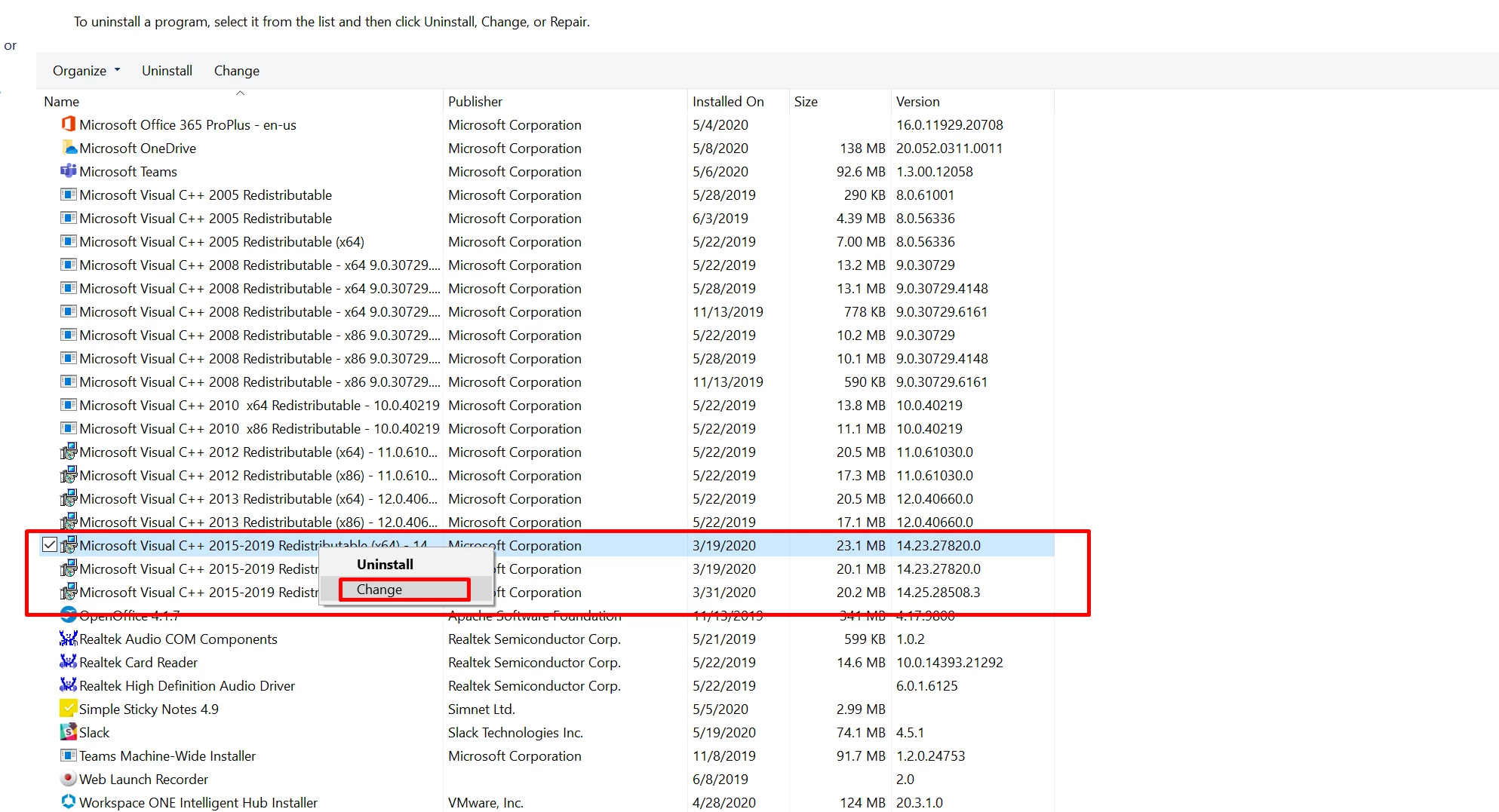
1. Repair Microsoft Visual C++ 2015-2019 (x64)/ 2017-2019 (x64)

  • Close All the Applications.
  • Go to Control Panel\Programs\Programs and Features.
  • Right click Microsoft Visual C++ 2015-2019 (x64)/ 2017-2019 (x64).
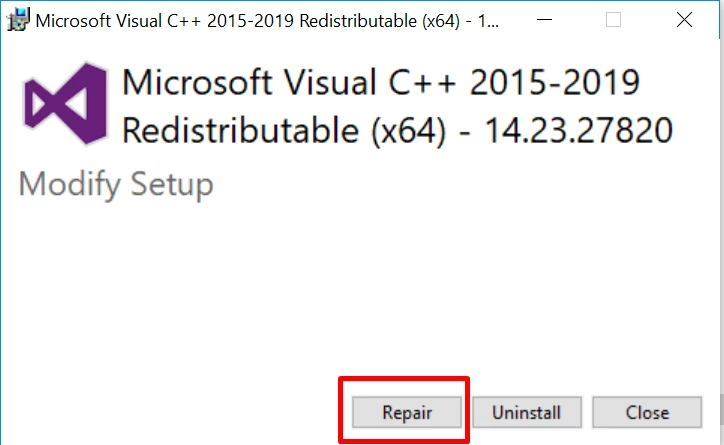
  • Click Change > Repair.
      
  • Restart the system.


2. Reset Preferences:

  • Go to Location C:\Users\user\AppData\Roaming\Adobe
  • Rename Adobe Illustrator and Adobe Illustrator 24 Settings folders to Adobe Illustrator.old and Adobe Illustrator 24 Settings.old
  • Launch Illustrator from the Creative Cloud.


Looking forward to your response!


Regards,

Srishti

2 replies

Participant
July 8, 2020

Hi, I had the same issue, but I follow the steps you described and doesn't solved it 😞

Srishti Bali
Community Manager
Srishti BaliCommunity ManagerCorrect answer
Community Manager
May 26, 2020

Hi José,


Sorry to hear about the trouble you are facing with Illustrator. I understand how frustrating it could be. Let us help you fix this. Looks like you are working on a Windows machine and using Illustrator 2020. Please try following these steps one by one and let us know how it goes:

1. Repair Microsoft Visual C++ 2015-2019 (x64)/ 2017-2019 (x64)

  • Close All the Applications.
  • Go to Control Panel\Programs\Programs and Features.
  • Right click Microsoft Visual C++ 2015-2019 (x64)/ 2017-2019 (x64).
  • Click Change > Repair.
      
  • Restart the system.


2. Reset Preferences:

  • Go to Location C:\Users\user\AppData\Roaming\Adobe
  • Rename Adobe Illustrator and Adobe Illustrator 24 Settings folders to Adobe Illustrator.old and Adobe Illustrator 24 Settings.old
  • Launch Illustrator from the Creative Cloud.


Looking forward to your response!


Regards,

Srishti