
dzgnr89
Inspiring
June 21, 2019
Question

Optimizing SSD and RAM for Illustrator

  • June 21, 2019
  • 2 replies
  • 4186 views

I have Acer Nitro 5 AN515-52 laptop. It has Core i7 8th Gen 8750H Processor. It came with 8GB RAM/16GB Intel Optane/1TB HDD/Windows 10/NVIDIA GeForce GTX Graphics 1050 Ti 4 GB GDDR5.

I am running Illustrator CC 2019 on Windows 10 (1903 edition) – 64 it.

I recently removed 16GB optane stick from my laptop and installed SSD 970 EVO Plus NVMe M.2 250GB as the main C partition which has windows and installed software. I also installed same 8GB RAM of the same Hynix brand and model number that my laptop was initially equipped with. So now I have 16GB RAM total.

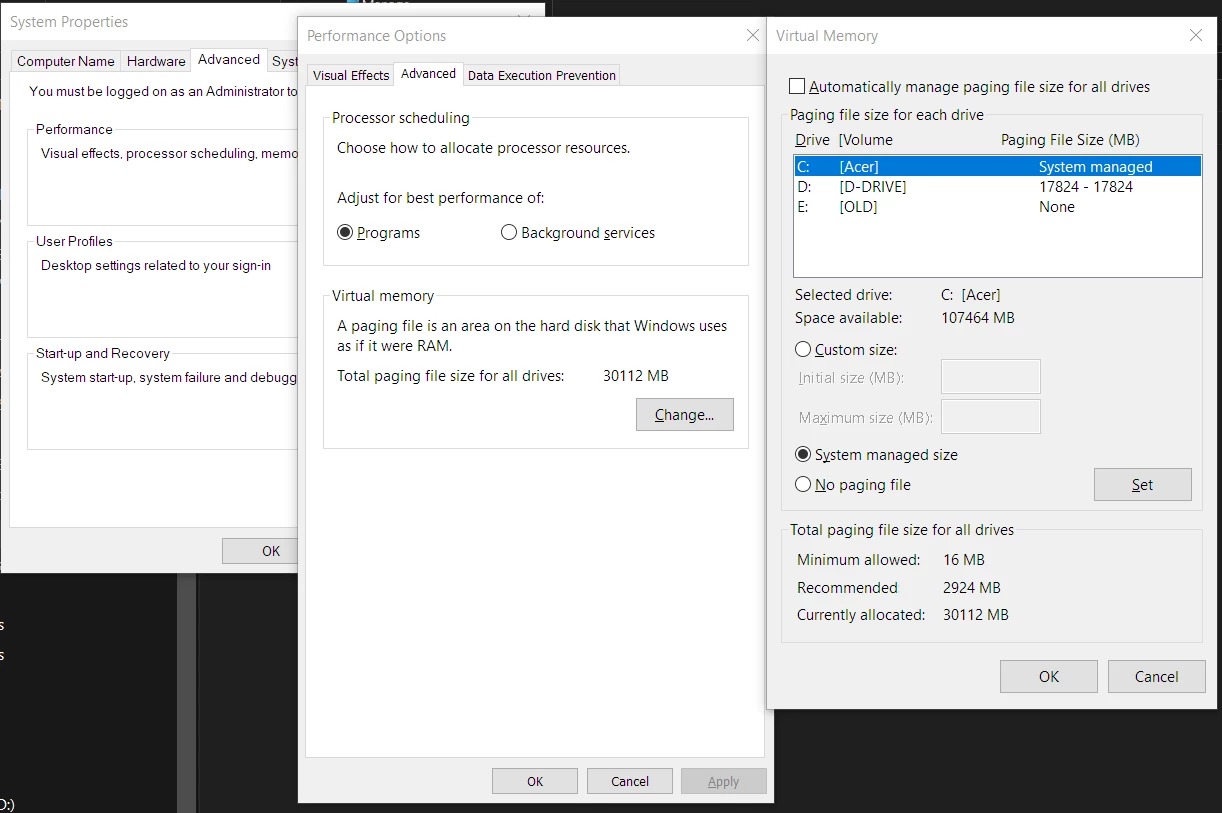
I am sharing my virtual memory performance options settings. My hard drive partitions information and current illustrator scratch disk settings.

The C partition is my Samsung SSD

The D partition is of the original HDD of my laptop

The E partition is my old C partition which had window installation and software. I used the Samsung migration tool to directly migrate the windows installation and the installed software.

What must be my virtual memory and illustrator scratch disk settings in order to get the best performance from my hardware?
    This topic has been closed for replies.

    2 replies

    Ray Yorkshire
    Participating Frequently
    June 21, 2019

    Are you having problems with Illustrator or just trying to tweak it.

    I'd let windows set the paging file, from what I've read  you could be trading stability issues for small speed increase.

    I'd use the SSD for anything needing speed and leave a fat chunk of it it free like,  you have.

    Thing about Illustrator ,at least from what I've seen, is your are not going turbo charge it that much whatever you throw at it .

    I think half the problem the way vector processing canot ustilize all the cores

    https://www.quora.com/Can-batch-processing-on-Adobe-Illustrator-…

    Eric Dumas
    Community Expert
    Community Expert
    June 24, 2019

    I think it depends as well on the work done in illustrator. If you are working on extremely large files you would notice the difference. For more 'regular' work, the automatic settings as suggested by Ray will probably serve you best.

    Eric Dumas
    Community Expert
    Community Expert
    June 21, 2019

    Hi,

    Personally, I would use the disk with the largest amount of free space for scratch disk, even better if it is not the disk with Windows on it to spread the effort.

    dzgnr89
    dzgnr89Author
    Inspiring
    June 21, 2019

    https://forums.adobe.com/people/Eric+Dumas  wrote

    Hi,

    Personally, I would use the disk with the largest amount of free space for scratch disk, even better if it is not the disk with Windows on it to spread the effort.

    My only dilemma is, that solid state drive has lesser free storage space but has higher read/write speeds than the D partition which belongs to the 1TB hard disk drive of my laptop.