
Masako Ku
Inspiring
March 24, 2018
Answered

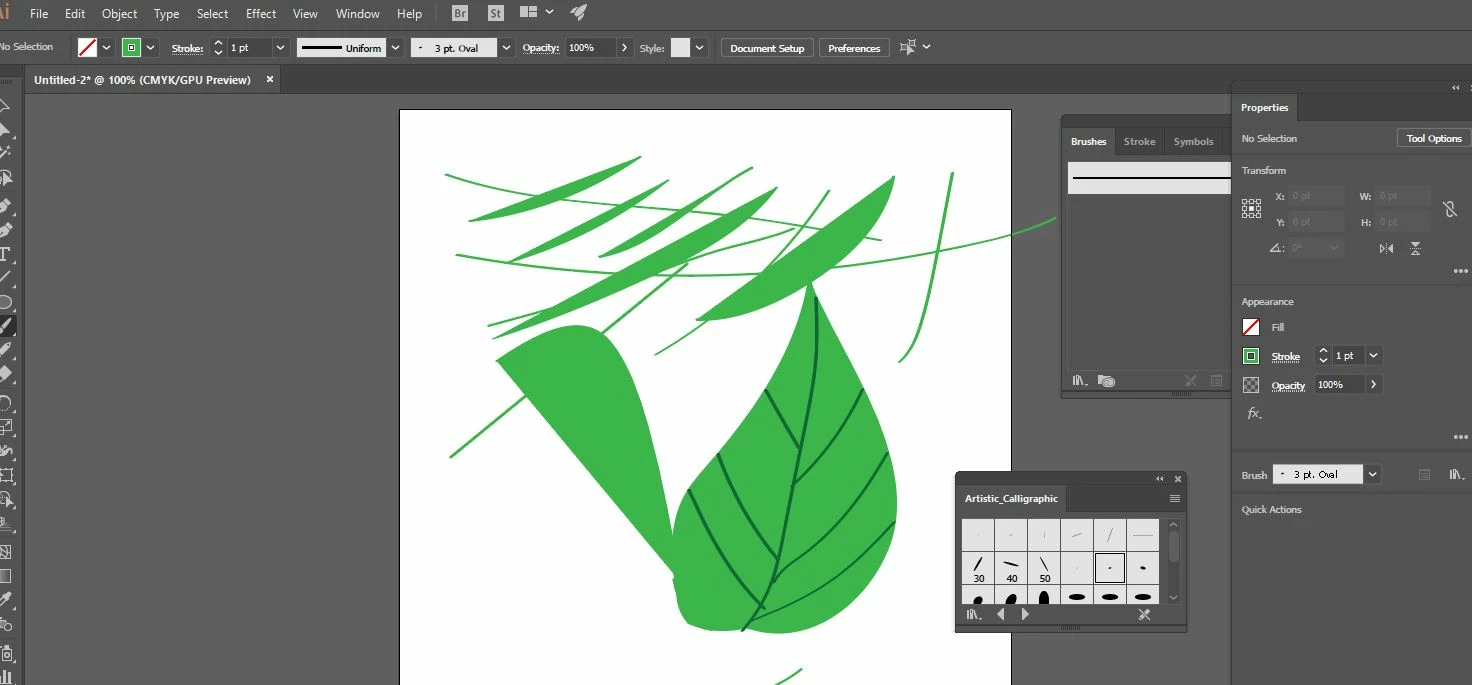
Paintbrush tool is not active or unable to change to other brush defination
  • March 24, 2018
  • 1 reply
  • 29311 views

Dear All,

When I click my paintbrush tool for painting a leaf's stem, it is sometimes inactive-meaning I will not be able to use brush at all even my layer is not locked. So my work around is selecting a calligraphic brush then it will work. However, when I want to use "basic" brush rather than calligraphic,it will not change even I selected "basic". It means when I paint, it will just move back to calligraphic brush . I use CC version and this wasn't an issue before since I have been using it for a couple of years.

Is there any set up I did wrongly to trigger this? please kindly help me.Thanks a lot.

This topic has been closed for replies.
Correct answer Monika Gause

"Basic" is not a brush. "Basic" deletes the brush from your stroke.

The brush tool can only work when a brush is selected in the brushes panel. But "Basic" is not a brush.

You want to work without a brush, then don't use the brush tool. Use the pencil tool instead.

1 reply

Monika Gause
Community Expert
Monika GauseCommunity ExpertCorrect answer
Community Expert
March 24, 2018

"Basic" is not a brush. "Basic" deletes the brush from your stroke.

The brush tool can only work when a brush is selected in the brushes panel. But "Basic" is not a brush.

You want to work without a brush, then don't use the brush tool. Use the pencil tool instead.

Masako Ku
Masako KuAuthor
Inspiring
March 30, 2018

Hi Monika,

Thank you so much for your reply, I have been using illustrator for a couple of years and I think I need to go back to my basic. Thanks a lot for your reply.   It confused me quite sometime.

Please kindly help me with another question, when I selected a brush to paint and later changed to another art brush , the new line(stroke) I drew keep going back to the previous brush setting, no matter how many times I reset it. Is there anything I set up wrongly in preference or other area? I always correct this everytime I drew, it is very frustrating. Thanks a lot once again!

Monika Gause
Community Expert
Community Expert
March 30, 2018

It's not quite clear what may be causing this, can you please show what exactly stays and how you want it to be?

I first thought it could be caused by the setting "New object has basic appearance" in the appearance panel menu. But then the new object also wouldn't have a brush applied. So it might be something else.