
Participant
February 8, 2020
Question

Pathfinder Merging Issue

  • February 8, 2020
  • 2 replies
  • 2817 views

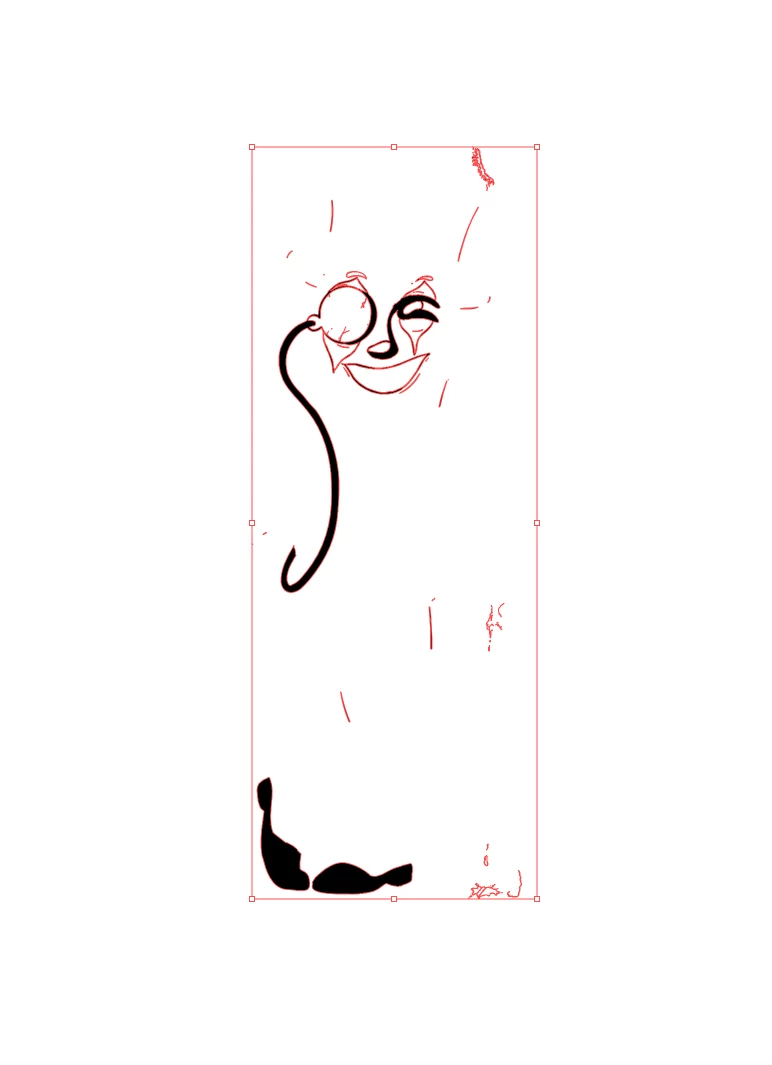
Hello, I am new to Adobe Illustrator and am having problems merging an image I am working on. I select my work, expand appearance and then attempt to merge the selected area, but every time I click merge, most of my work disappears. I am not sure why. I have used merge before and this has never happened. Here is a picture to show what is happening.
This topic has been closed for replies.

2 replies

Participant
April 29, 2020

Your lines are disappearing because they are strokes. You have to go to object, expand, and check the box for stroke. Then you can merge properly.

Participant
July 11, 2022

I had the same problem and this fixed it thank you so much dud

Mylenium
Legend
February 9, 2020

Without seeing the original outlines nobody can tell you the exact cause, but it seems to me you have a general misunderstanding here. It may not at all be necessary nor mathematically logical to merge your areas. Judging from the scattered remnants it is more likely that your appearance can only be retained with compound paths. Other than that of course any number of issues can make merging paths and areas go kaboom, from invalid open paths to self-intersections to overlapping vertices to leftovers from previous operations that would need cleaning up....


Mylenium

Dannyl23Author
Participant
February 9, 2020

Here is the original picture, before I merge it. What I am trying to do is isolate each area, so that I can color each individual closed-off section. Let me know if this helps. Thanks for the response by the way!