

Paths/Shape don't appear symmetrical
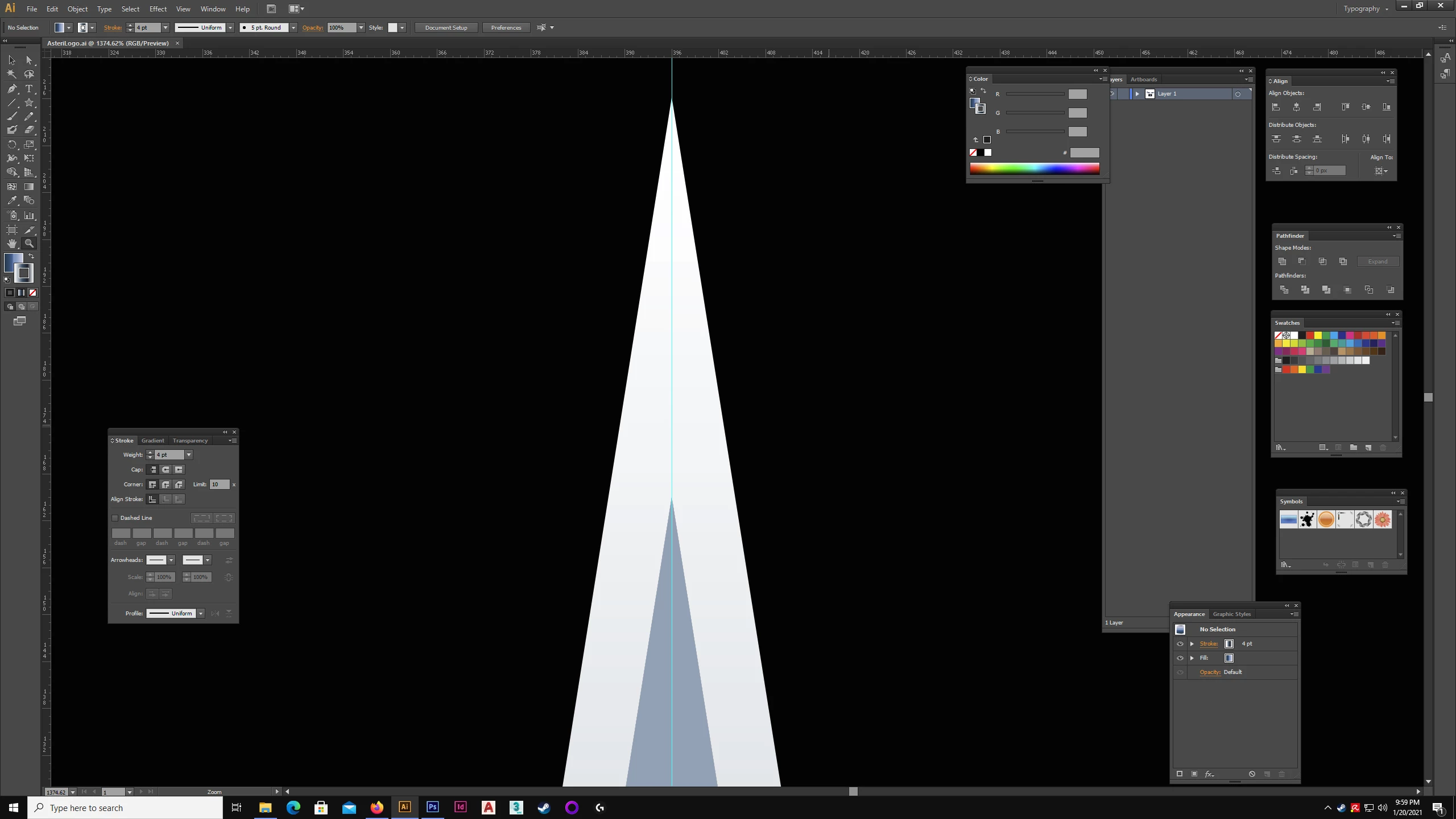
This is more of a paranoia than a real issue. I've drawn a logo and i'm wondering why it appears as if it's not symmetrical when I align it to horizontal center and have a guide in the center as well. I've used Illustrator for a long time and more to the point; have drawn a lot in Illustrator. I meticulously drew this logo with care and I THINK I have the answer, but I would like someone to give me a reason for why it appears this way. Even while studying graphic design I ran into this issue. It seems like a slight glitch? Usually this happens on high zoom levels but it's kind of apparent regardless. The logo doesn't seem symmetrical and seems to go slightly right. I actually redrew this logo over again, with the same result. Only the first time it was actually worse and didn't align with the center guide altogether.
I went to the trouble of creating a center guide and also using an anchor point on one of the star tips as a pivot point. 9 degrees. Other direction? Bam, -9 degrees. They line up. So what is this? Just a visual glitch? I can't stress how much care went into it, so not sure why it would end up this way.
I can't upload my working file for people to pry around in. Screenshots are the best I can do.
 AdChoices