CBecker
Inspiring
January 17, 2020
Answered

Photos with mask don't show shadow effect

  • January 17, 2020
  • 1 reply
  • 894 views

I've used Illustrator for many years. I'm seeing something unexpected. I have placed a photo on the artboard and masked it. I've applied a Drop Shadow effect but it's not showing up. The Drop Shadow effect works fine on a regular shape. When the photo is not masked, the shadow appears around the photo.
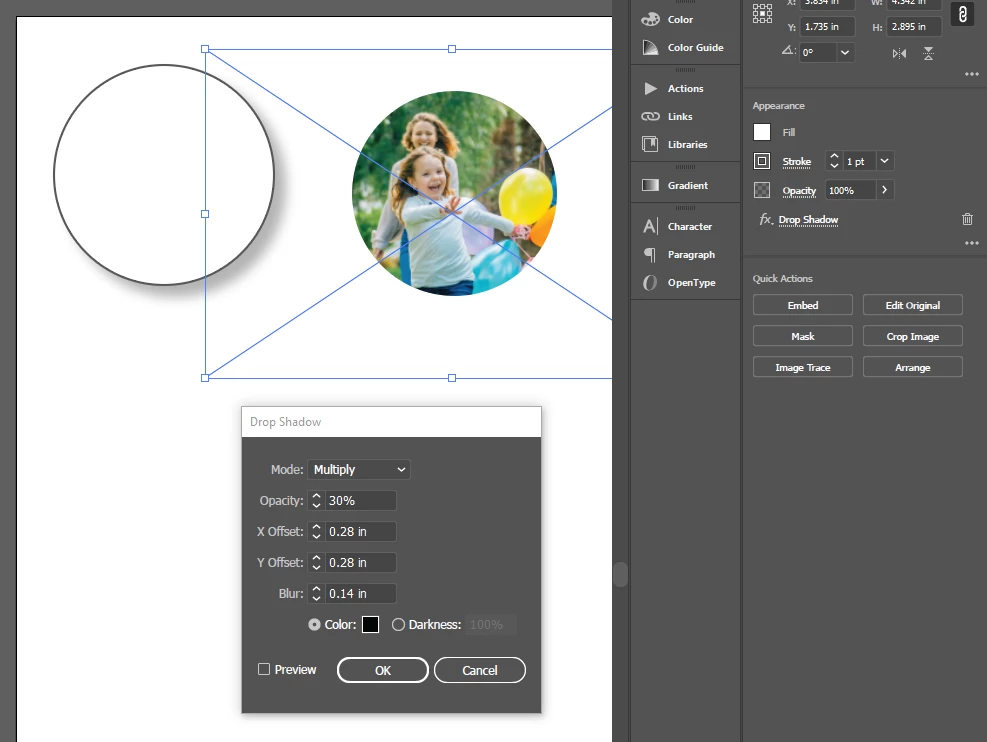


Additionally, if you look at the attached screen shot, you'll see that the masked photo is showing the bounding area around the photo and not the masked shape. I thought in the past files that I have worked with showed the selection area to be the mask shape.


I would appreciate any assistance.
 

This topic has been closed for replies.
Correct answer CBecker

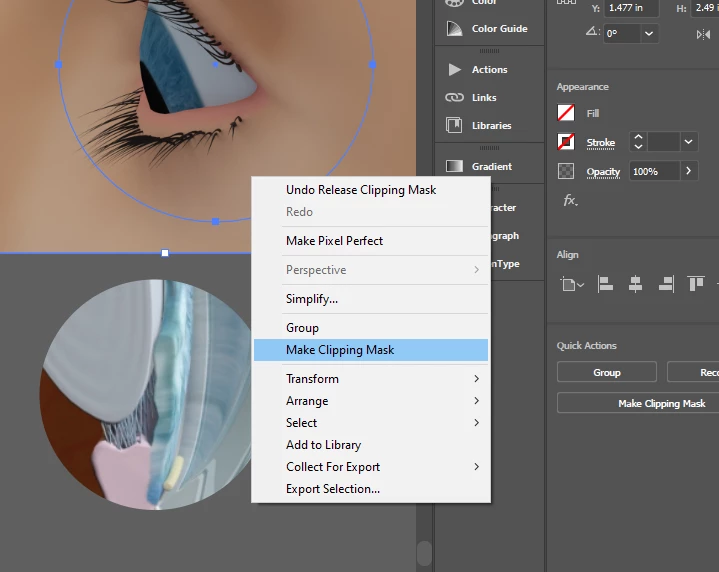
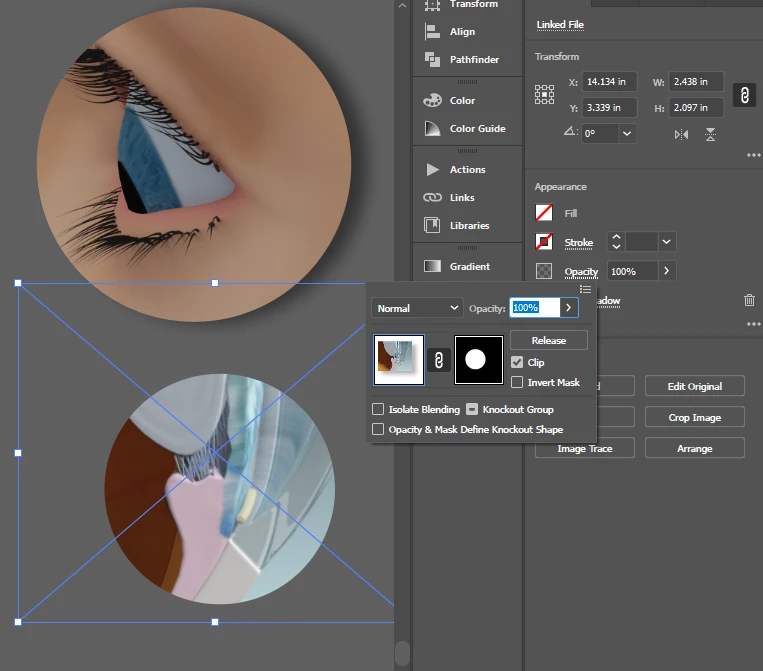
I found a way to solve this. I used to mask a photo or object by using Opacity in the Appearance panel. Perhaps this has been an old way of doing it - so perhaps there are some new limitations. Not sure when this changed. I see that Object / Clipping Mask works correctly. Additionally, it's an option when right-clicking while 2 objects are selected.


Additionally, the clickable region on an object that has a Clipping Mask applied is accurate to the clip region and not the object or photo which is being masked/clipped.


1 reply

CBecker
CBeckerAuthorCorrect answer
Inspiring
January 17, 2020

I found a way to solve this. I used to mask a photo or object by using Opacity in the Appearance panel. Perhaps this has been an old way of doing it - so perhaps there are some new limitations. Not sure when this changed. I see that Object / Clipping Mask works correctly. Additionally, it's an option when right-clicking while 2 objects are selected.


Additionally, the clickable region on an object that has a Clipping Mask applied is accurate to the clip region and not the object or photo which is being masked/clipped.