
Known Participant
March 15, 2021
Answered

problem trying to flip curve with pen tool in windows

  • March 15, 2021
  • 2 replies
  • 1876 views

Hi


I am trying to create this shape with the pen tool in windows. 
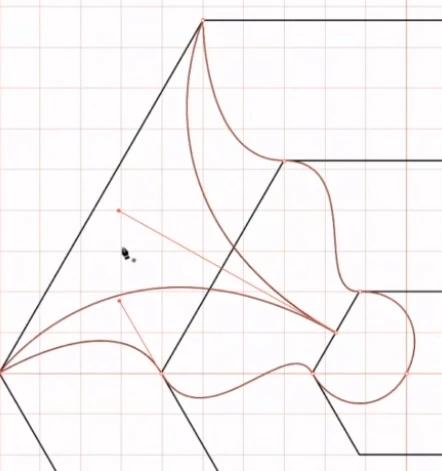
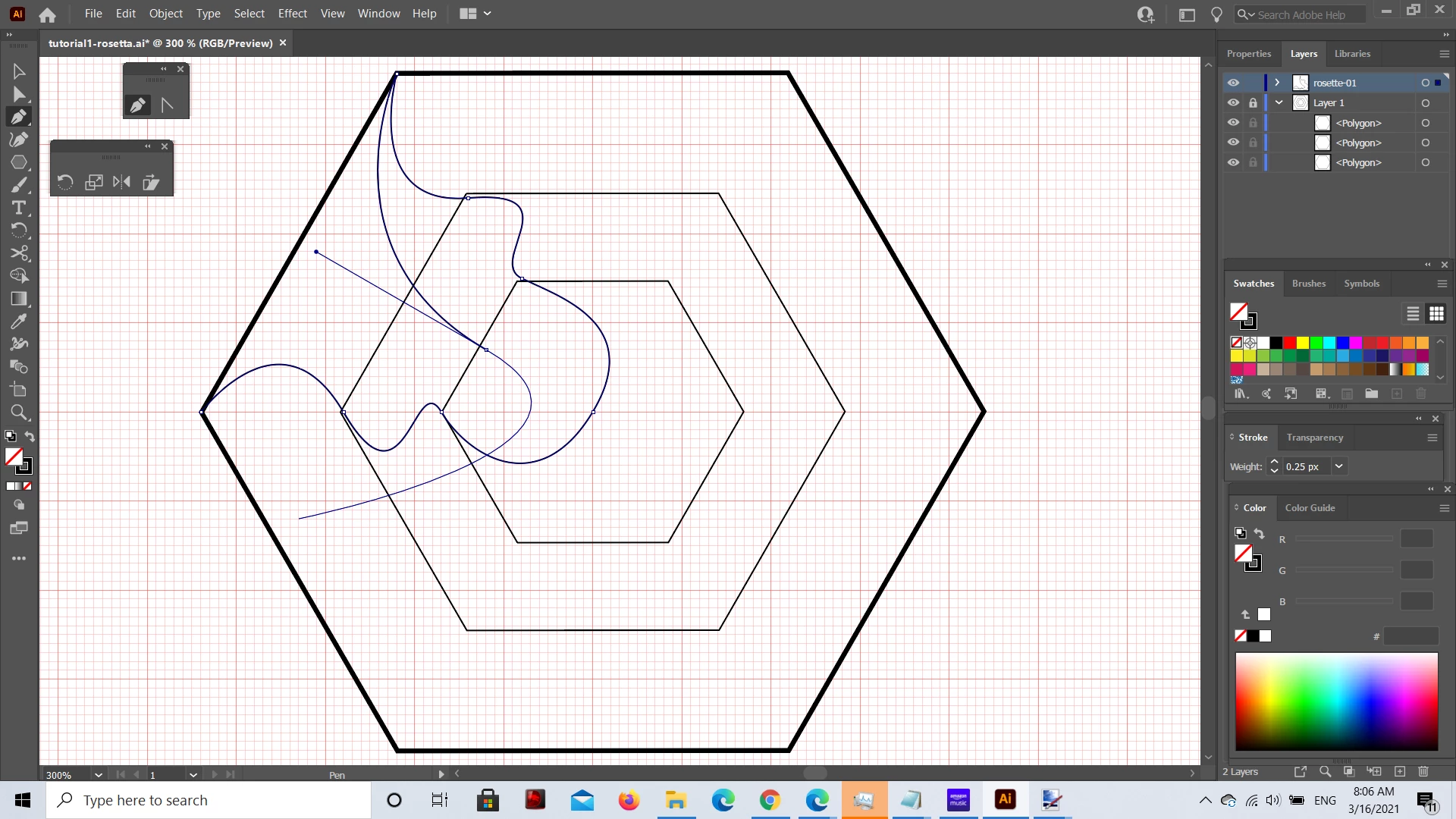
I am having trouble with the final bit. I need to flip/reverse the direction of the curve my pen tool is creating, and I don't know how to do this in windows. I have been told that option is the mac shortcut, but when I tried alt with windows, it doesn't work. You can see what my pen tool is doing below. I moved it away from the final point so you can see the curve it is creating vs the curve I actually want in the pic above. Any help would be appreciated.
 

thanks

Rebecca

This topic has been closed for replies.
Correct answer Steve Fairbairn

The usual way to make a sharp corner is to double-click with the Pen.

So click-drag, click-drag (to make the smooth anchors), then click-click (to make the sharp corner), then click-drag and so on. It's all quite easy once you get the hang of it. It's a good idea to outline some type to see the optimal positioning of anchors on curves. Smoothest curves have few anchors. Fiddle around with the anchor handles to see how curves can be altered.

2 replies

carlosgarro
Community Expert
Community Expert
March 16, 2021

Hi.

Here a little that may help you: Hexagonal

Best Regards

Known Participant
March 26, 2021

Thank you. I will still try and figure out how to use the pen tool in the other way in case I need to do it for something else, but I was able to create that shape easily by following your video. Many thanks.


Rebecca

Steve Fairbairn
Steve FairbairnCorrect answer
Inspiring
March 26, 2021

The usual way to make a sharp corner is to double-click with the Pen.

So click-drag, click-drag (to make the smooth anchors), then click-click (to make the sharp corner), then click-drag and so on. It's all quite easy once you get the hang of it. It's a good idea to outline some type to see the optimal positioning of anchors on curves. Smoothest curves have few anchors. Fiddle around with the anchor handles to see how curves can be altered.

Steve Fairbairn
Inspiring
March 15, 2021

The shape you are drawing is symmetrical, so why not just draw half of it and reflect a copy?

Known Participant
March 15, 2021

Hi Steve


I don't know how to do that, I am just learning illustrator. But I would also like to know how to flip the curve in case I needed it for a non symmetrical design.


thanks

Rebecca