
stephencaliban2016
Participant
July 5, 2018
Question

Quickest way to create line shading for patent drawings

  • July 5, 2018
  • 2 replies
  • 8358 views

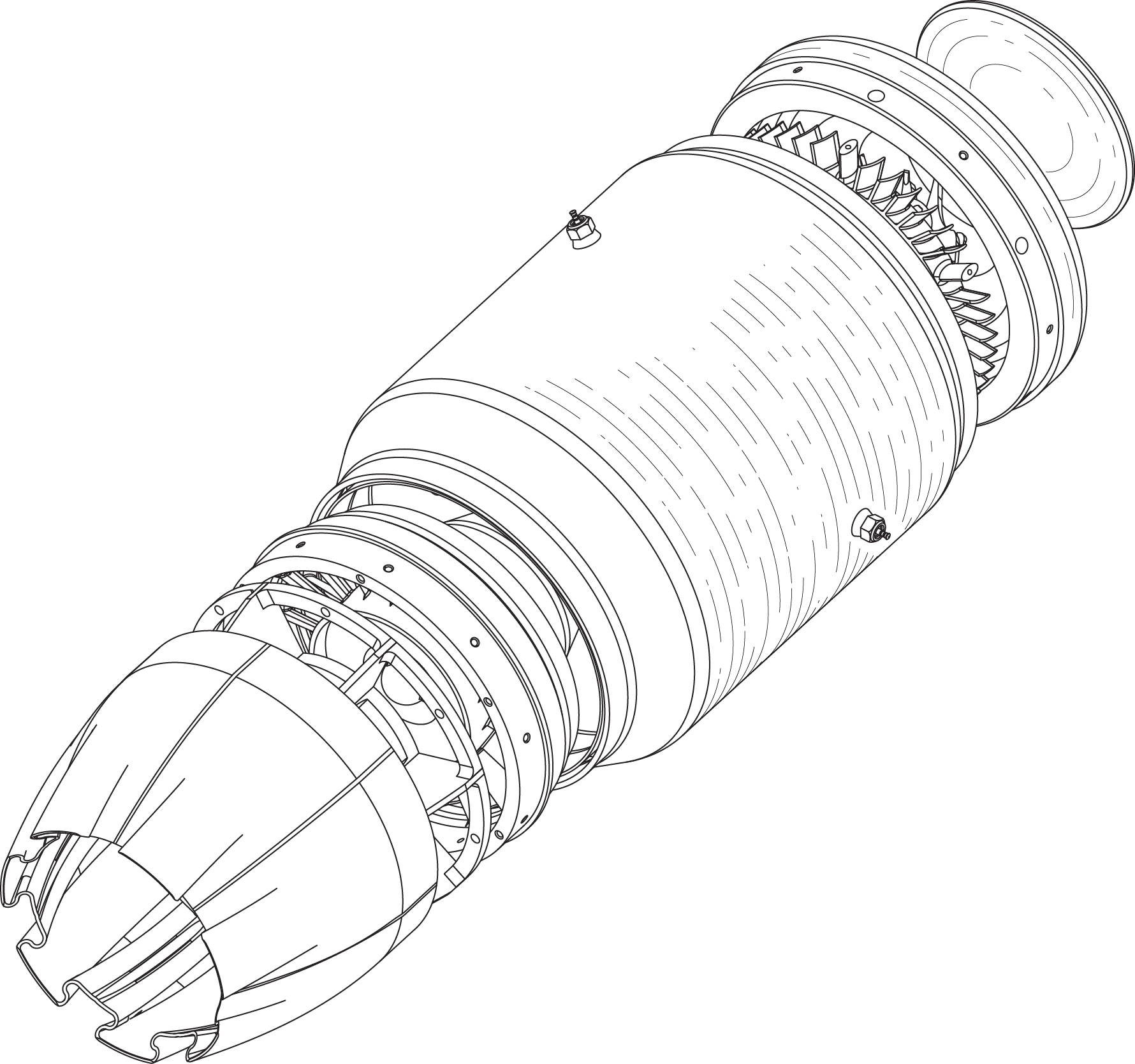
Hi, I'm trying to figure out a technique to do line shading, as in patent illustrations, the quickest way possible. 

If you're not familiar with patent line shading, the preferred look is to have parallel or concentric discontinuous lines,

and are used both to differentiate one surface from another, and to give an indication of the contours of the shape. 

The light source for the line shadows is supposed to be top left, so light at a 45 degree angle. 

I've attached a work in progress to give you a better idea of what I mean.  Here is my technique.  If you want to give me some

advice or feedback, please actually open up Illustrator and test out your idea so that you can see how long it takes

rather than just opining.  If you have experience actually working on patent illustrations, I'd definitely like to hear what technique

you've used for the shading.  What I did here was select two lines from the drawing, copied and pasted them to a new layer

for the shading.  Then, using the blend tool, adding specified steps and playing with the number to create a density of lines

that wasn't too dark.  Then I expanded that object using the object menu (unchecking lines and fills).  Then I selected each

line and used different dash gap settings for each line to make them non-uniform looking, so they wouldn't be confused as

some kind of surface ornamentation pattern.  Lastly, I used the eraser tool to erase some of them away in order to make the

top left of that area appear to have a spot of light on it (at least for the main cylinder of the drawing). 

The problem is that it's somewhat time-consuming, and I'd like to find a faster way. 

So, please let me know what you think of this technique, can you improve upon it to make the process faster, more automated?

Or, if you have an idea for a completely different technique, please tell me what it is.
This topic has been closed for replies.

2 replies

stephencaliban2016
Participant
July 6, 2018

Mylenium, I know you mean well, but I'd like more specifics if you're going to say that Illustrator or Adobe software is not the way to go.  I see this all the time in Amazon reviews.  "Don't buy this product, there are plenty of other competing products that are better."  Oh yeah?  Which ones.  Except in this case, you do mention CorelDraw but no specifics, which is the software forum equivalent.  Care to respond by pasting in a screenshot or screen capture gif/movie file, showing both the results and what menu item/toolbar tool achieved that?  I went to the CorelDraw website and couldn't find info on it, and online searches didn't work either.  If it was so easy to figure out, I wouldn't be asking on a forum.  If there are 3D or CAD programs that can create patent shading lines at the push of a button, that feature hasn't shown up in weeks of Google searches, and consultation with a half dozen experts in Solidworks, 3ds Max, Fusion, Creo, etc.  I'm open to whatever software works especially if it can produce vector lines, but I need a tutorial.  I've also searched on youtube and no one has shown a technique other than the one I described, which is not that fast.

JETalmage
Inspiring
July 7, 2018

Basic principle: Use Art Brushes and Pattern Brushes.

Example:

LineShadeBrushes_1of4.png

LineShadeBrushes_2of4.png

LineShadeBrushes_3of4.png

LineShadeBrushes_4of4.png

JET

Mylenium
Legend
July 6, 2018

Well, most CAD-programs and some 3D rendering tools generate this stuff at the push of a button and CorelDraw even developed a new custom renderer for their technical suite that can dynamically generate vector outlines from 3D-CAD data inside their programs. It's probably fair to say that in light of that you are making your life difficult by hanging on to Adobe software. That said, I'd probably simply create a ton of rings with disconnected segments and simply delete the ones I don't want/ need. Seems quicker than endlessly fiddling with dashes.

Mylenium

JETalmage
Inspiring
July 7, 2018
CorelDraw even developed a new custom renderer for their technical suite that can dynamically generate vector outlines from 3D-CAD data inside their programs.

As a licensed user of Technical Designer, I also would like to know what specific feature are you talking about that has to do with automating the kind of shading which is the subject of this thread.

JET

stephencaliban2016
Participant
July 9, 2018

Jet,

Sorry for the delay, I didn't want to write back until I had a chance to try out your technique.  It looks pretty good, I'm impressed, but I need to experiment more with it in order to be able to use that technique in a streamlined way to shade any kind of area or shape in a drawing.

Recently, a project had 25 drawings, exported from a 3D program.  I'd like to get the shading time down to something like 15 minutes per drawing.  I don't think every surface needs to be shaded, but I want to apply the technique to multiple types of surfaces, flat, angled, curved, in the same drawing.  I don't know if it'd be an effective approach to create many different brushes that could then be used in all future drawings/projects, or if brushes need to be created per drawing, or per project, to be able to perfectly fit that shape.

If you have any further insight, please let me know.  Otherwise, I'm going to keep playing with your technique to try and come up with the exact steps for any shape.