
Participant
July 11, 2021
Answered

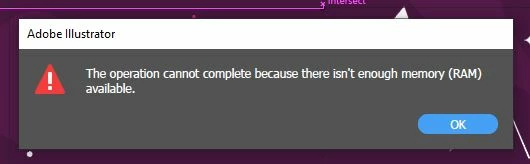
"The operation cannot complete because there isn't enough memory (ram) available"

  • July 11, 2021
  • 1 reply
  • 2471 views

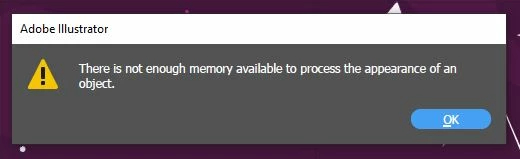
when I tried to move or drag some artwork to big resolution like 8k (I don't think so it's because of this) and all then it's showing "The operation cannot complete there isn't enough memory (RAM) available" and "There is not enough memory available to process the appearance of an object".
How can I fix this?
My Illustrator version: 25.3.1 (64- bit)
My system info:
OS: Windows 10
RAM: 32 GB
Graphics device 1: Intel(R) UHD Graphics
Graphics device 2: NVIDIA GeForce RTX 3070 Laptop Gpu
This topic has been closed for replies.
Correct answer Mylenium

Obviously without any info about teh artwork this isn't going anywhere. If it's a pixel image it could simply be damaged, have a damaged color profile, bad metadata or anything else. The first thing to try therefore is to actually open it in Photoshop and possibly save it as a completely new file in one of the formats that AI supports, be that native PSD, TIFF or whatever. Anything beyond that will require exact info on the art file.


Mylenium

1 reply

Mylenium
MyleniumCorrect answer
Legend
July 11, 2021

Obviously without any info about teh artwork this isn't going anywhere. If it's a pixel image it could simply be damaged, have a damaged color profile, bad metadata or anything else. The first thing to try therefore is to actually open it in Photoshop and possibly save it as a completely new file in one of the formats that AI supports, be that native PSD, TIFF or whatever. Anything beyond that will require exact info on the art file.


Mylenium

lazuliteAuthor
Participant
July 14, 2021

You're totally correct; it's all due to the artwork I received; when I deleted that specific part and tried shifting the entire artwork, it worked flawlessly, unless that particular element was not critical to my task. So, thank you very much for resolving this problem.