
Participant
July 26, 2017
Question

Recent Documents no longer showing when no document is open

  • July 26, 2017
  • 6 replies
  • 3743 views

Not sure if something changed, but suddenly I no longer see the thumbnails of recent documents when no document is open.

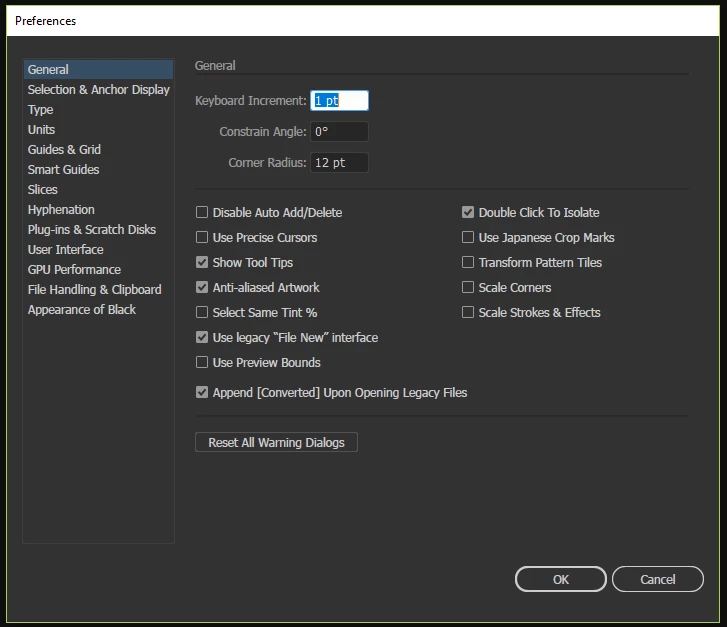
I went through Edit > Preferences > General... but I don't see an option to select that says "show recent documents"

How can I get these thumbnails back?  Even though it is a minor inconvenience to have to go up to file and open recent documents every time, it really does slow down my workflow because I open recent documents quite often.

This topic has been closed for replies.

6 replies

Participant
August 7, 2019

Only way I was able to get around this annoyance was to Browse in Bridge and view recent files that way…

tromboniator
Community Expert
Community Expert
August 8, 2019

Is this what this discussion is about?

Participant
April 23, 2018

This is also happening to me. I have restarted program and computer and chosen "reset start" from "workspace" menu. Also, the list of recent files is remaining empty.

Also, issues with when I open a file through the open or create new menu, nothing happens.

Participant
March 9, 2018

If you're using Creative Cloud, check to see if you're signed in. If not, sign in and then close Adobe. Then restart.

Known Participant
August 1, 2017

Its been disabled. The Recent Files workspace is missing

Please Adobe BRING THIS BACK ! saved me hours of hunting for files.

Stephen

Mike_Gondek10189183
Community Expert
Community Expert
July 26, 2017

Yes you are missing this setting which should appear inc CC2015 & 2017.

And the gear icon.

Have you restarted Illustrator since this began?

More Thorough Reset Your Preferences.

Quit Illustrator

Finder >> Shift Command G

~/Library/Preferences/Adobe Illustrator 21 Settings/en_US*/Adobe Illustrator Prefs

rename Adobe Illustrator 21 to Adobe Illustrator 21 old

Reset Your Other Preferences

Quit Illustrator

Finder >> Shift Command G

~/Library/Application Support/Adobe/Adobe Illustrator 21/

rename Adobe Illustrator 21 to Adobe Illustrator 21 old

Press Win+R -> appdata -> Roaming -> Adobe -> rename folder Adobe Illustrator 20 (or 21) Settings to any other name.

Participant
July 26, 2017

I had restarted several times, but this time I went through the file menu to exit out instead of the "x" in the right corner (im on PC).  Then I logged into the creative cloud app and opened illustrator from that menu and the start/recent shows up now.  I'm not sure what the problem was still or what fixed it, but its showing up now.  It is blank with no recent projects but at least it is there.

Thanks!

Mike_Gondek10189183
Community Expert
Community Expert
July 26, 2017

Good to know thanks for the update!

The Adobe cloud app is critical to your adobe apps running correctly. Make sure the Adobe cloud app is happy as we have seen many errors happening when spinning wheels on Adobe cloud exist or if people run Adobe apps with that the cloud being up and running.

Jeff Witchel, ACI
Community Expert
Community Expert
July 26, 2017

Try choosing the Start workspace from the Workspace popup menu in the upper right of your window. (see attached)

Hope this helps!

Participant
July 26, 2017

Thanks for the reply Jeff.  Unfortunately I don't have that option in my workspace menu.  see attached.

Jeff Witchel, ACI
Community Expert
Community Expert
July 26, 2017

How about under the Window menu > Workspace?