
Lara_seven
Known Participant
June 18, 2018
Answered

Relinking files in Illustrator

  • June 18, 2018
  • 4 replies
  • 5108 views

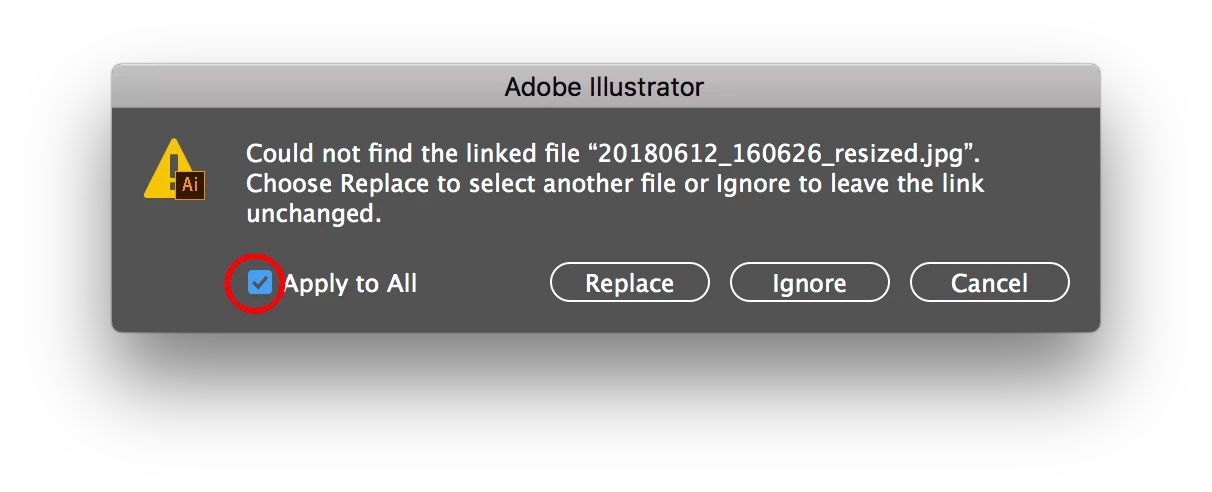
I am experiencing a problem with relinking files. I often place images in Illustrator documents and then Chenge the file name of the linked image (Ex. File name : 123456_filename.psd) it is need the relink on the same illustrator file. It is have more than 50 images. it is taken long time to relink. so i need to relink with the help of script. Illustrator​ !

Correct answer Mike_Gondek10189183

You can try the scripting forum, as I asked a long time ago for this and someone wrote me a script..

Illustrator Scripting

But this feature now works in CC2018, as that did not used to work in CS6 for example.

I would recommend to you to keep all you images in a folder called "Links" next to the .ai folder. This way fi you move the file or send to someone, the links will reestablish themselves as Illustrator looks for a folder called links.

4 replies

marcg68495176
Inspiring
June 18, 2024

Surprisingly (?) this is still an issue in 2024. Here is a ChatGPT script that works wonders. It will list all links in the file grouped by file name, ask you to choose one, ask you to choose a new file, and automatically replace all links with the same name.

/**
 * This script replaces all linked files with the same name at one time in Adobe Illustrator.
 * It allows the user to select the link to replace from a list of current links using a drop-down menu
 * and then choose the new file from a dialog.
 */

function replaceAllLinksWithSameName() {
    var doc = app.activeDocument;
    var placedItems = doc.placedItems;
    var linkNames = [];

    // Collect all unique link names
    for (var i = 0; i < placedItems.length; i++) {
        var placedItem = placedItems[i];
        if (placedItem.file) {
            var fileName = placedItem.file.name;

            // Check if the fileName is already in linkNames
            var isUnique = true;
            for (var j = 0; j < linkNames.length; j++) {
                if (linkNames[j] === fileName) {
                    isUnique = false;
                    break;
                }
            }

            if (isUnique) {
                linkNames.push(fileName);
            }
        }
    }

    if (linkNames.length === 0) {
        alert("No linked files found in the document.");
        return;
    }

    // Create a dialog for link selection
    var dialog = new Window("dialog", "Select Link to Replace");
    dialog.orientation = "column";

    var dropdown = dialog.add("dropdownlist", undefined, linkNames);
    dropdown.selection = 0;

    var okButton = dialog.add("button", undefined, "OK");
    okButton.onClick = function() {
        dialog.close(1);
    };

    if (dialog.show() != 1) {
        return;
    }

    var oldFileName = dropdown.selection.text;
    var newFile = File.openDialog("Select the new file to replace " + oldFileName);

    if (newFile) {
        var count = 0;

        for (var k = 0; k < placedItems.length; k++) {
            var placedItem = placedItems[k];
            if (placedItem.file && placedItem.file.name === oldFileName) {
                placedItem.file = newFile;
                count++;
            }
        }

        alert(count + " links have been replaced.");
    } else {
        alert("Operation cancelled or no file selected.");
    }
}

replaceAllLinksWithSameName();
schroef
Inspiring
March 17, 2025

Simply relinking has issues with layerComps. Only solution is showing that relink dialog and manually setting to correct LayerComp


Plus this script shows an error. Guess its due to missing link.  The script doesnt check if placedItem.file actually exists and thus throws an error 

Participant
October 12, 2022

Lara_seven
Known Participant
November 22, 2018

kalaimanis71535121  wrote

I am experiencing a problem with relinking files. I often place images in Illustrator documents and then Chenge the file name of the linked image (Ex. File name : 123456_filename.psd) it is need the relink on the same illustrator file. It is have more than 50 images. it is taken long time to relink. so i need to relink with the help of script. Illustrator  !
I am finished and tested with my jobs.

if ( app.documents.length == 1 )

{

var myPrepend = prompt("Please enter issue Job Number.\nExample: IND_123456 (or) 123456", "Issue Job Number");

if (!myPrepend) exit();

var myPrepend1 = prompt("How many characters want to be replace?\nExample: 0, 6", "Add=0, Replace=Number of  Characters Replaced");

if (!myPrepend) exit();

var response = confirm("Warning: You are about to rename all images linked to the foremost Illustrator Document - proceed?\n Keep in mind - it is not reversible!", false, "Rename Links Script");

if (!response) exit()

// Rename file name

      function test(){

    var prefix = myPrepend;

var myFolderPath = Folder(app.activeDocument.path + '/../040 Images/043 High Res');

    var myFolder = Folder(myFolderPath);

    var files = myFolder.getFiles();

    for(var x=0,len=files.length;x<len;x++)

    {

        files.rename(prefix + files.name.substring(myPrepend1));

    }

}

test();

//relink renamed files

function linkReplacer() { 

     var orginalUIL = app.userInteractionLevel; 

     app.userInteractionLevel = UserInteractionLevel.DONTDISPLAYALERTS; 

     if (app.documents.length == 0) { 

          alert('Please have an "Illustrator" document open before running this script.'); 

          return; 

     } else { 

          docRef = app.activeDocument; 

     } 

     var defaultFolder = new Folder (Folder(app.activeDocument.path + '/../040 Images/043 High Res')); 

     var psdFolder = defaultFolder; 

     if (psdFolder == null) return; 


     with (docRef) { 

          var placedFiles = new Array(); 

          for (var i = 0; i < placedItems.length; i++) { 

               placedFiles.push(myPrepend+placedItems.file.name.substring (myPrepend1)); 

          } 


          for (var j = 0; j < placedItems.length; j++) { 

               var rePlace = new File(psdFolder.fsName + '/' + placedFiles); 

               if (rePlace.exists) { 

                    placedItems.file = rePlace; 

               } else { 

                    alert('File "' + placedFiles + '" is missing?'); 

               } 

          } 

     } 

     app.userInteractionLevel = orginalUIL; 


linkReplacer();

}

             else

             {

                               alert('Please open an Illustrator document into which to Collect Images.'); 

                  }

Mike_Gondek10189183
Community Expert
Mike_Gondek10189183Community ExpertCorrect answer
Community Expert
June 18, 2018

You can try the scripting forum, as I asked a long time ago for this and someone wrote me a script..

Illustrator Scripting

But this feature now works in CC2018, as that did not used to work in CS6 for example.

I would recommend to you to keep all you images in a folder called "Links" next to the .ai folder. This way fi you move the file or send to someone, the links will reestablish themselves as Illustrator looks for a folder called links.

Lara_seven
Known Participant
July 20, 2018

This not helping for me because i need to write the script for this. i am getting some of script but it is working on indesign software.

kindly help write the script for illustrator.

Script for your reference.

var myDoc = app.activeDocument;

var myPrepend = prompt("Example: thebook_08765", "Job description", "Please enter job description");

if (!myPrepend) exit();

var response = confirm("Warning: You are about to rename all images linked to the foremost Indesign Document - proceed? Keep in mind - it is not reversible!", false, "Rename Links Script");

var doc = app.activeDocument,

    links = doc.allGraphics, count = 1, eqcount = 1, a = "0000";

for(var i=links.length-1;i=0;i++)

{

                var ext = links.itemLink.name.substr(links.itemLink.name.lastIndexOf(".")),

                    old = File(links.itemLink.filePath),

                    num = (count++).toString(),

                    newname = myPrepend + a.substring(0, a.length - num.length) + num + ext

                old.rename(newname);

                links.itemLink.relink(File(old.toString().replace(links.itemLink.name,newname)))

    }

Lara_seven
Known Participant
August 29, 2018

I am not able to rename the linked file but i am re-linked renamed link files.


function linkReplacer() { 

     var orginalUIL = app.userInteractionLevel; 

     app.userInteractionLevel = UserInteractionLevel.DONTDISPLAYALERTS; 

     if (app.documents.length == 0) { 

          alert('Please have an "Illustrator" document open before running this script.'); 

          return; 

     } else { 

          docRef = app.activeDocument; 

     } 

var myPrepend = prompt("Please enter issue Job Number.\nExample: IND_123456 (or) 123456", "Issue Job Number");

if (!myPrepend) exit();

var response = confirm("Warning: You are about to rename all images linked to the foremost Illustrator Document - proceed?\n Keep in mind - it is not reversible!", false, "Rename Links Script");

if (!response) exit()    

     var defaultFolder = new Folder (Folder(app.activeDocument.path + '/../040 Images/043 High Res')); 

     var psdFolder = defaultFolder; 

     if (psdFolder == null) return; 


     with (docRef) { 

          var placedFiles = new Array(); 

          for (var i = 0; i < placedItems.length; i++) { 

               placedFiles.push(myPrepend+placedItems.file.name.substring (6)); 

          } 


          for (var j = 0; j < placedItems.length; j++) { 

               var rePlace = new File(psdFolder.fsName + '/' + placedFiles); 

               if (rePlace.exists) { 

                    placedItems.file = rePlace; 

               } else { 

                    alert('File "' + placedFiles + '" is missing?'); 

               } 

          } 

     } 

     app.userInteractionLevel = orginalUIL; 


linkReplacer();