
Resizing object with x or y dimension with Command + Return is not working reliably
Update bug confirmed and replicated on another Mac. Edited with more details:
Since 24.3, resizing certain complex grouped objects while maintaining the ratio using Command + Return with one x or y dimension is not working properly.
Example:
1. take an affected complex grouped drawing
2. enter a different dimension (higher or lower) in the "x" dimension box
3. press "Command + Enter" to attempt to make the "y" dimension box update with the new dimension with the correct ratio
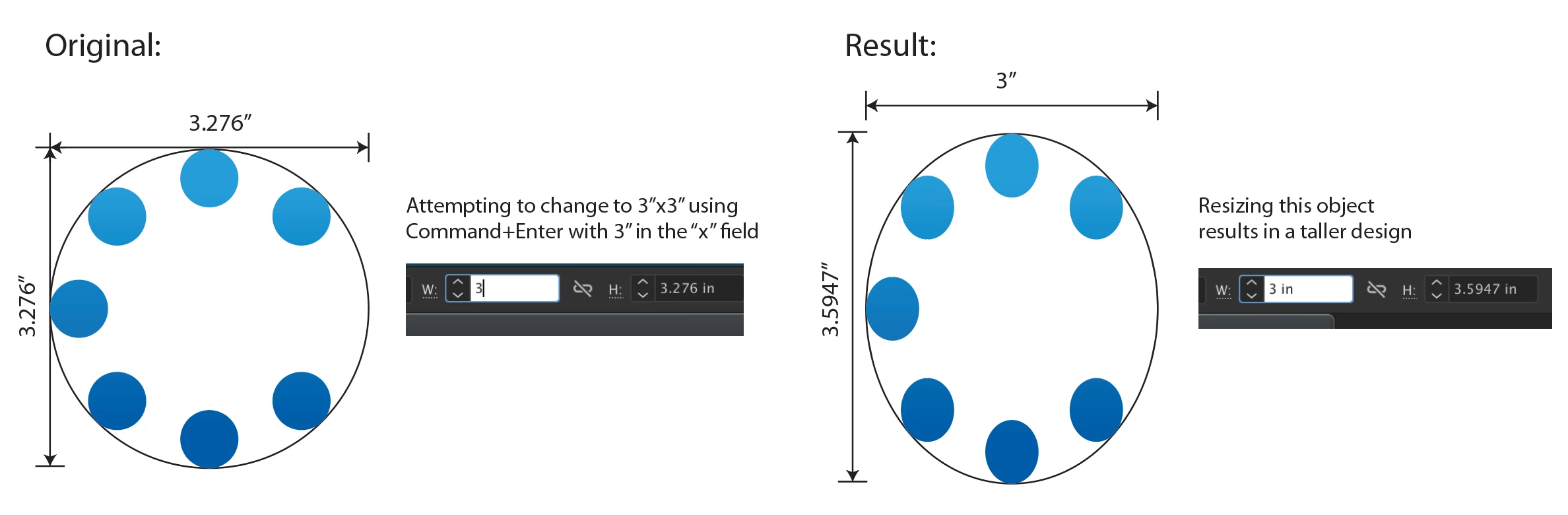
Result: for objects affected by this issue, it generally makes it taller and does not conform to the usual set ratio.
This is very hard to replicate as it only affects very specific objects but curious if this is affecting anyone else.
If there is a way to share the AI file affected with Adobe Support please let me know.
I have tried to share more screenshots and a video but appears the moderator has deemed this post to be spam...
I am attaching a new screenshot with no text of the logo hoping it will not be deemed spam again.
As you can see in the screenshot, when pressing "Command + Enter" with a 3" width, the height changes to 3.5947" as opposed to maintaining the expected square size.
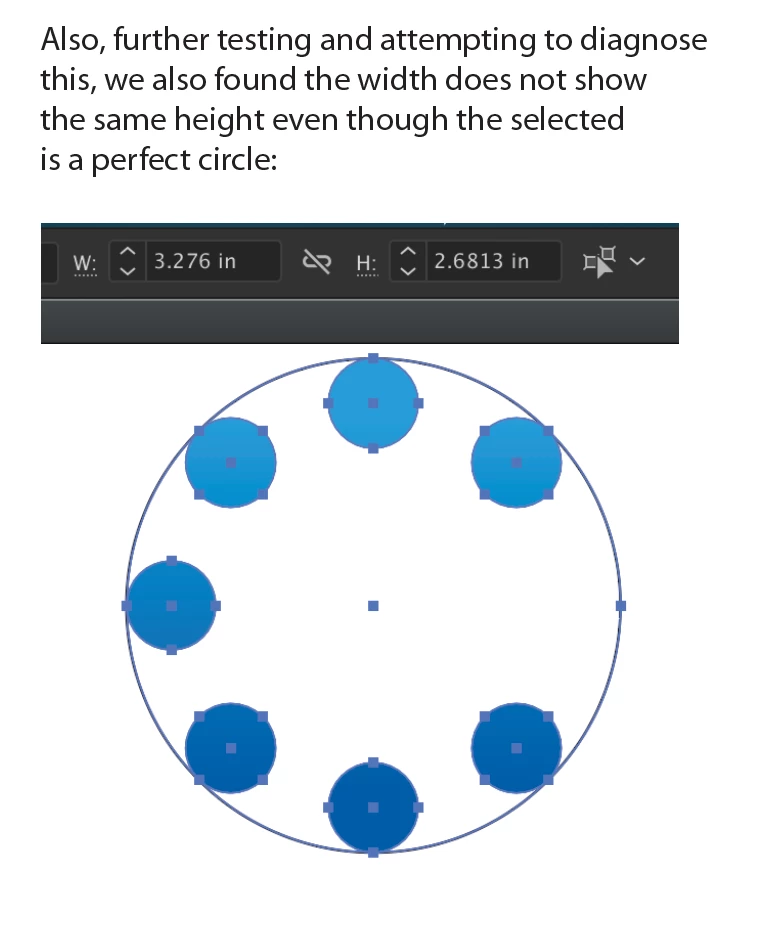
We have confimed and replicated this issue with the same AI file on another Mac using version 24.3. Yet, another Mac using 24.23 is not affected by this issue.
Notes:
- caps lock is not pressed
- there are no hidden objects or guides
- snap to grid or pixel is not active
- only affects very specific objects created in versions before 24.3
 AdChoices