
Inspiring
March 12, 2018
Answered

Rotate tool not working

  • March 12, 2018
  • 2 replies
  • 7890 views

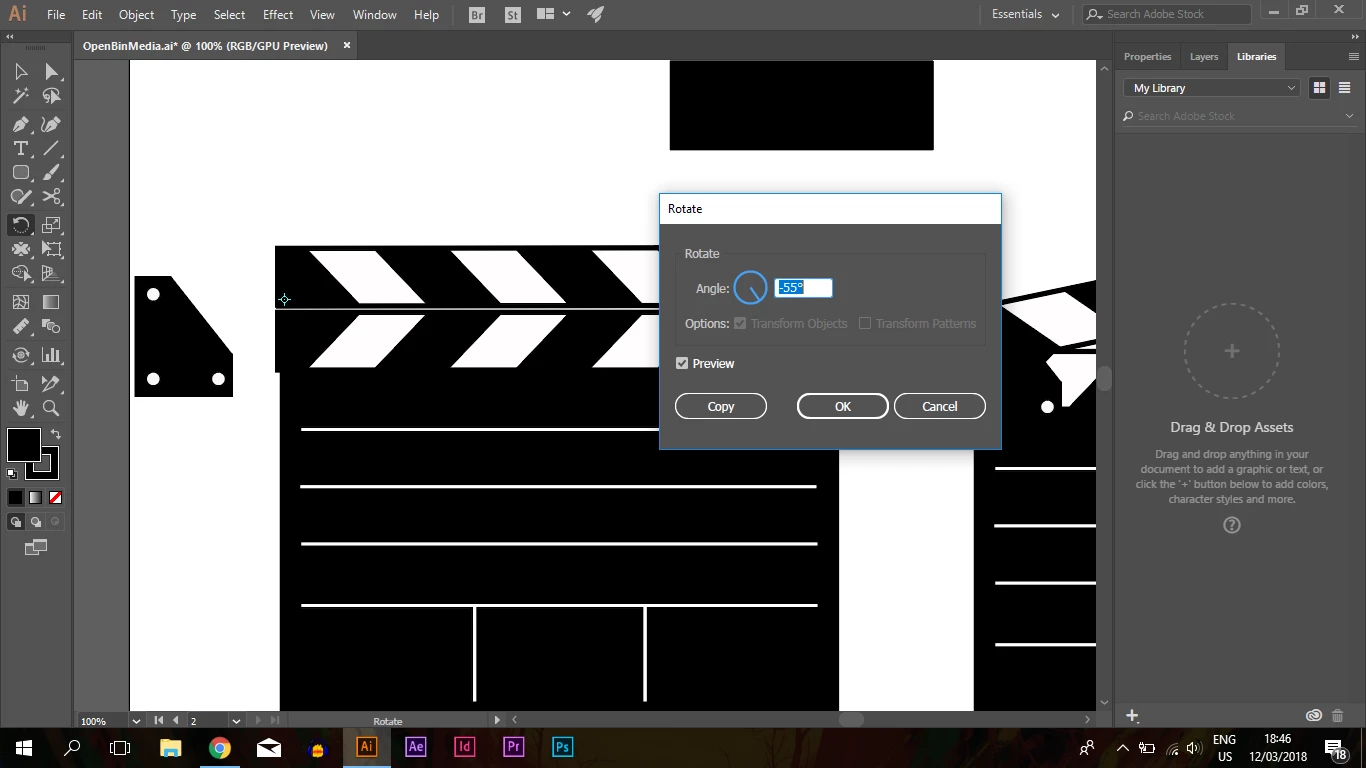
I've changes the rotation point of the upper rectangle with the rotation tool (alt-clicking) but when i enter a new value for the angle, the object won't rotate. it seems not to do it with custom shapes at all, i made a normal rectangle and it worked on that, but it seems not to work on any custom shapes i've made, any ideas? Thanks
    This topic has been closed for replies.
    Correct answer Ton Frederiks

    https://forums.adobe.com/people/Jeff+Witchel%2C+ACI  wrote

    Something must be selected because the screenshot is showing the rotation center

    You can click with the Rotation tool in an empty document and see a rotation center.

    2 replies

    Jeff Witchel, ACI
    Community Expert
    Community Expert
    March 12, 2018

    Have you tried unchecking and rechecking Preview in the dialog window?

    Something must be selected because the screenshot is showing the rotation center

    Ton Frederiks
    Community Expert
    Ton FrederiksCommunity ExpertCorrect answer
    Community Expert
    March 12, 2018

    https://forums.adobe.com/people/Jeff+Witchel%2C+ACI  wrote

    Something must be selected because the screenshot is showing the rotation center

    You can click with the Rotation tool in an empty document and see a rotation center.

    Inspiring
    March 13, 2018

    Thanks that worked!

    rcraighead
    Legend
    March 12, 2018

    I don't see your selection. Could you include an open Layers Panel in your screenshot? What do you mean by "Custom Shapes"? Are these groups or Symbols (static or dynamic)? Not that it should matter. Just looking for a clue.