kirrwed
Inspiring
February 3, 2017
Answered

Rounded corners on circle arcs

  • February 3, 2017
  • 1 reply
  • 1524 views

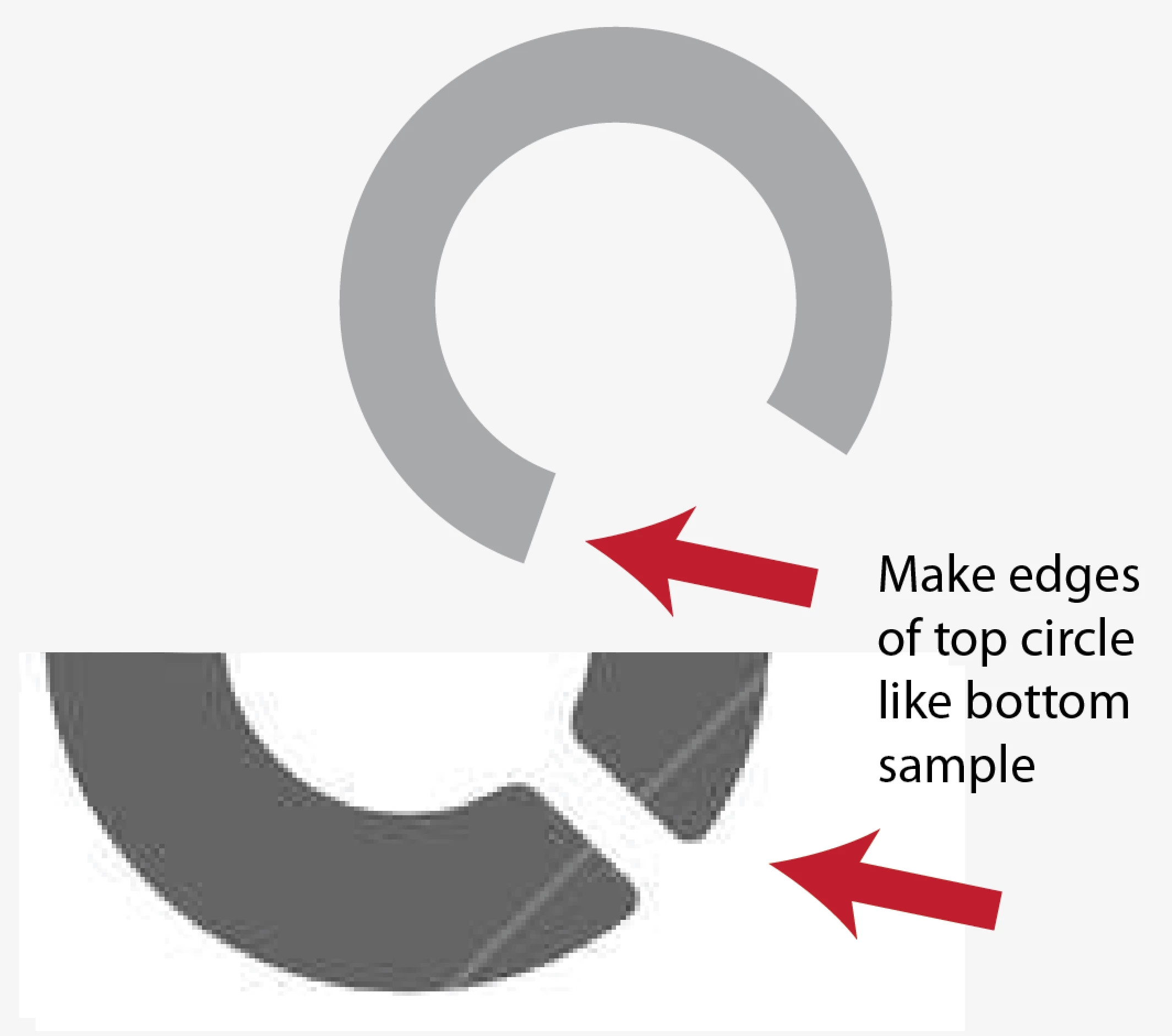
Besides just eyeballing it, is there a good way to make the corners of an arc of an open circle be rounded?  See image.  Thx

    This topic has been closed for replies.
    Correct answer MBorowiec

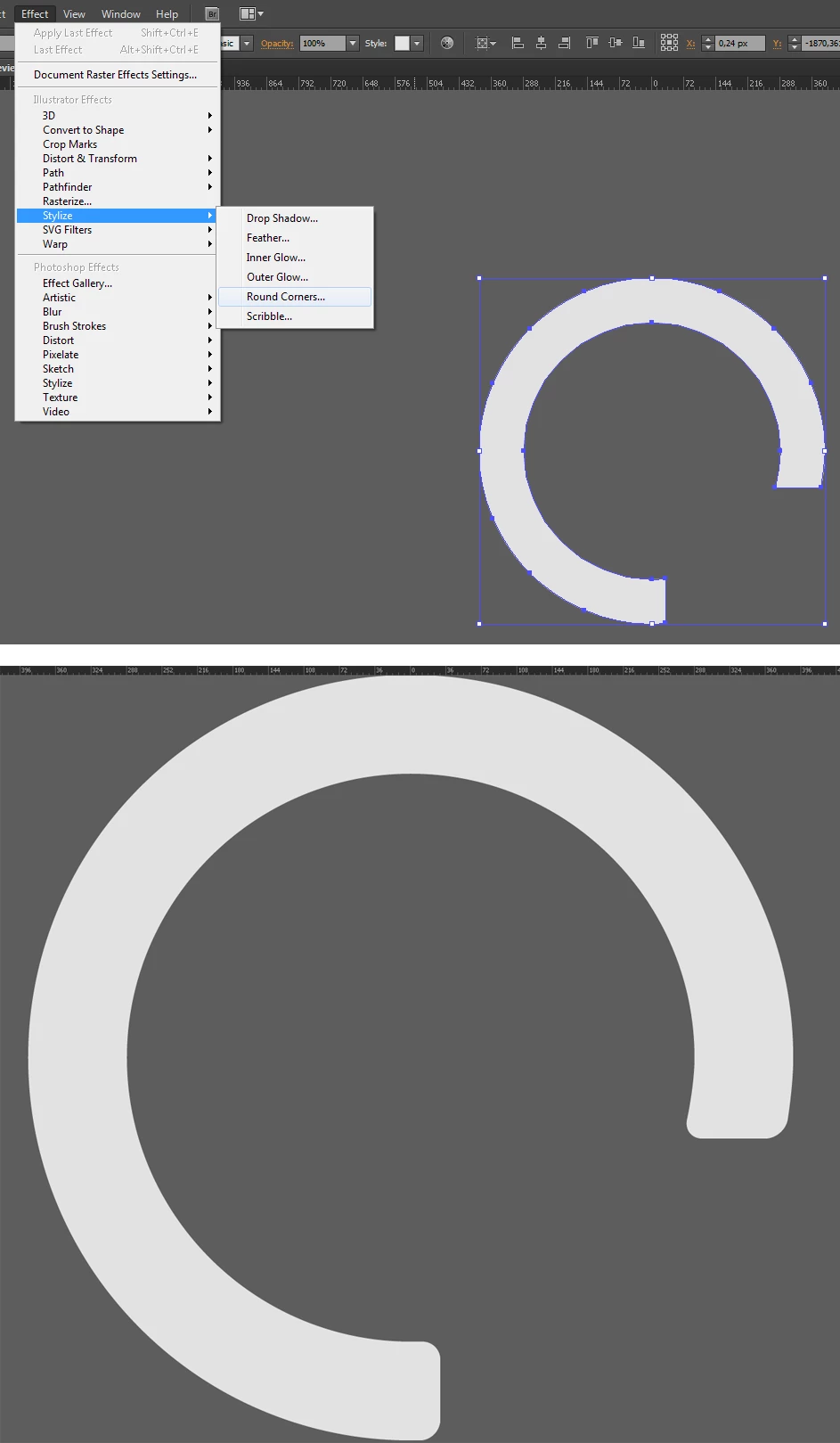
    We don't know what veriosn of Illustrator OP is using, in CC it's simple as that, in older verions (for this example I'm using CS6) You can do actually

    select path, and use Filter > Stylize > Rounded corner, and set amout of roundness. Then just expand object and off You go.
    1 reply

    barbara_a7746676
    Community Expert
    Community Expert
    February 3, 2017

    Select the 4 corners you want to change using the Direct Selection tool.

    In the Control panel, enter the number for the corner radius.

    MBorowiec
    MBorowiecCorrect answer
    Participating Frequently
    February 3, 2017

    We don't know what veriosn of Illustrator OP is using, in CC it's simple as that, in older verions (for this example I'm using CS6) You can do actually

    select path, and use Filter > Stylize > Rounded corner, and set amout of roundness. Then just expand object and off You go.

    kirrwed
    kirrwedAuthor
    Inspiring
    February 6, 2017

    Thanks. I was on CS6.  Your solution worked.  But FYI to other users, I did have to add a couple extra anchor points otherwise the roundness ran all the way up the arc of the curve.