
maxh79614272
Participant
July 23, 2019
Answered

Shapes in Illustrator don't fill to the edges

  • July 23, 2019
  • 2 replies
  • 968 views

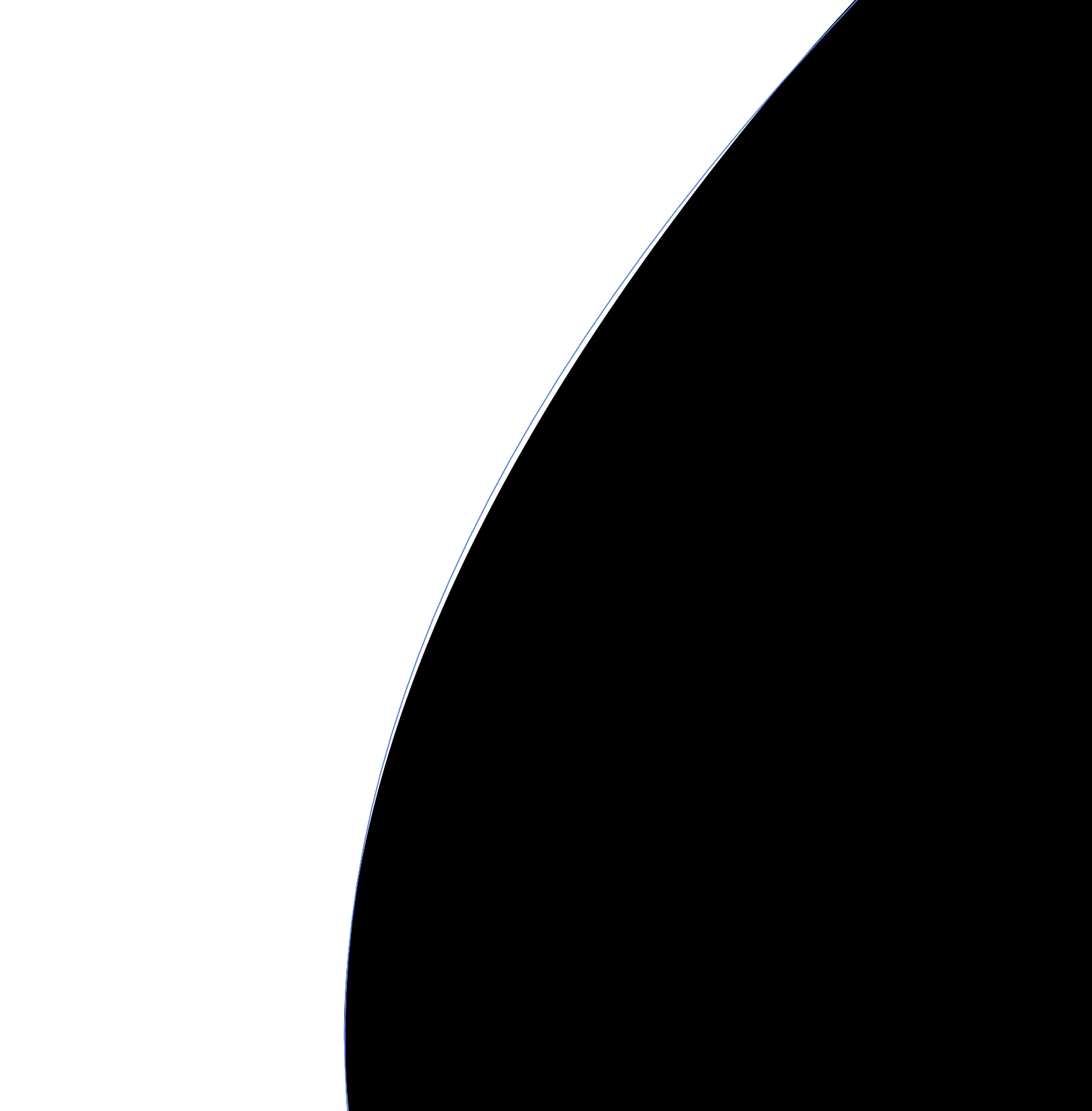
I am having trouble in 2018CC Illustrator where I draw a shape with the pen tool and then when i zoom in really close, the colour doesn't fill to the edge.

I've attached a couple of photos so you can see what I mean.

The blue line is the pen tool's shape I have drawn, and the black edge is the fill colour - the white gap in between isn't supposed to be there.

Any help would be much appreciated.
This topic has been closed for replies.
Correct answer Monika Gause

No, you're not missing something.

That's it. It's about how accurate a screen preview can be.

In the case of GPU it's about sacrificing accuracy for speed.

You don't have any effects aplied?

Brushes?

Variable width strokes?

2 replies

Monika Gause
Community Expert
Community Expert
July 23, 2019

You're zoomed in very close and you are on GPU preview.

Switch to CPU preview.

maxh79614272
Participant
July 23, 2019

Hey thanks for these. these are great, the CPU preview helps but it still does it a bit. Am i missing something else?

it's only when mega zoomed in

Monika Gause
Community Expert
Monika GauseCommunity ExpertCorrect answer
Community Expert
July 23, 2019

No, you're not missing something.

That's it. It's about how accurate a screen preview can be.

In the case of GPU it's about sacrificing accuracy for speed.

You don't have any effects aplied?

Brushes?

Variable width strokes?

Community Expert
July 23, 2019