lordprot
Participating Frequently
December 26, 2017
Answered

Starting with Illustrator, problem with background and artwork

  • December 26, 2017
  • 3 replies
  • 11656 views

Hi. I am using Illustrator 2018.

First of all, i want to say that i never used Illustrator (or something similar) before. I am watching many video tutorial about this program, but i have a simple problem. When i first open a project (1920x1080 without changing anything) i see this :
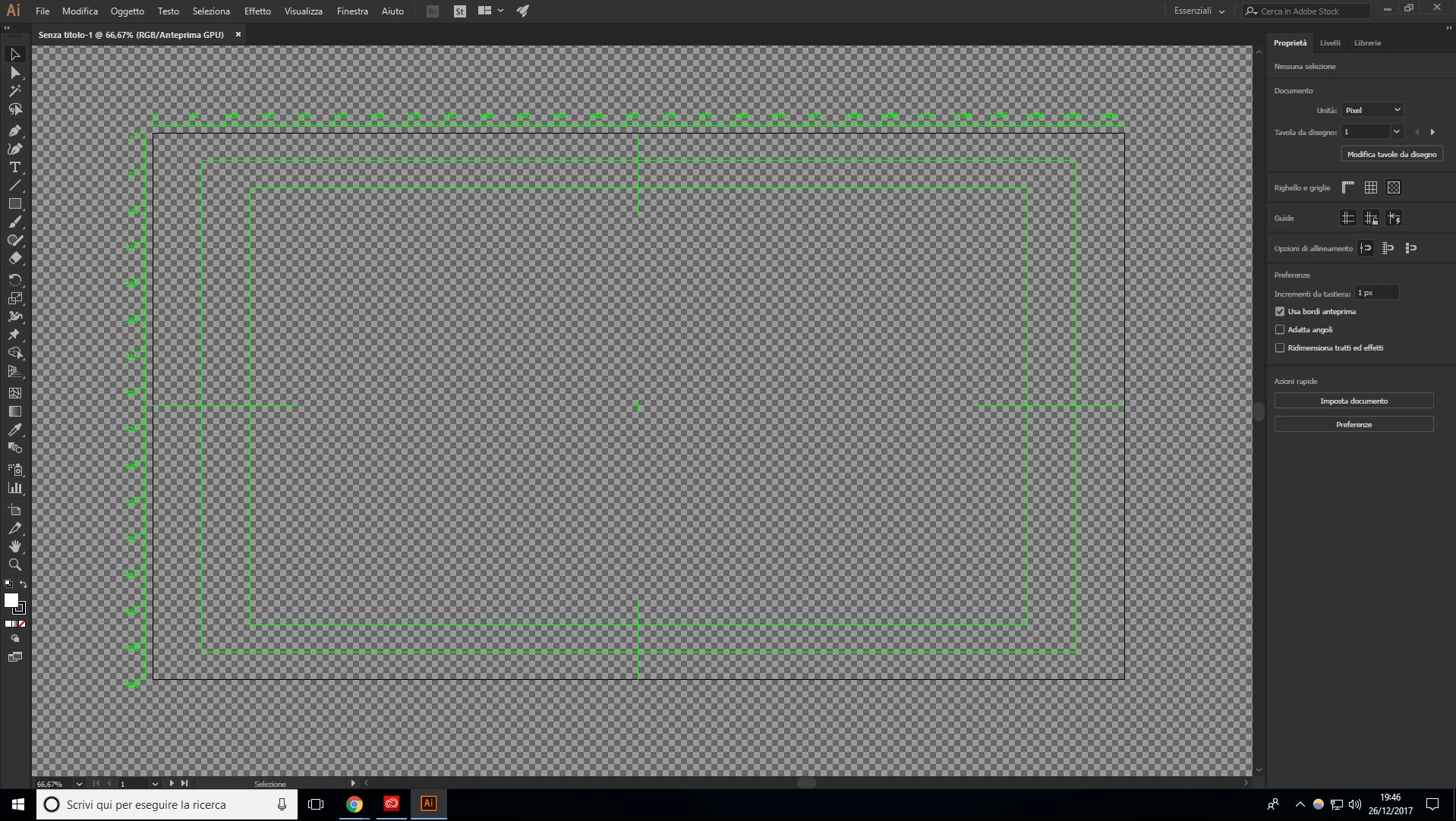
These are my questions :

- How can i remove the green grid that shows pixels

- How can i remove all the green lines

- How can i have a gray background with the artboard (an empy 1920x1080 file) with a white background?

For understanding what i mean, watch this tutorial Flat Design Astronaut - Illustrator tutorial - YouTube


He start with a simple blank artboard with a gray background, not as i do.

About the gray background, i already did some research and i choosed the "as the brightness of the user interface"
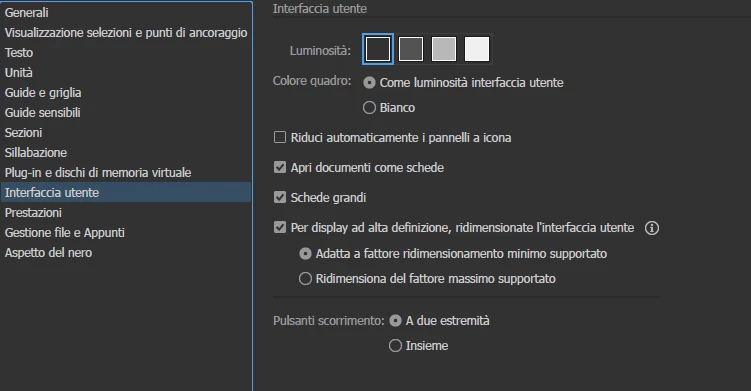
, but when in the creation of the project i select "None" in the transparency grid options, i have this
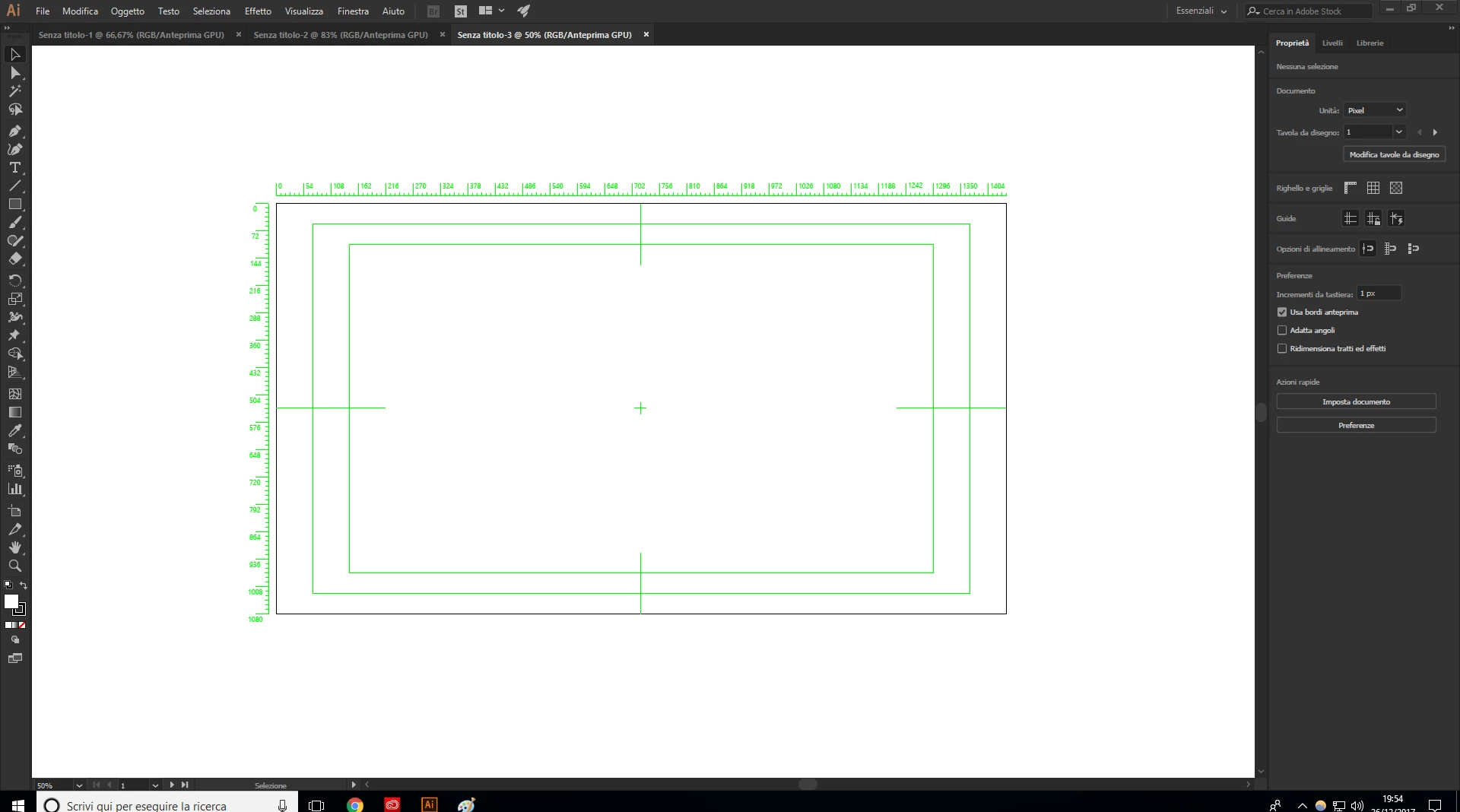
Thanks you for helping me.

This topic has been closed for replies.
Correct answer Ton Frederiks

> In your example it should not matter, because you are prparing for square pixel video. In other cases Illustrator uses a different size

Could you please explain better this? For 16:9 video aspect ratio (youtube default one) so 3840x2160,2560x1440,1920x1080,1280x720 etc.. i will have no problems, just using the profile "Web" and adjusting the width/height of the artboard as the resolution, right? But these are not square pixels resolution as you said, are they?

Thanks again for your support.


The aspect ratio (16:9) you are mentioning is about the screen size.

Pixel aspect ratio is something different. If the videoformat uses non square pixels, you will get distortion if you don't compensate for that.

YouTube video always uses square pixels.

From the Help files:

Video And Film Document

Provides several preset video- and film-specific crop area sizes (note that the Artboard option changes to Crop Size for this profile). Illustrator creates only square pixel files, so to ensure that the sizes are interpreted correctly in video applications, Illustrator adjusts the Width and Height values. For example, if you choose NTSC DV Standard, Illustrator uses a pixel size of 654 x 480, which translates to 740 x 480 pixels in video-based applications.

3 replies

Participant
May 26, 2022

Is there no other way to get a background on this dimensions? I was watching a tutorial in which the size used was 1920 x 1080 and the guy is getting a white background. but i am not. So if i can get a direct answer on how to do it, would be great.

Doug A Roberts
Community Expert
Community Expert
May 26, 2022

You can set any size artboard in any document profile. Just type it into the width & height boxes.

Participant
May 27, 2022

Thankyou for your answer, but when i do it, i am getting a transparent type of background whith gray boxes and not getting a white or any other colored background (artboard). 

pixxxelschubser
Community Expert
Community Expert
December 30, 2017

Hi lordprot​,

another simple way to change an already existing document with video preset into "normal" RGB-Document in three steps

At first your document looks like this:

---------------------------------------------------

Step 1

uncheck the video ruler

Step 2

uncheck transparency grid

Step 3

uncheck all green guides (two ways possible)

to

---------------------------------------------------

Done:

Have fun

Ton Frederiks
Community Expert
Community Expert
December 30, 2017

Or Select All.

Create a New RGB document of the same size.

Paste in Place.

pixxxelschubser
Community Expert
Community Expert
December 30, 2017

Yes. At will

(I hope this is the right english term for: whatever you want)

Ray Yorkshire
Participating Frequently
December 26, 2017

Looks like you have set up the file for  profile Video and Film

Start again File >  New

and change Profile to Web (or print)

then to the tutorial settings:

lordprot
lordprotAuthor
Participating Frequently
December 26, 2017

I tried with the profile "Web" and it works, thanks you so much. I will use this project in a video (animated with after effects and edited with premiere), can i use the web profile aswell? Thanks you again.

Ray Yorkshire
Participating Frequently
December 26, 2017

Sorry I'm not sure 

I usually work in print design