kgrafix
Known Participant
April 26, 2019
Answered

Step and Repeat?

  • April 26, 2019
  • 4 replies
  • 2157 views

Trying to learn a method of step and repeat. I'm making a square full of diagonal lines. . . Ideas? I need them to be equal distances apart as I am designing cake boxes.

    This topic has been closed for replies.
    Correct answer Ray Yorkshire

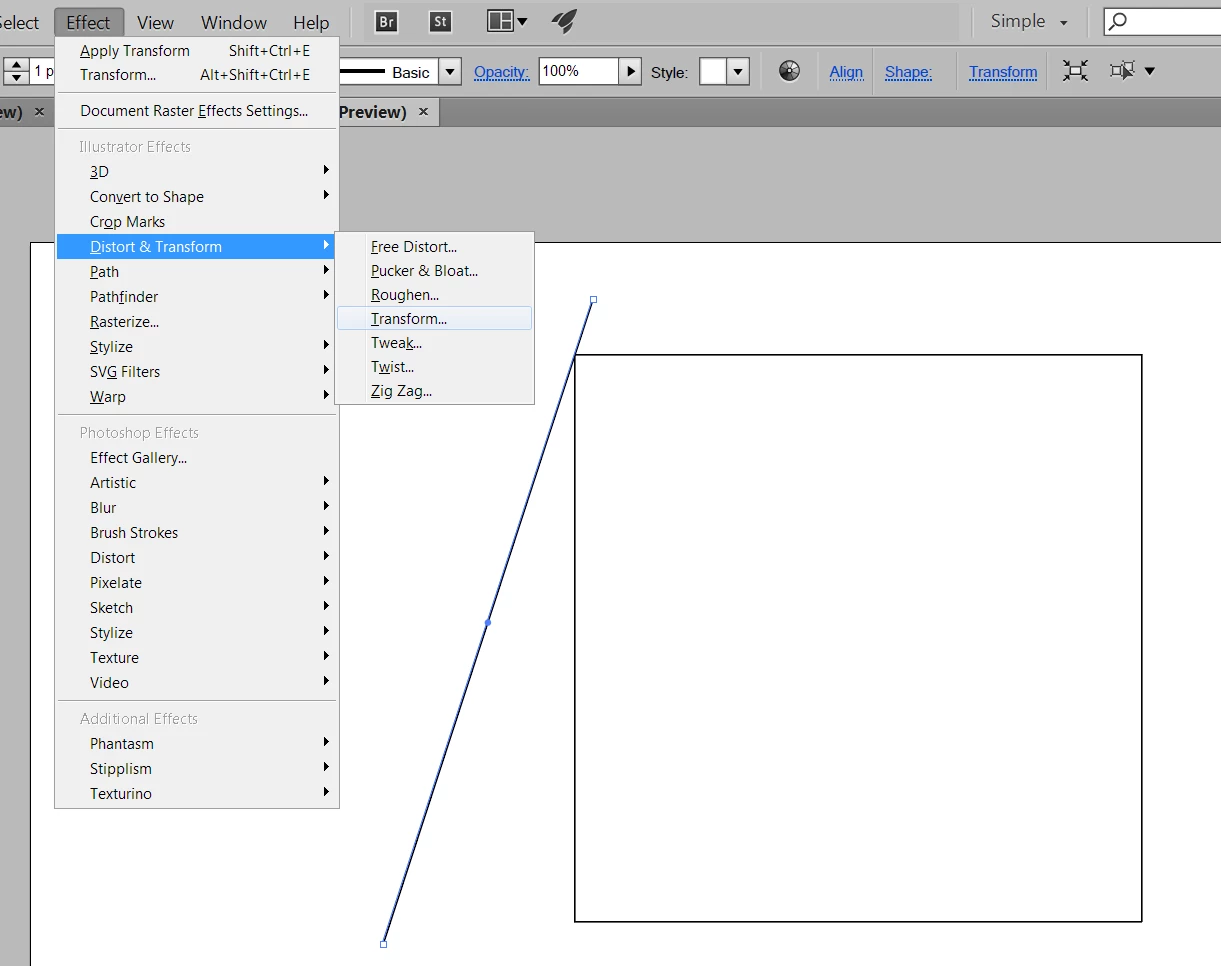
    Another way

    Select your diagonal line

    Object > Effect  > Distort and Transform  > Transform

    set the paramators and number of copies

    ok

    Then as it's an effect , you have to

    Object > Expand Apperance

    Then you can make a clipping mask the size of the box, or select all , and with the ShapeBuilder tool

    Alt click what;s outside the rectangle to delete.
    4 replies

    Stephen Marsh
    Community Expert
    Community Expert
    April 27, 2019

    I personally would use the Blend tool, then use a Clipping Mask on the blend into a copy of the square. Similar to Ray’s suggestion, this provides a “live” effect that is easily adjusted.

    sharp_hands16B8
    Community Expert
    Community Expert
    April 27, 2019

    If you draw your diagonal line, then with the Arrow used to select the line, hold Option (ALT windows) click and drag a duplicate. Now press CMD + D or (CTRL + D Windows). That will repeat the same distance and angle you dragged from the source point. Each time you press the CMD + D quick key it will repeat again, and again.

    Ray Yorkshire
    Ray YorkshireCorrect answer
    Participating Frequently
    April 27, 2019

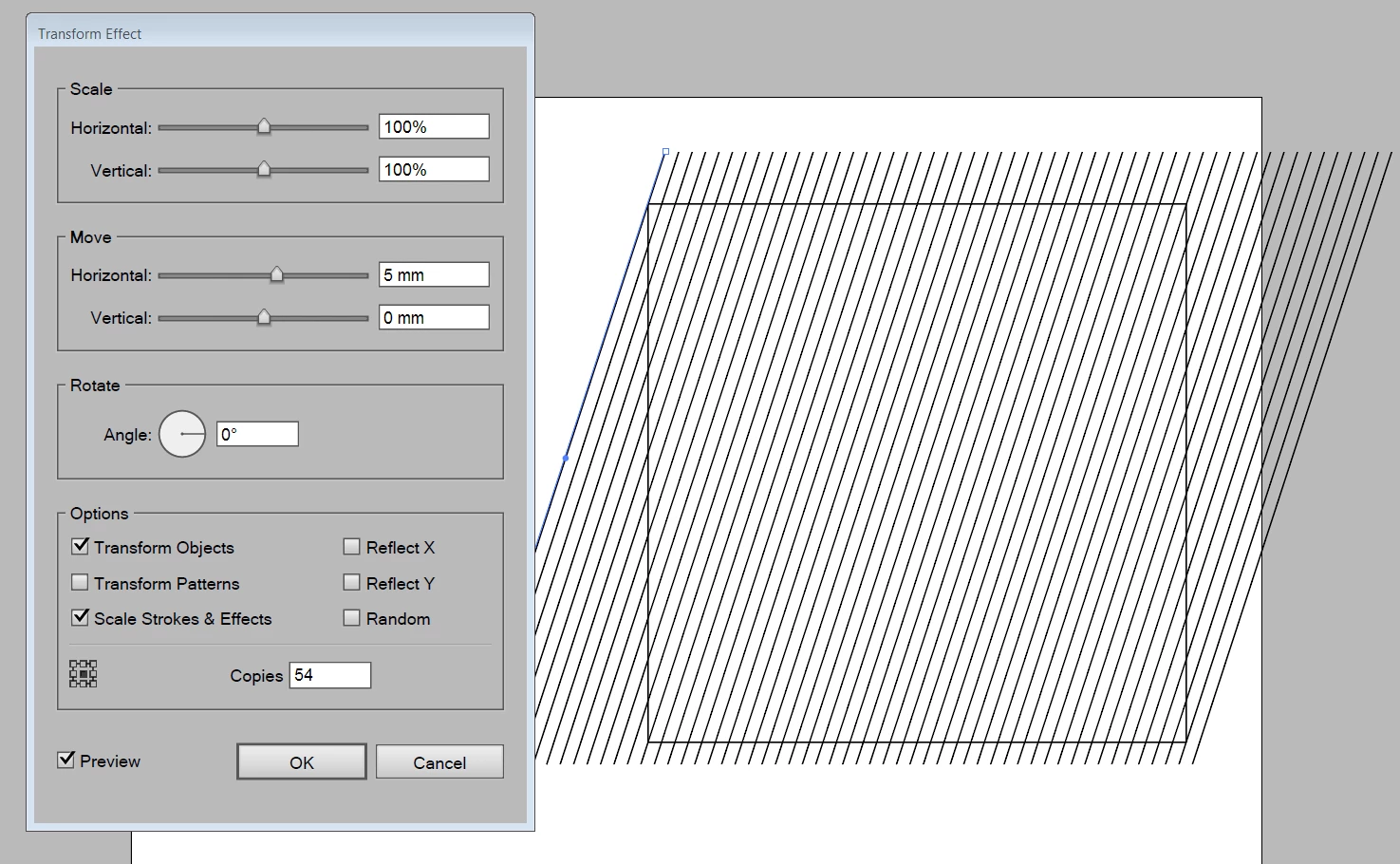
    Another way

    Select your diagonal line

    Object > Effect  > Distort and Transform  > Transform

    set the paramators and number of copies

    ok

    Then as it's an effect , you have to

    Object > Expand Apperance

    Then you can make a clipping mask the size of the box, or select all , and with the ShapeBuilder tool

    Alt click what;s outside the rectangle to delete.
    Steve Werner
    Community Expert
    Community Expert
    April 26, 2019

    Here's one quick way.

    (1) Select your object and double-click the black arrow Selection tool to bring up the Move dialog box. Enter the amount to move horizontally or vertically. Then click Copy.

    (2) Result:

    (3) Choose Object > Transform > Transform Again (Cmd/Ctrl-D) to repeat the transformation. Then repeat the same shortcut: