
Participant
September 25, 2016
Answered

Strange font pop-up

  • September 25, 2016
  • 21 replies
  • 46298 views

Today I started to get this strange pop-up telling me that I need to install a font I never use and isn't in the document Im working on. I have to click not to install it about 3/4 times before the message goes away. Does anyone know if this is real or some scam? Here is the message I get:

Adobe Illustrator CC 2015.3 needs to download the font “LiHei Pro”
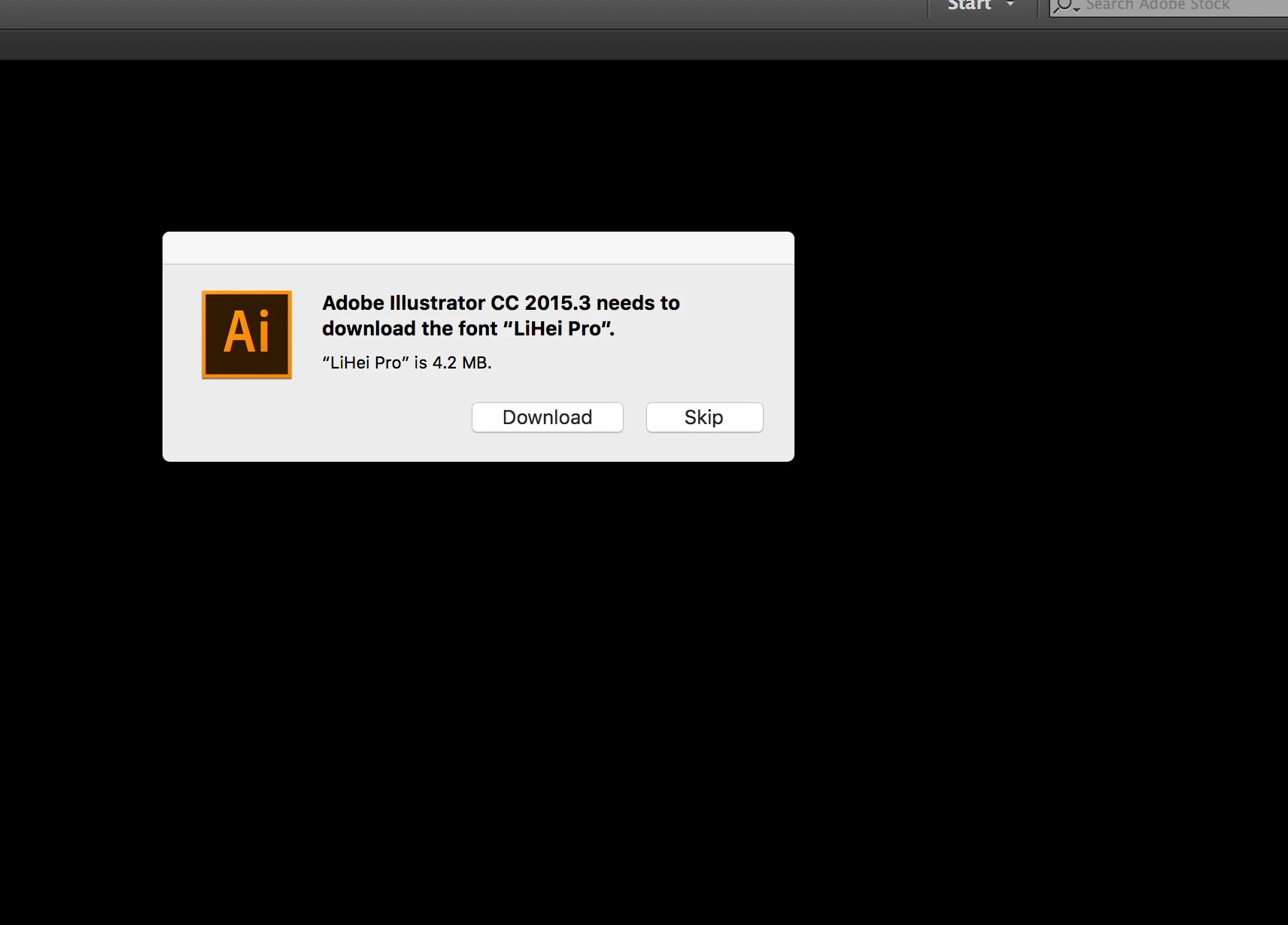
This topic has been closed for replies.
Correct answer SHEPHERDclif

Man you gave in?! HA I came in with the same problem as well as with a fix!

I wasn't just getting this in Illustrator but same messages for the same fonts from MS Word. It is CERTAINLY related to the install of Mac OS Sierra as that was immediately after that it started. However, when I updated my font management software Suitcase Fusion to version 18.1.2 the problem went away.

Actually, in all previous version of OS I would remove the unused foreign fonts from the system folder up until they locked down the root. I've yet to do the Terminal commands to turn that off to remove the unwanted fonts, and turn it back on.

21 replies

Danny51
Inspiring
June 17, 2022

I get that this topic was posted in 2016 but I'd just like to add that I'm now expieriencing it aswell - in 2022, without updating MacOS or anything (Catalina + newets AI version) . No font manager either.

Participant
February 24, 2017

Possible Solutions!

I have an intermittant popup every random second and it is definitely a problem with Sierra or Mac's OS.

Check this link out for solutions you can do. I did them all (including the Terminal clearing of cache) and I believe one of them worked.

The link: Font issues in Powerpoint Mac 2011 since Sierra... |Official Apple Support Communities

Hope this helps you all out there. It's quite annoying and interrupts everything!

geoffmay
Participant
February 24, 2017

Tried all of those to no avail.

geoffmay
Participant
March 22, 2017

So has anyone had any luck fixing this issue?

geoffmay
Participant
January 31, 2017

I am also having this issue every time I start up Illustrator CC 2015.  Has anyone had success in fixing this problem permanently?

Inspiring
January 31, 2017

Since its occurring with applications other then Adobe products, one I'm not sure if 3rd party devs can do something to suppress the warning from popping up, or two, if we are going to have to wait for Apple to address it in an update of Sierra. I need to check in on a thread I started at Apple community but I need to submit through the Apple Dev bug ticket system as well.

geoffmay
Participant
January 31, 2017

Seems that this started happening once I upgraded to OS X 10.12.2, though I can't be 100% sure.

Participant
January 3, 2017

I just started getting this today as well. I am hesitant to download anything based on a popup. It's appeared in Adobe After Effects (but not Premiere) and just now when I tried to open Illustrator. Since both are the 2017 version and this thread started in September, I'm really surprised that it hasn't been addressed. I recently (some time last month) updated my OS to Sierra. I've never seen this popup before. Has anyone had any negative experience that they know about? I would hate to be accepting an invitation to be hacked. Ignoring for now. David

Participating Frequently
October 31, 2016

I've encountered this in both Illustrator 2015.3 and Photoshop 2015.5 after upgrading to Sierra. I just installed the fonts as requested but I certainly don't need them.

Inspiring
October 31, 2016

I've squashed the errors in Illustrator and InDesign but I still get a few of the same errors to pop when I open Powerpoint for the first time. Not that I really want to have to open that software but just saying, its not independent to Adobe products.

Participant
October 30, 2016

I've been having this issue, too. As have some of my friends. Fonts from Typekit have also been unsyncing for some reason, but only in Illustrator, no problems in InDesign.

debras66267556
Participant
October 28, 2016

I get this every time I open AI. Started when I updated to OS Sierra.

Participant
November 1, 2016

Same issue here. This is only happening in Illustrator CC 2015.3 for me. PS and other files are fine and not prompting for Chinese fonts.

WTF Adobe. We are not Chinese. We don't need Chinese fonts.

FIX IT. I don't want this possibly vulnerable font on my machine!!!

Participant
October 26, 2016

It’s a quite annoying issue which is solely related to the latest version of Adobe CC.

Please Adobe FIX IT! Along with the other tons of bugs!

Participant
October 27, 2016

I got it on CS6, Fresh Sierra and CS6 install, when opening Audition after updates.

Inspiring
October 28, 2016

Interesting so Sierra seems to some how be causing the issue if its present in older Adobe software. Unless Adobe can suppress the warning from even firing.

shebo-0
Participant
October 26, 2016

Same issue here, Using Arabic enabled version of the latest CC.

The message shows in Ai only, PS doesn’t show it. I never used any Asian fonts before, i thought it was some kind of malware!

Glad i found this thread. i will not download the missing fonts.

macOS Sierra here 10.12.1 just updated today.

everything beside that is working fine.

samgw
Participant
October 24, 2016

This was happening evening under Yosemite and El Capitan, not exclusively a Sierra issue. It seemed to occurred with the most recent CC Update.