
SVG fill gaps/error?
Hello, I'm trying to convert my game from using PNG to SVG files, using illustrator's image trace.
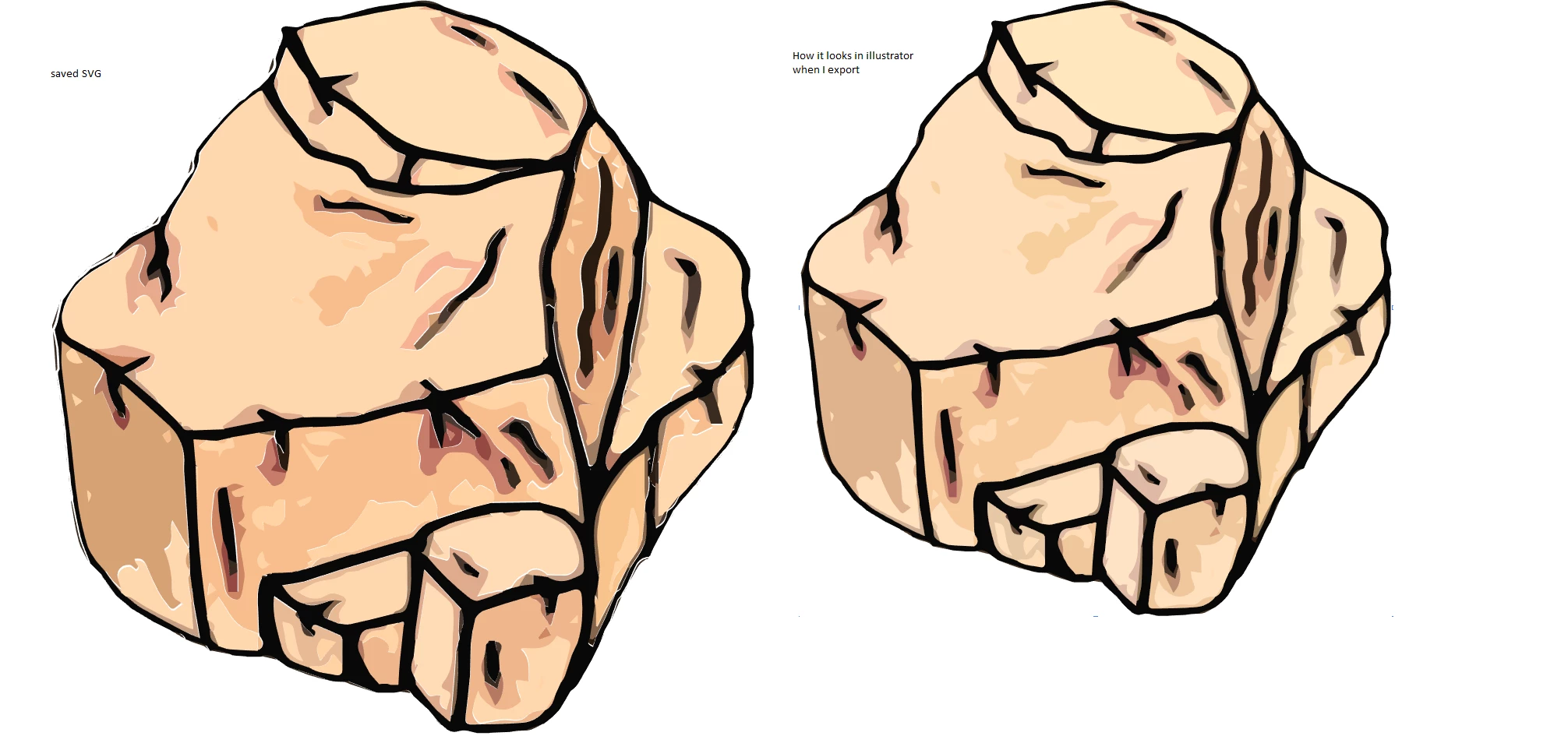
It doesn't show up well, but I'm having this problem where it seems like other programs do not handle my saved SVG files the same as Illustrator. They look fine in illustrator, but when viewed in a browser (chrome, internet explorer) or the game that I'm making, there are gaps where it looks like the fill sections have been offset a bit. I've tried saving with all the different versions of SVG available. It's much easier to see when zoomed in, there are white bands(the background) all throughout the image. The left image was captured with screenshot from my browser, the right from inside illustrator. What am I doing wrong?
Also I've tried to make an action so that after I load all my png images, the action will apply the image trace, save as svg, and close the file, so I can do them all in a batch, but it doesn't seem illustrator is saving my image trace settings into the action and resets to black/white, what gives?
Another thing, you can clearly see the images above are colored different, even though they are the same file. I am begining to see why SVG never caught on despite all it's advantages. The implementation is buggy and unreliable.
 AdChoices