
Transparency issues when placing pdfs into Adobe Illustrator CC 2017
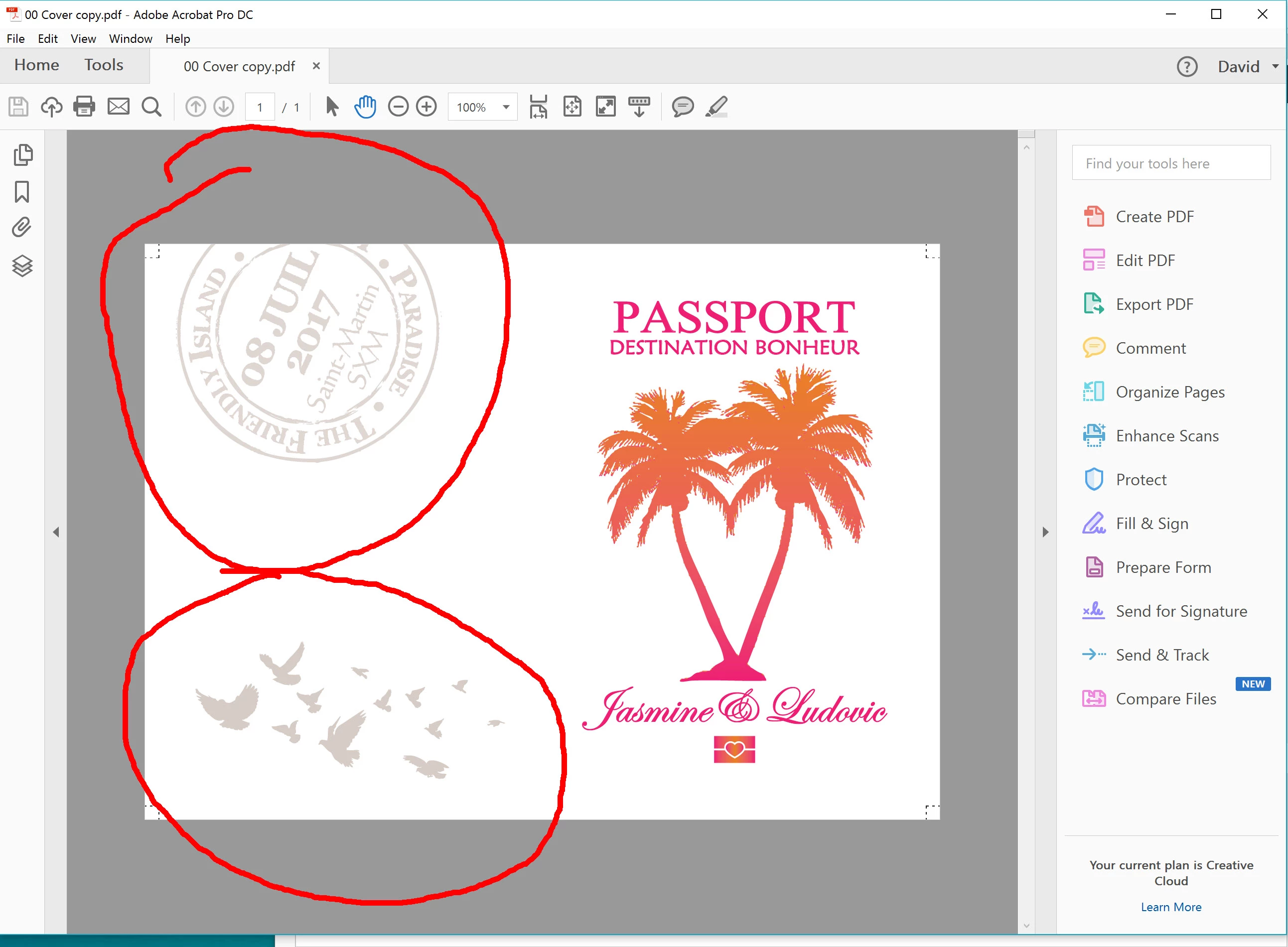
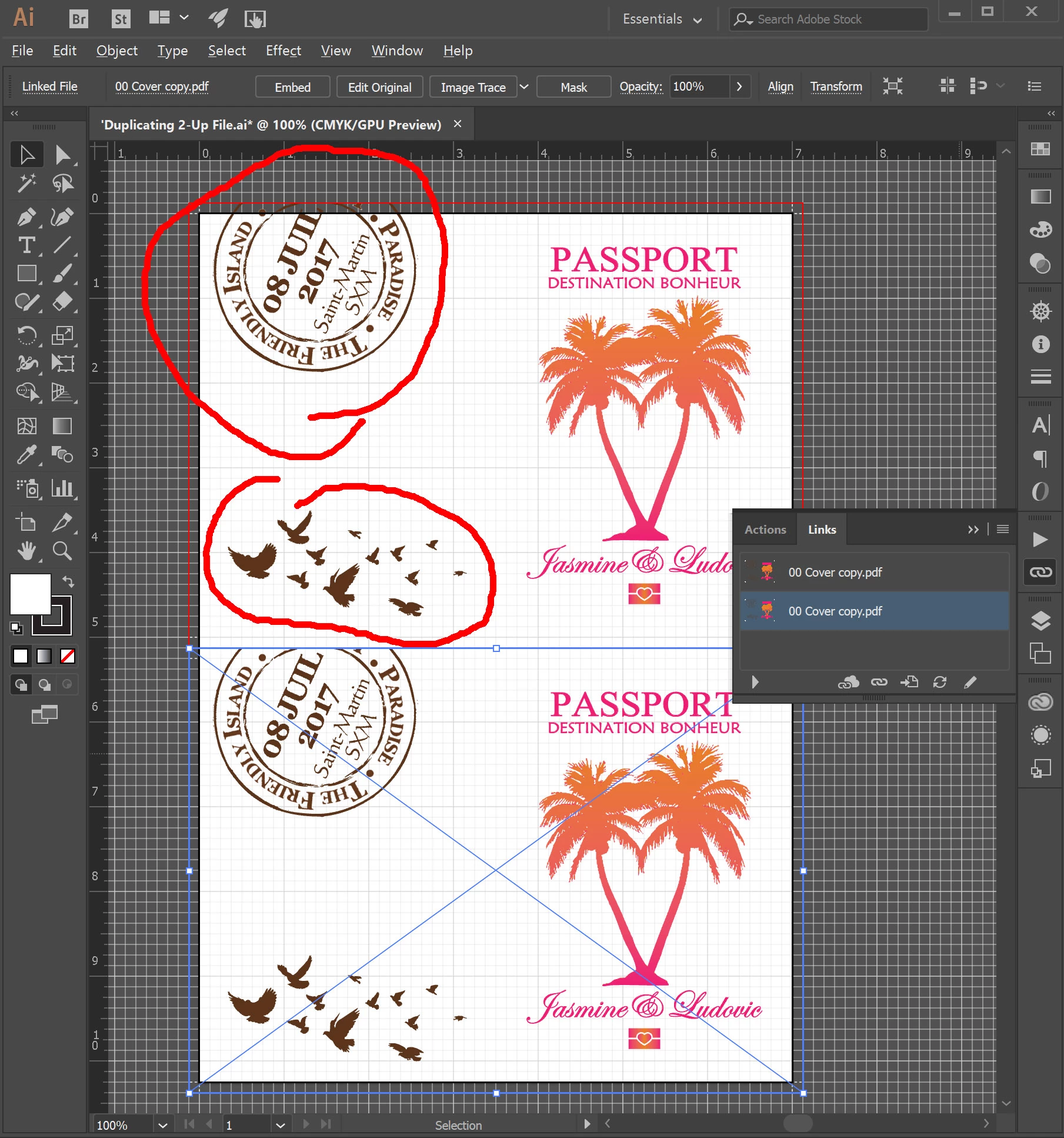
Just updated our Adobe CC software on our Windows 10 Asus Zen AiO 4k system. (Been running CC 2015 smooth but thought we should make the jump to 2017 just for fun). When placing a pdf file that has any semi-transparent images, the transparency is IGNORED and is instead given full 100% opacity! This has never happened since we've been using Illustrator (CS3 days). We practice this pdf-placing method everyday, to manually 2-up the pdf.
It should be noted, the pdf files that we place are not saved with Illustrator Editing capabilities. We have always saved our pdfs in this manner, to reduce filesize, as we only edit the original .ai files. We've NEVER seen this issue until today, right after updating to the latest 2017.0.02 from CC 2015. Please fix this immediately. We will now have to revert back to our old version until this is fixed!
 AdChoices