Inspiring
October 15, 2020
Answered

Transparency not showing up in other programs

  • October 15, 2020
  • 2 replies
  • 700 views

I am creating a cover for a document and bringing it into InDesign and when I do, my transparencies (mainly overlays) are not showing up or are extremely light. The only way I can get them to display properly is to bring it in as a TIFF.


I have also noticed that when I try to apply the same transparencies in the InDesign file, they are not acting right. For example, when I place a black image on a yellow background and apply an overlay, it should become orangish, but in InDesign it either goes bright yellow or does nothing. A similar thing is also happening in other Illustrator documents. 

So, I guess I have two issues.

Anyone have an idea what is going on in either one?
This topic has been closed for replies.
Correct answer Mike_Gondek10189183

For me looks very close in both.


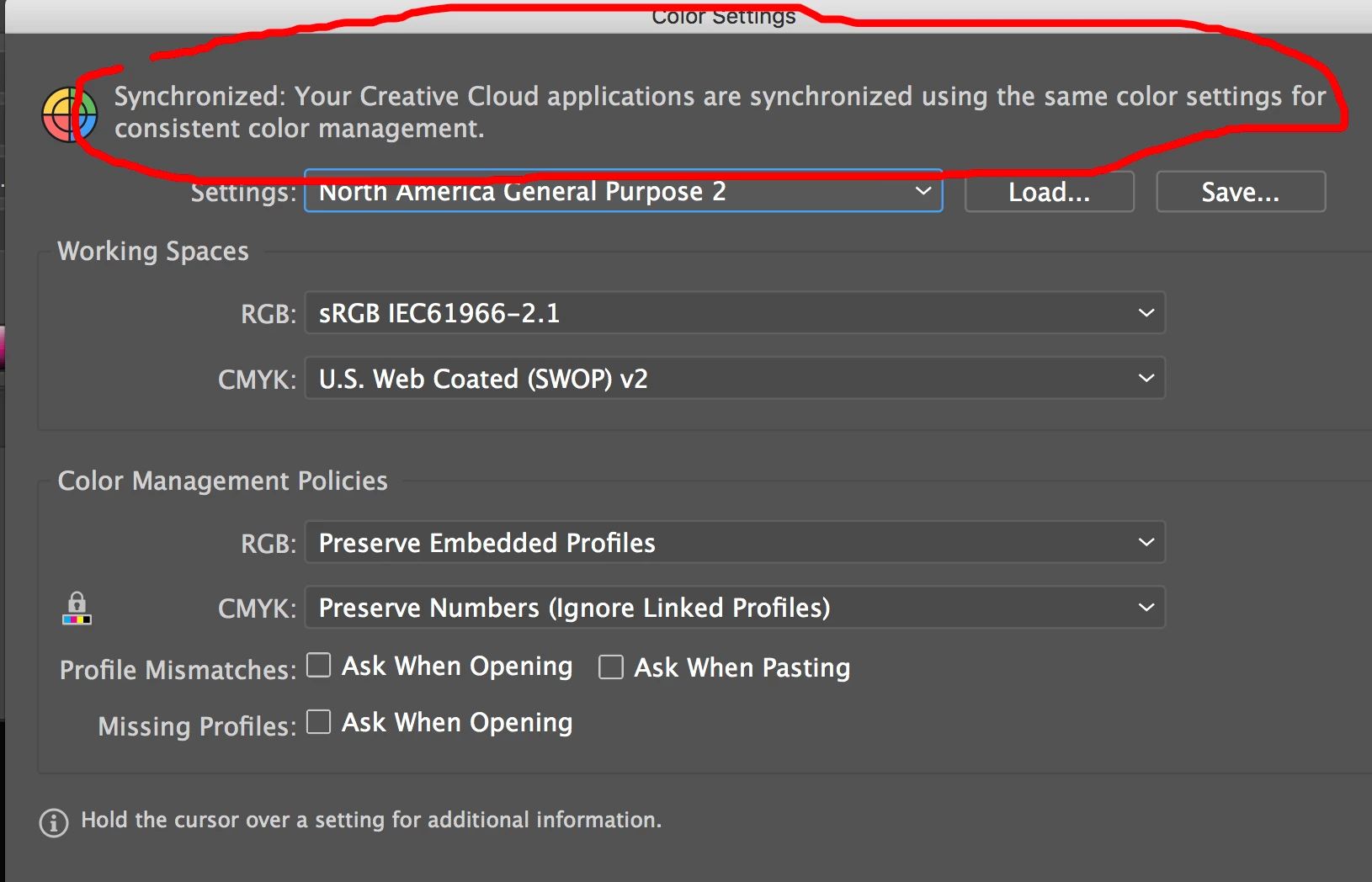
Edit >> Color Settings in either app adn lok for thsi message

If not synced go to bridge edit >> colro settings >> synchronize


Make sure in Illustrator you are set to file >> document color mode >> CMYK


If you need more help break your problem down to 2 elements and tell use the blending modes/ transparency setting in ilustrator.


2 replies

Mike_Gondek10189183
Community Expert
Community Expert
October 15, 2020

Use the .ai format with pdf compatibility if you want vector quality. Test your image in Illustrator with shift command D to ensure you have transparency there before saving. In Design make set view >> display Performace to High quality.


What transparencies your are applying? Without screenshots, will be difficult for anyone to follow. You could have had an answer by now if you posted something like this.

Inspiring
October 15, 2020

Sorry. I am primarily using overlays.


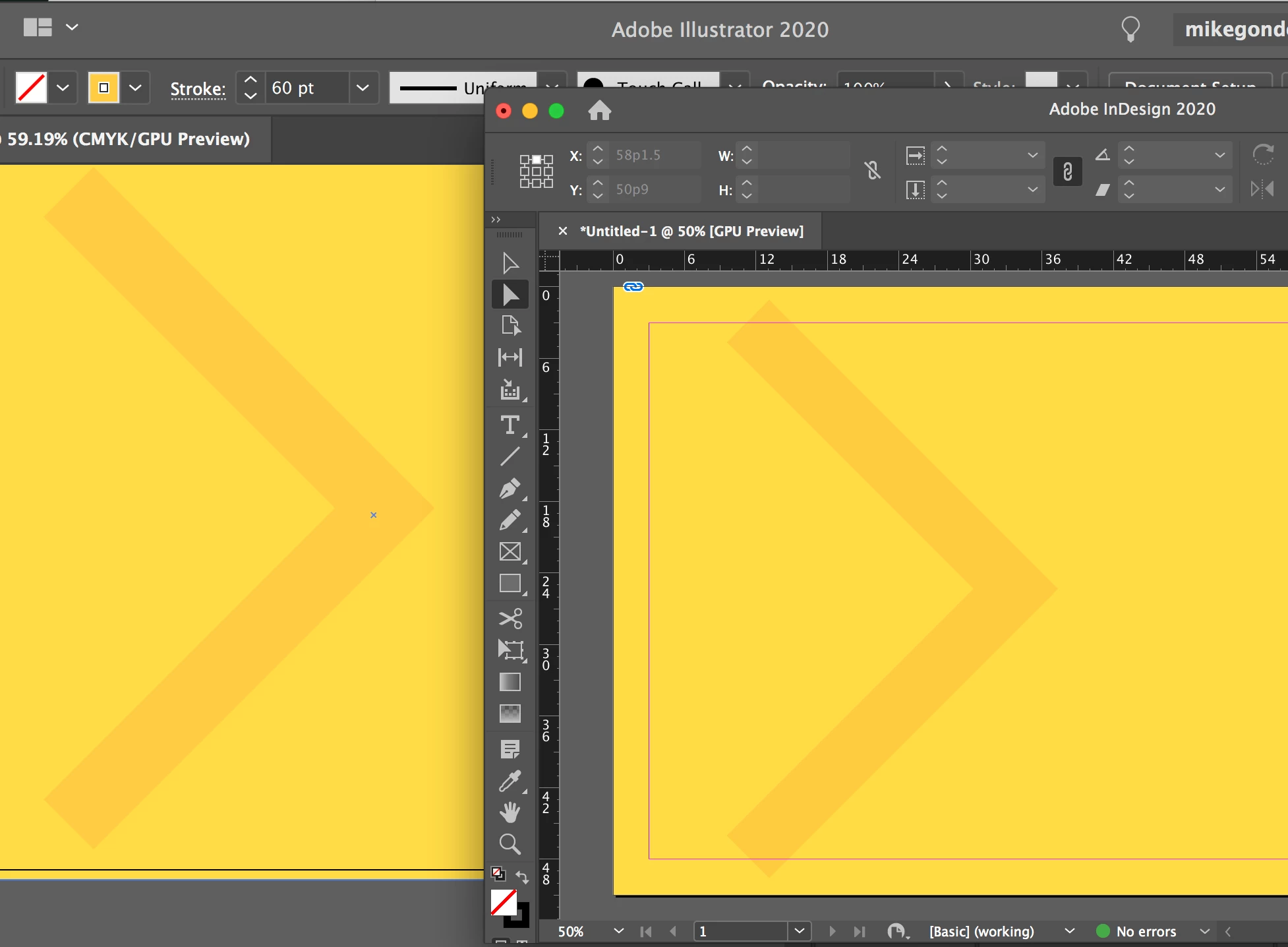
The bottom image is a screen shot from Illustrator, the top is it placed in InDesign.


I'm am using version 24.3 of Illustrator and 15.1.1 of InDesign.

Mike_Gondek10189183
Community Expert
Mike_Gondek10189183Community ExpertCorrect answer
Community Expert
October 15, 2020

For me looks very close in both.


Edit >> Color Settings in either app adn lok for thsi message

If not synced go to bridge edit >> colro settings >> synchronize


Make sure in Illustrator you are set to file >> document color mode >> CMYK


If you need more help break your problem down to 2 elements and tell use the blending modes/ transparency setting in ilustrator.


Kurt Gold
Community Expert
Community Expert
October 15, 2020

Which version of Illustrator are you using? Which version of InDesign are you using?


Apart from that, I'm afraid that it may be rather very difficult to tell something about your issue without access to some sample Illustrator and InDesign files (including precise instructions).