teeter42
Participating Frequently
September 23, 2017
Répondu

Trying to print A1 file as 8 A4s, but it tiles as 144?

Hi everyone!

I am perplexed and would be so grateful for some help (also, I am VERY new to illustrator)

I have searched forums and discussion boards and can't seem to find an answer.

I am trying to print an A1 file on A4 paper. That should be 8 A4 pieces of papers, however my computer

insists on printing it as 144!

I know that if I change the scaling I can make it print as 9 pages, but I need this to print as 8 because I  want to see

exactly what it will look like when I print on A1.

I have a feeling it has something to do with the media settings. My file is set as 300 for the resolution, but for some reason

the media setting under the image reads: 595.28 px X841.89px.
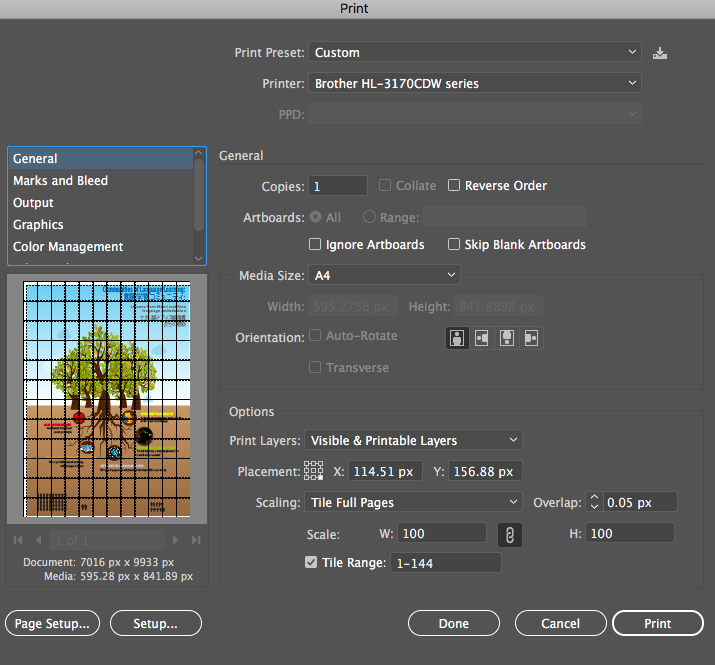
Here is scaling to 9 pages
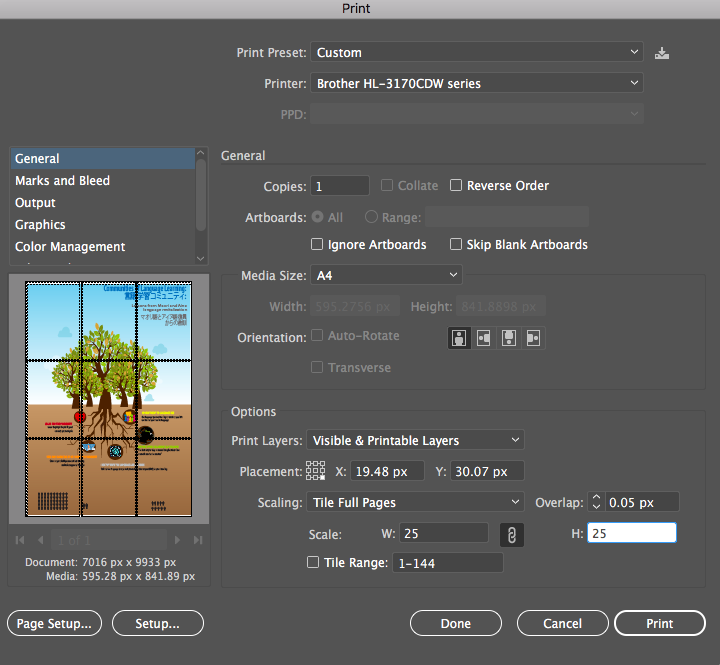
I'm also concerned about printing this as A1 when it is time for the final printing because this is not going

so well.

Any suggestions? Thank you in advance!

Jennifer

Ce sujet a été fermé aux réponses.
Meilleure réponse par Monika Gause

Right click on of the rulers to pull up the contectual menu there. Then set it to mm or inches, which is more suitable for printing.

And then let's see if that helps.

Can you try and View > Show print tiling to see what Illustrator shows in the document window?

1 commentaire

Monika Gause
Community Expert
Community Expert
September 23, 2017

why is the document unit set to pixels? this might cause some confusion.

teeter42
teeter42Auteur
Participating Frequently
September 23, 2017

Hi Monika, Thanks for the quick response! The tutorial I watched said to set it in pixels so I just blindly followed it. Do you happen to know how I would change it to cm? I tried to do it in Document Setup, but instead, it just creates a new artboard. Grateful for any help!

Monika Gause
Community Expert
Monika GauseCommunity ExpertRéponse
Community Expert
September 23, 2017

Right click on of the rulers to pull up the contectual menu there. Then set it to mm or inches, which is more suitable for printing.

And then let's see if that helps.

Can you try and View > Show print tiling to see what Illustrator shows in the document window?
