
Participant
March 1, 2017
Question

Typekit will not sync fonts in Illustrator design! HELLLLP!!

  • March 1, 2017
  • 2 replies
  • 629 views

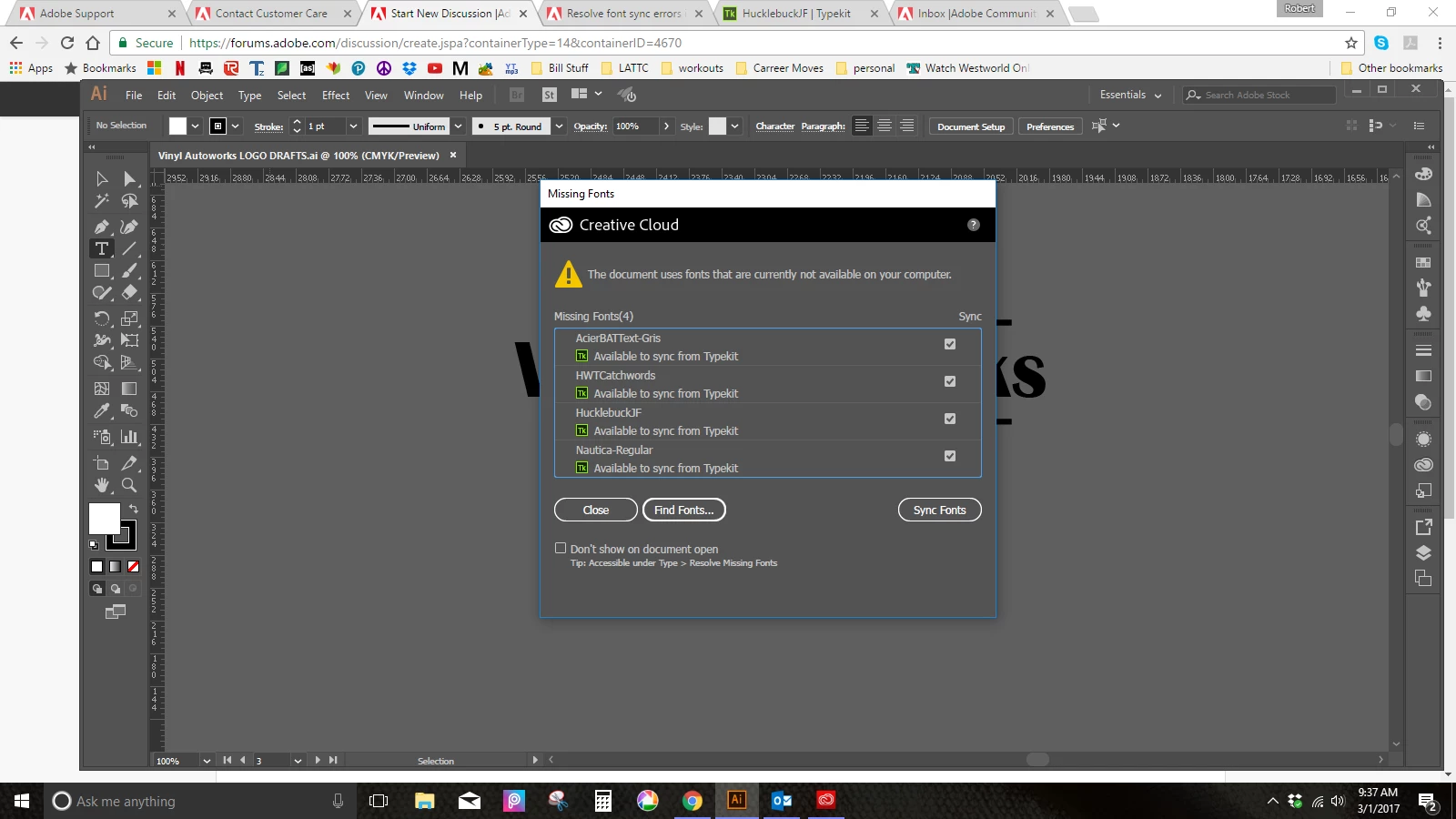
Anyone please help! Illustrator is not reading my already downloaded/synced fonts! I have a document with several fonts within that I need to edit but Typekit WILL NOT sync the fonts. When I open the document, this window pops up stating there are four fonts missing. When I click the "sync fonts" button, about 45 seconds go by and.... nothing. I have toggled the sync option within creative cloud, I have closed and opened all programs, restarted my computer, but still...nothing. I have deadlines with the images I am editing so this is an extremely major inconvenience. Is there anyone who has encountered this issue that can shed some light?? Please help....
This topic has been closed for replies.

2 replies

Adobe Employee
March 1, 2017

Hi Delarobb,

I'm sorry you ran into trouble here. If my suggestions don't help, I would send us an email at: support@typekit.com. This article has instructions on what to send us so we can best figure out what's going on: Troubleshoot font syncing problems in Typekit

Hopefully, we can get you sorted here though. It appears that InDesign doesn't think your connected to Typekit or just can't connect. I would try the following:

- First, in InDesign under the Help menu, you can see which Adobe ID you're signed in with. First, make sure this is the right one. It sounds silly but it happens.
- Next, if it's the wrong email, sign out and back in with the right email. That should fix it.
- If it's the right email, sign out from within InDesign under that Help menu.

- Quit InDesign.

- Quit the Creative Cloud app.

- Launch the CC app.

- Launch InDesign.

- Sign into your account via InDesign.

I hoping that this will refresh everything and the fonts will sync when you open this file. If not, please send us an email as I mentioned above. Thanks for your help here.

Cheers,

Benjamin

Kanikas
Community Manager
Community Manager
March 1, 2017

Moving to Illustrator