
Participant
March 8, 2017
Question

Unable to save a document as a Preset!

  • March 8, 2017
  • 1 reply
  • 1833 views

Hi guys,

please don't hate me if this question was mentioned here before

because I looked on the 5 previous pages of the questions and I didn't find it

So I'm a big fan of the feature ( Saving document preset )

presets usually have their own dedicated space when you create new document

here what I mean ( Photoshop screenshot )
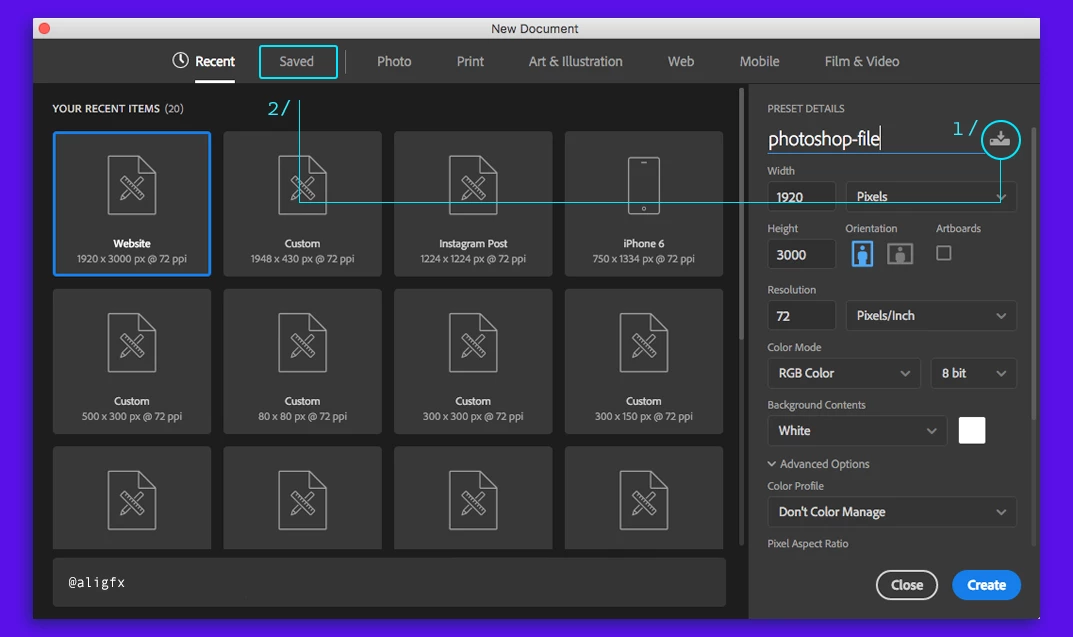
As you can see .. normally you make the changes you wish and give it a name then you are free to hit the icon (1/)

to make it as a preset and goes under saved ( 2/ ) folder ... pretty useful feature for those who don't use it

...

While on Adobe !Illustrator

here is a screenshot
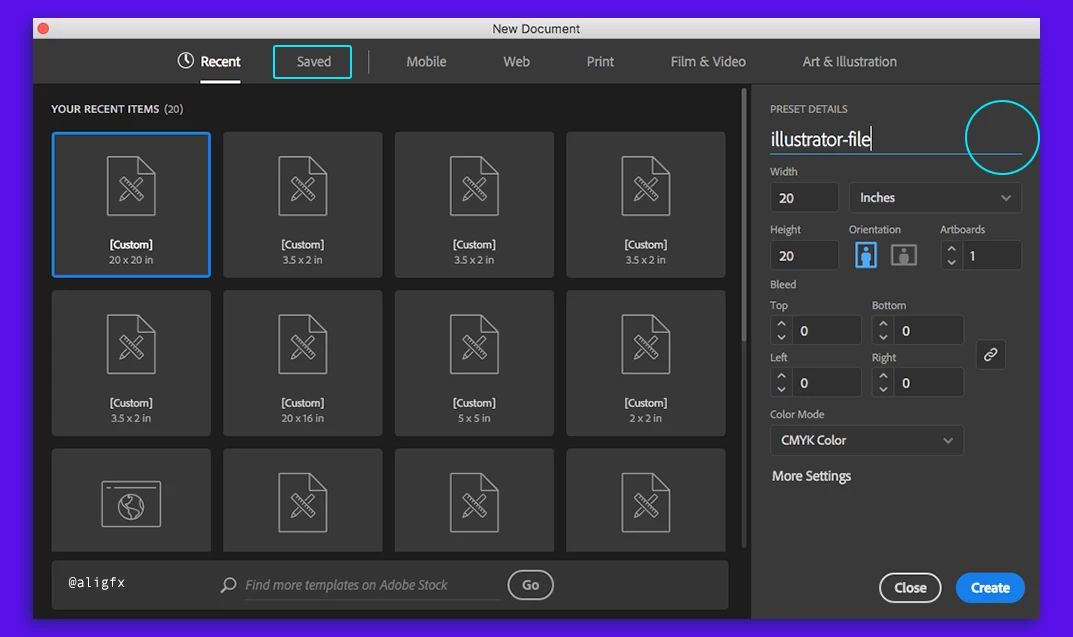
I see that there is a section called "Saved" however the icon for saving presets ( 1/ ) is not there ?

is there an other way of creating presets on illustrator ? or the icon is just missing and can be implemented in the next update ?

...

I'm on Adobe Create Cloud and all applications are up-to-date

p.s. please do not confuse presets with templates.

Best,

This topic has been closed for replies.

1 reply

Doug A Roberts
Community Expert
Community Expert
March 9, 2017

i'd be a big fan of it too, if it worked the same way in illustrator as in photoshop... but it doesn't

open a new document. apply the settings you want, then save it here (Windows 7):

Users\user.name\AppData\Roaming\Adobe\Adobe Illustrator XX Settings\en_Language\x64\New Document Profiles

on Mac it'd be your Library folder, can't check the exact location here.

then it'll be available under whatever tab the profile was based on. i.e. if you adapted a document profile from Art & Illustration, it'll appear under that tab.

Ton Frederiks
Community Expert
Community Expert
March 9, 2017

On the Mac it would be:

Username > Library > Application Support > Adobe > Adobe Illustrator 21 > (Your Language folder) > New Document Profiles

Unfortunately it is still difficult to find these profiles (some of the are even missing) unless you che in the Preferences > General > "Use Legacy "File New" Interface.

Doug A Roberts
Community Expert
Community Expert
March 9, 2017

!!

almost forgot that there's also a weird bug in opening custom new doc profiles unless you use the legacy 'file new' interface. to replicate:

1. open a new doc. use a Print profile, for example.

2. make the artboard 100 x 100 mm.

3. save to new document profiles, close.

4. File > New, then Print tab. find your just created profile.

5. size says 283.47 x 283.47 mm!!

this is the numerical size in points of your 100 x 100 mm doc, for whatever reason.

it's safest for now to just use the legacy interface.