FozzieBear
Known Participant
October 9, 2018
Answered

Use an image as Artboard background

  • October 9, 2018
  • 3 replies
  • 3303 views

I am very new to illustrator and hoping someone here can help with a problem.

I am using Illustrator CS5 on Windows to create some artwork for a printer to produce in vinyl.  i am trying to create a 4500mm x 95mm banner with a WW2 poem along the whole length.The idea is to produce this using old typewriter font on a yellow/aged background so it looks like its done on ticker tape. the finished item is to go up in our village hall to accompany some murals of a WW2 airfield of mosquito aircraft.

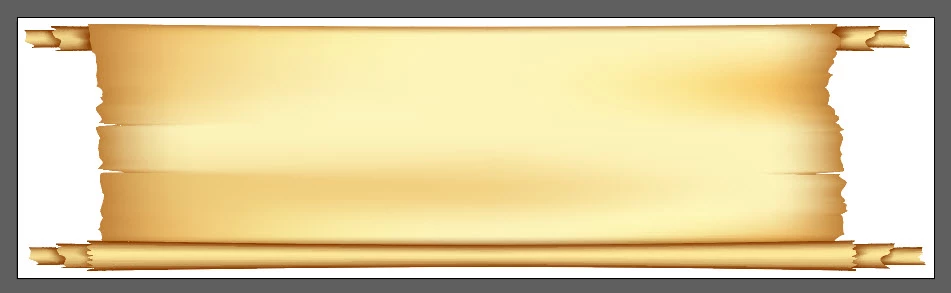
I have found a suitable vector image from FreePik.com which has an aged paper effect. however i am stuck on how to use the image as the background. I have started by creating an artboard 4500 x 95 and then opening the downloaded image and trying to resize it to the same dimensions as the artboard. However the extended areas of the image are white not the same fill colour as the image itself. The downloaded image is a .jpg but the site says they are all vector images so should resize.

There are lots of tutorials online to change the artboard colour but none using an image. Please can someone tell me if this is possible and how to get the image to fill the artboard background,

alternatively is there another way to achieve this in Photoshop Elements perhaps

Many thanks

Fozzie
    This topic has been closed for replies.
    Correct answer Myra Ferguson

    Thanks Doug, I assume then this rectangle is not printable object  so will not appear in the final output?

    What i meant about stretching is that the image distorts rather than grows to fit the new space. ie circular areas of the image become very long flat ellipses.

    As i said perhaps it my understanding but i thought a vector image would remain the same no matter the dimensions. perhaps the only way to create a background from a small image is to repeat the image multiple times until i get the desired length.


    Vectors are made up of points as opposed to a raster graphic, which is made up of pixels. Although a vector graphic is resolution independent (meaning it can be scaled up or down without losing quality), it doesn't automatically scale like a responsive web site. You can alter it so that it does by moving certain points.

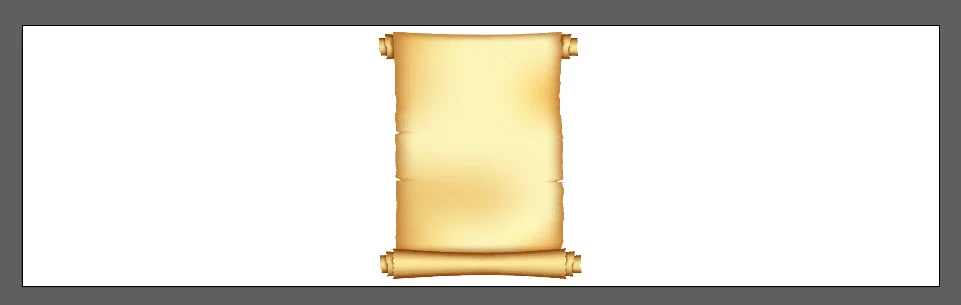
    I made an example based on what I think it sounds like you're trying to do. Here's the starting vector graphic.

    If you try to scale it horizontally, it distorts.

    But you'd like it so that the parts remain without distortion and expand the middle section for content. You can do that by using the Direct Selection Tool, selecting the points on one side and nudging them to the edge. Do the same thing for the other side.

    Then you get the graphic the way you want.

    3 replies

    Myra Ferguson
    Community Expert
    Community Expert
    October 9, 2018

    Oh and if that art isn't available as a vector and you can't find something else that will work, you can convert the art using Image Trace. How to edit artwork in Illustrator using Image Trace

    FozzieBear
    Known Participant
    October 10, 2018

    Thanks Doug and Myra for responding.

    I should have realised that a .jpg was not a vector image.

    I have now found some paper samples in vector format which i can use. please can you confirm the way i am trying to add the background is correct. should i start with a blank artboard and open the image to the same dimensions? If so should i then lock the two layers before adding the font layer?  Alternatively can i just open and resize the image i downloaded as my background artboard?

    Any tips would be appreciated.

    John

    Doug A Roberts
    Community Expert
    Community Expert
    October 10, 2018

    Layers are a matter of organisation rather than a necessity in this case, but they may make your work more manageable.

    I would:

    1. Create new document with an artboard the same as your image size

    2. File > Place the image

    3. Lock the layer. Create a new layer and begin adding your other elements like text.

    Myra Ferguson
    Community Expert
    Community Expert
    October 9, 2018

    Freepik isn't all vectors, but you can filter your search so that only vectors get returned in your search. I'd also recommend filtering by Selection otherwise Premium assets will also show up in your search. And despite the name of the site, Premium assets are not free pics.

    Doug A Roberts
    Community Expert
    Community Expert
    October 9, 2018

    if it's a jpg, it's not a vector file. is there another file type available as an option when you download it?