
Using Warp (Arch) filter effect on Text in Illustrator
I've applied the filter effect WARP - Arch shape to put text on a curve, but with the sides still up/down vertical (not typical text along a curve where the text flows around the circle).
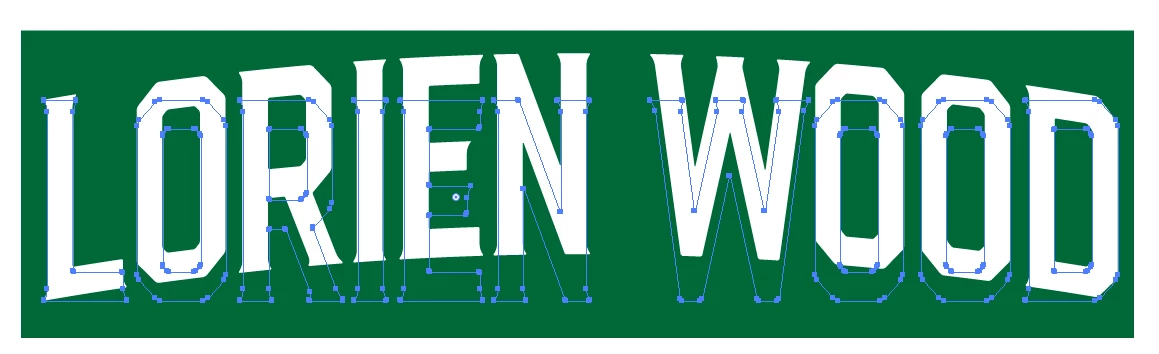
When I convert the text to outline, in PREVIEW mode, the line/vector outline stays in the regular, flat-line, non-filtered / non-arched text shape. The text on a arch (as I want it) appears only as a white-fill "cast shadow" (for lack of a better descriptor). See first screen cap below.
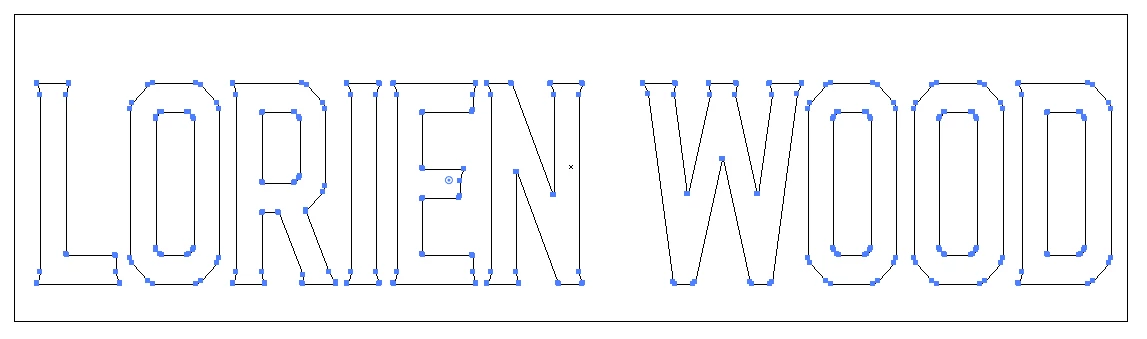
When you view same art in OUTLINE mode, you only see the flat-line text. No arch-warped text at all. (see 2nd screen cap below)
So I don't feel I can package this art to send off to the silk screener for this job without seeing the line-vector on the arch as I want it.
Any help out there for how to convert text which has been warped to convert to outline correctly?
Thanks!
JChurch
 AdChoices