


- Home
- InDesign
- Discussions
- 100% black is not being right for printing and com...
- 100% black is not being right for printing and com...

Copy link to clipboard
Copied
I am facing a big problem about the 100% black is not being right for printing and coming out as 4 colours, from my InDesign document when I export it as a pdf. My swatch for the black text in Indesign is set at C=0 M=0 Y=0 and K=100, which seems not to work as100% BLACK after I have export it so pdf? Please can anybody help me, so I can get 100% black text in my PDF?
The only thing I want AFTER I export the pdf, is that the BLACK TEXT are 100% black, not a 4 colour rich black, in the exported pdf. I also have the same issue in Illustrator? So what is going on?
Thank you so muh!


 1 Correct answer
Hi everybody!!!
The problem was my Acrobat!!
I uninstalled it, and then I have reinstalled it and now it works!!!! See video: Loom | Free Screen & Video Recording Software
Thanks a lot everybody for your help!!!!

I don't know if this is a bug, but 2 others of my friends had the same problem. So I have to contact them and ask them to uninstall the Acrobat.
Again Thank you!!

 70
Replies
70
70
Replies
70


Copy link to clipboard
Copied
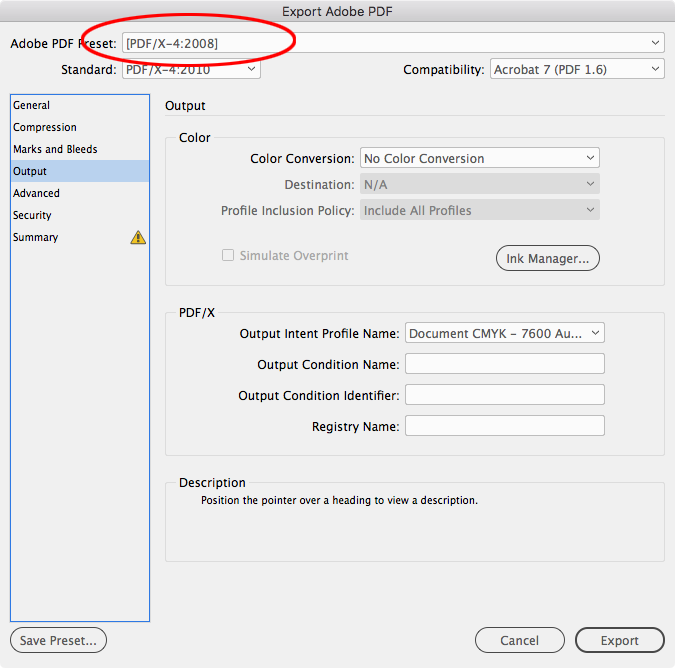
Export using the PDF/X-4 preset and check the output values in Acrobat Pro's Output Preview.
Copy link to clipboard
Copied
This didn't help?
Here is a video: Loom | Free Screen & Video Recording Software
Copy link to clipboard
Copied
Don’t modify the Press Quality preset, choose the default PDF/X-4 preset.
If that doesn‘t work can you show a simple screen capture with your text selected in InDesign and with your Color panel open?
Copy link to clipboard
Copied
It simply don't work.
I have done everything everybody here in this forum said.
Please see a new video: Loom | Free Screen & Video Recording Software
Copy link to clipboard
Copied
I have done everything everybody here in this forum said
Can we see your InDesign text selected along with your Color panel?

Copy link to clipboard
Copied
Is it just this file, or ANY file?
If you were to make a new print document and copy and paste that text frame into the new document, and try make a PDF out of that, what happens?
There is a thread from a little while ago that may delve into this issue further: Changing uneditable rgb black to cmyk black
Copy link to clipboard
Copied
The only other thing I could suggest is to package this particular file you are having issues with, upload it to a service such as dropbox, and let us see if we can replicate the fault on our machines.
Copy link to clipboard
Copied
I could do that. I have just done a test site for you to see with Lorum Ipsum text. But every file the behavior of every file with 100% black, is becomming 4 colours when export to pdf?? Do you want my test Indesign file ?
Copy link to clipboard
Copied
Just now it is every file. It was not so before, I remember. My printing company want the text in 100% black, - it is a booklet, with some photos in CMYK, but the text has to be 100% black
Copy link to clipboard
Copied
this is not the same issue. I had set everything to CMYK in InDesign. And I choose 100% Black.
It is the same issue in Illustrator. I had set everything to CMYK. And I choose 100% Black. And when I export to pdf, the text is 4 colours???
Copy link to clipboard
Copied
Also, the default PDF/X-4 preset should automatically use your document's assigned CMYK profile as the Output Intent, which doesn't seem to be happening for you. So you might try deleting your InDesign Caches and Preference folders, and restarting InDesign.
Copy link to clipboard
Copied
Please see a new video: Loom | Free Screen & Video Recording Software
That shouldn't be happening—can you share the file? The text is set in InDesign and it's not a placed file right?
You could also try PDF/X-4 with the Destination set to Document CMYK, which will be at the top of the profile list.

Copy link to clipboard
Copied
I have only 2 CMYK destinations: https://prnt.sc/o6oazm
Copy link to clipboard
Copied
I have only 2 CMYK destinations: https://prnt.sc/o6oazmI
I think that's the problem, your Document CMYK profile is Coated FOGRA39 but in your videos you seem to be exporting the PDF/X-4 with the Output Intent set to the conflicting US Web Coated SWOP.
Check your document's CMYK profile assignment via Edit>Assign Profiles
Try again starting with the default PDF/X-4 preset and set the destination to the first choice Document CMYK - Coated FOGRA39:

Copy link to clipboard
Copied
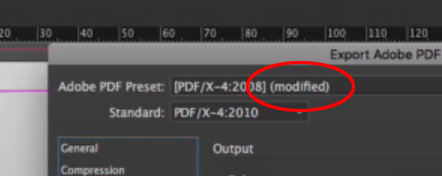
The first thing I noticed in your video was that the preset is modified. Have you tried it in it's original format?

Copy link to clipboard
Copied
And make sure the export options don't attempt to convert colors.
- Dov

Copy link to clipboard
Copied
Appearance of Black:
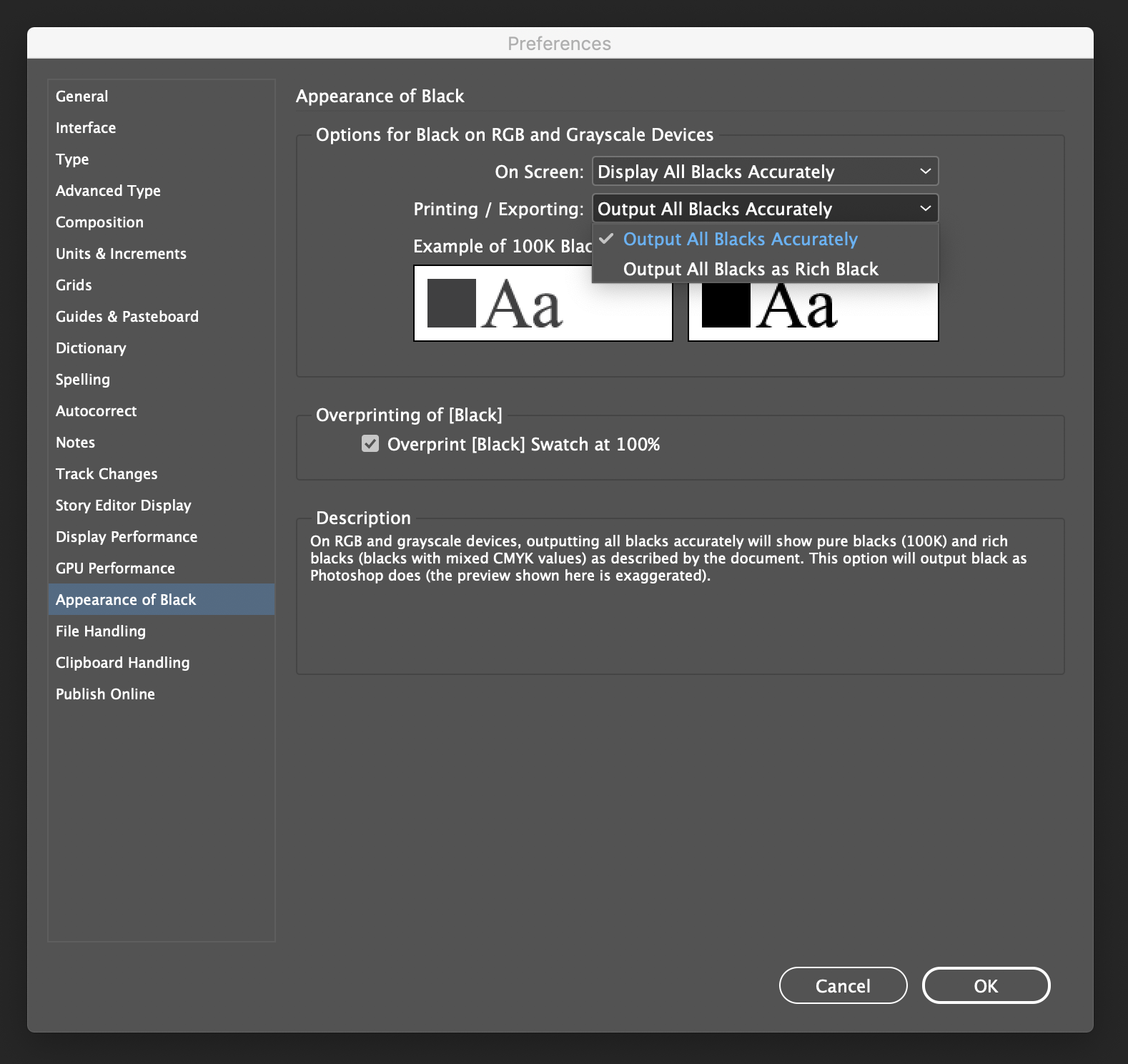
P.S. deFAULTS for both InDesign and Illustrator are set to rich black.
Acrobat Pro can fix this if it has to, however it shouldn't have to as it is best set correctly at the source.
Copy link to clipboard
Copied
Can you please check that the following setting hasn't been changed from what is highlighted in the screenshot?

I've seen this happen before when it is changed to Document RGB. Please ensure it is set to Document CMYK.
You should also be able to see this without having to make a PDF. Go to your separations preview panel:

and once it appears, select the Separations dropdown panel and then check the black on and off
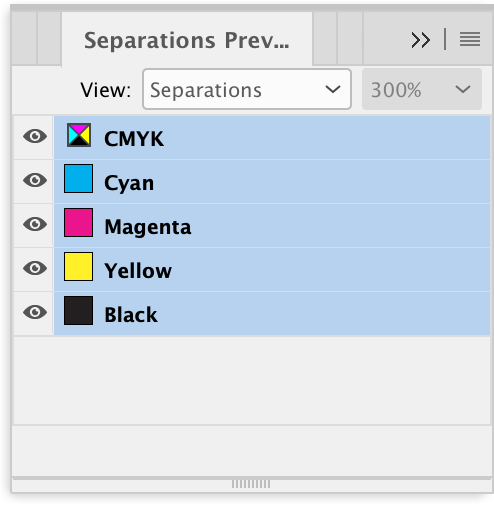
Does the black disappear as intended, or remain a slightly insipid black whilst in InDesign?
Copy link to clipboard
Copied
You need to get to the bottom of this issue, there is no doubt about that!
However, if you are faced with a deadline and have not come to a resolution and have to be pragmatic, my post #5 details how one can correct rich black text and vectors using Acrobat Pro and make them "CMYK Black" i.e. K only.

Copy link to clipboard
Copied
One last try, pretty please:
1. Open InDesign and with no document open: "Color Settings", set US Web Coated SWOP. as CMYK working space. As Colour management policies, set CMYK: Preserve numbers (Ignore linked profiles). Check the three "Ask when..." options.
2. Open the conflictive document. If asked anything, choose preserve embedded profiles.
3. Open the separations in the Output panel and check that the black text is still black (CMYK: 0/0/0/100)
4. Edit -> Assign Profiles, CMYK assign CMYK working color space (should be US Web Coated SWOP. as CMYK).
5. Edit -> Convert to profiles, from CMYK source profile (whatever it is) to Destination space... CMYK profile Working CMYK (US Web Coated SWOP).
6. Save.
7. Export as PDF, choose PDF/X-4 (the exact taste 2008 or 2010 depends on the version of your InDesign and is not very relevant to this issue, IMHO).
8. In the PDF export dialogue, go to the Output zone and choose Color conversions; Convert to destination (Preserve numbers).
9. Export.
10. Go to Acrobat Pro (you already have it, haven't you?). Open the PDF.
11. In tools, go to Print production, go to preflights profiles and choose one of the PDF/X compliance that verifies (not "convert", "verify") PDF/X-4 level. Push "Analyze" button and check that it is PDF/X-4 compliant (the profile now is irrelevant, we just want to check that the PDF is really a PDF/X-4).
12. In Tools, print production (still in Acrobat), go to Output preview. The simulation profile offered should be US Web Coated SWOP. Check that the black text is CMYK 0/0/0/100.
If, after this walkthrough, your text still seems to be in rich blak (could happen. I managed to do that myself)... please choose as Simulation profile US Web Coated SWOP. Any other CMYK simulation profile will perform a color conversion (even for preview) and they are usually passed through a Lab space that converts black ink into rich black.
Printing or simulating with the proper profile should show 100% black properly as pure black ink.
Otherwise... the smart and dirty solution to overcome this is what Stephen_A_Marsh recommends: use Acrobat to solve the issue for the moment. But then I guess that although something seems wrong with the installation of your computer or the settings of your Adobe Suite, the culprit will be some tiny and maddening detail in your workflow. Being there, done that 
Best regards
Copy link to clipboard
Copied
If, after this walkthrough, your text still seems to be in rich blak (could happen. I managed to do that myself)... please choose as Simulation profile US Web Coated SWOP.
If you watch the OP's 2nd video in #11, her document's assigned CMYK profile is FOGRA39, but the PDF/X-4 Output Intent is defaulting to US Web Coated SWOP. This is not normal. The default PDF/X-4 preset's Output Intent always defaults to the document's assigned CMYK profile. That seems to point to corrupt preferences or caches.
The default PDF/X-4 preset where the Color is set to No Color Conversion never converts a CMYK 0|0|0|100 black no matter what Color Settings are used.
Copy link to clipboard
Copied
Hi again! I am sorry to tell you that this don't solve the problem. I have done as you say, but it don't work? I send you a video to show you: Loom | Free Screen & Video Recording Software
Why does this happen? I don't has this issue before, I have worked with Indesign for several years. Is something with the new update??
Copy link to clipboard
Copied
Can you share the PDF and InDesign file via your CC account or Dropbox?
Copy link to clipboard
Copied
s something with the new update??
I just checked a PDF/X-4 export using the latest 14.02 update and I am not seeing the problem, so it seems to be something related to your system. Did you ever try resetting your preferences and caches, and restarting?


Find more inspiration, events, and resources on the new Adobe Community
Explore Now
 AdChoices