


Copy link to clipboard
Copied
I can get buttons to work in NESTED MSO but not play an animation. I can play a sound with that button, but not an animation.
I can select an object, create the animation, but it will not work either on state load or with a button. (I actually prefer it to play on state load). It is as if the animation doesn't exist, but it clearly does.
Are animations supposed to work in a NESTED MSO? Has anyone created one that works? I'm on the current release of Indesign.


 1 Correct answer


Hi sherlan ,
I see two ways to generate a nested MSO.
1. Anchor an existing MSO to a text frame in a state of an MSO.
That's not the solution to your animation problem.
2. Add a new generic MSO to a graphic frame in a state of an MSO.
That only can be done by scripting. It will create a generic, two-state MSO inside a graphic frame.
Case 2 will not work with anchored objects so the animation will play if added to a state of the nested MSO.
However that means you will have to recreate all other aspects
...
 19
Replies
19
19
Replies
19


Copy link to clipboard
Copied
What kind of file are you outputting to. It should work in a fixed layout epub but I’ve never tested it.
Keep in mind that nested MSOs are a kludge and technically not supported at all.
Copy link to clipboard
Copied
File Output: Fixed Layout EPub
What do you mean when you say "technically not supported at all"? That frightens me. At this moment, my nested MSO works well in FL Epub with the exception of the animation....well, at least with Apple products.
I do have issues with the MSO in Android products, but I haven't started troubleshooting those issues yet. I also haven't tested with Windows.
Copy link to clipboard
Copied
It’s an undocumented “feature.” In fact, for the longest time, the answer to the question of whether you could place an MSO into another MSO was no until someone else discovered the trick of anchoring it to a text frame.
Copy link to clipboard
Copied
Hi sherlan ,
some tests:
Anchor an animated object to a text frame.
Will it animate? Answer: No.
Anchor a group that contains an animated object to a text frame.
Will the grouped animated object animate? Answer: No.
Paste inside an animated object to a graphic frame and anchor that.
Will the pasted inside animated object animate? Answer: No.
The same thing with nested MSOs.
A nested MSO is anchored to a text frame inside of an object state.
So animations inside that text frame will not work.
Even if they are not directly nested but deeper nested.
Regards,
Uwe
Copy link to clipboard
Copied
Oh. One warning:
After my tests with anchoring animated objects I unanchored the animated objects.
They still do not animate. Found no way to make them animate again.
That's a bug, I think.
Found a way: In the Timing Panel I had to re-assign them again. They all were categorized as unassigned.
So best test with duplicated objects only!
Regards,
Uwe
// EDITED
Copy link to clipboard
Copied
Hi sherlan ,
I see two ways to generate a nested MSO.
1. Anchor an existing MSO to a text frame in a state of an MSO.
That's not the solution to your animation problem.
2. Add a new generic MSO to a graphic frame in a state of an MSO.
That only can be done by scripting. It will create a generic, two-state MSO inside a graphic frame.
Case 2 will not work with anchored objects so the animation will play if added to a state of the nested MSO.
However that means you will have to recreate all other aspects of your predefined MSO you are currently using.
Here a Publish Online document where I am showing a MSO inside a MSO that contains several animations in several states:
https://indd.adobe.com/view/606bc199-2f8e-4037-b200-8d98577f902e
Initial state: One MSO ( you see the blue state 1 with a button to click to the next state ) and one animation of a magenta rectangle on the page.
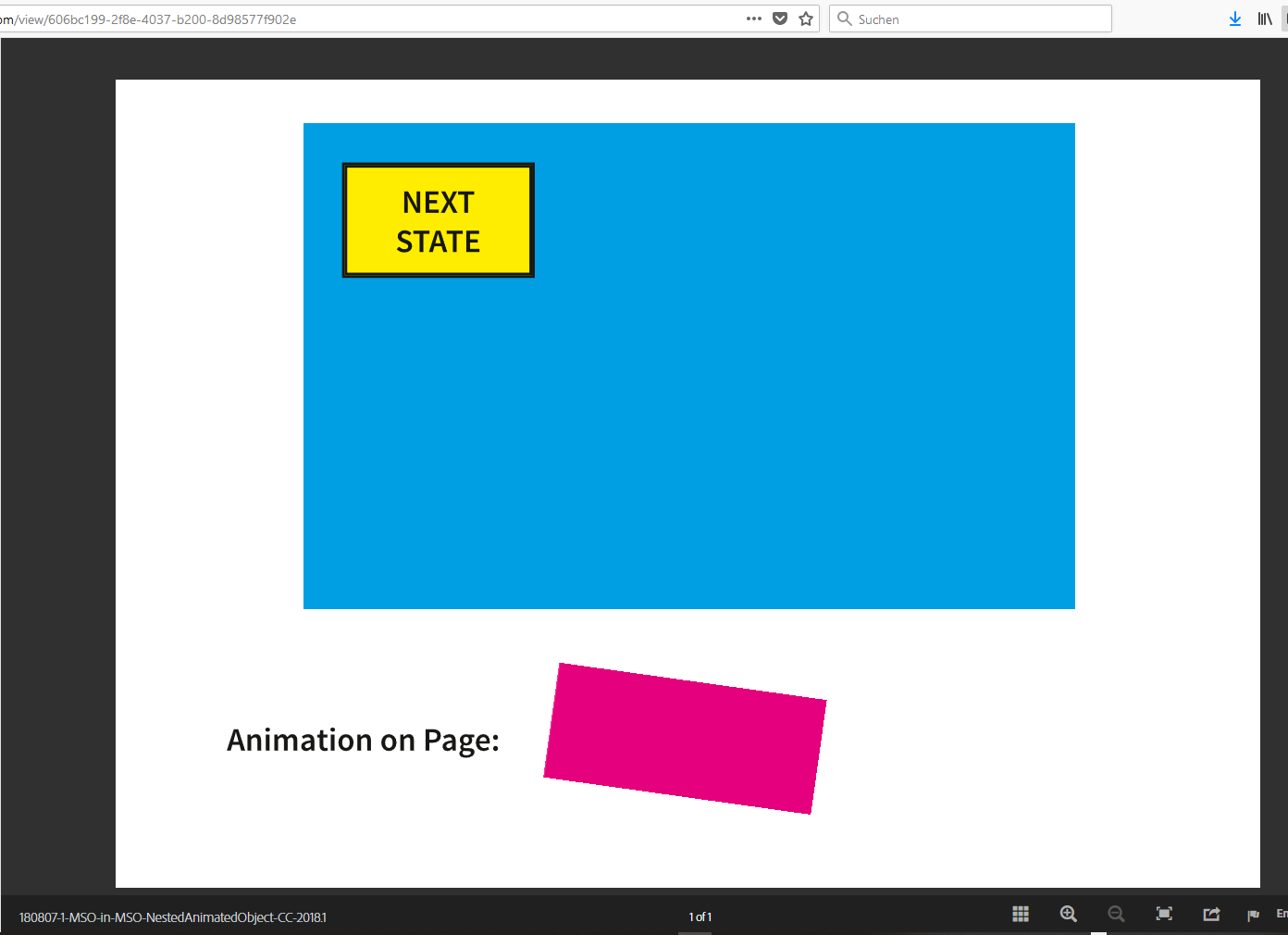
The button in state 1 of the MSO leads to state 2 of the MSO where another MSO is nested inside.
And that nested MSO is showing an animation in every state of its 3 states. You can click through the 3 states with the button above the nested MSO:

Regards,
Uwe
Copy link to clipboard
Copied
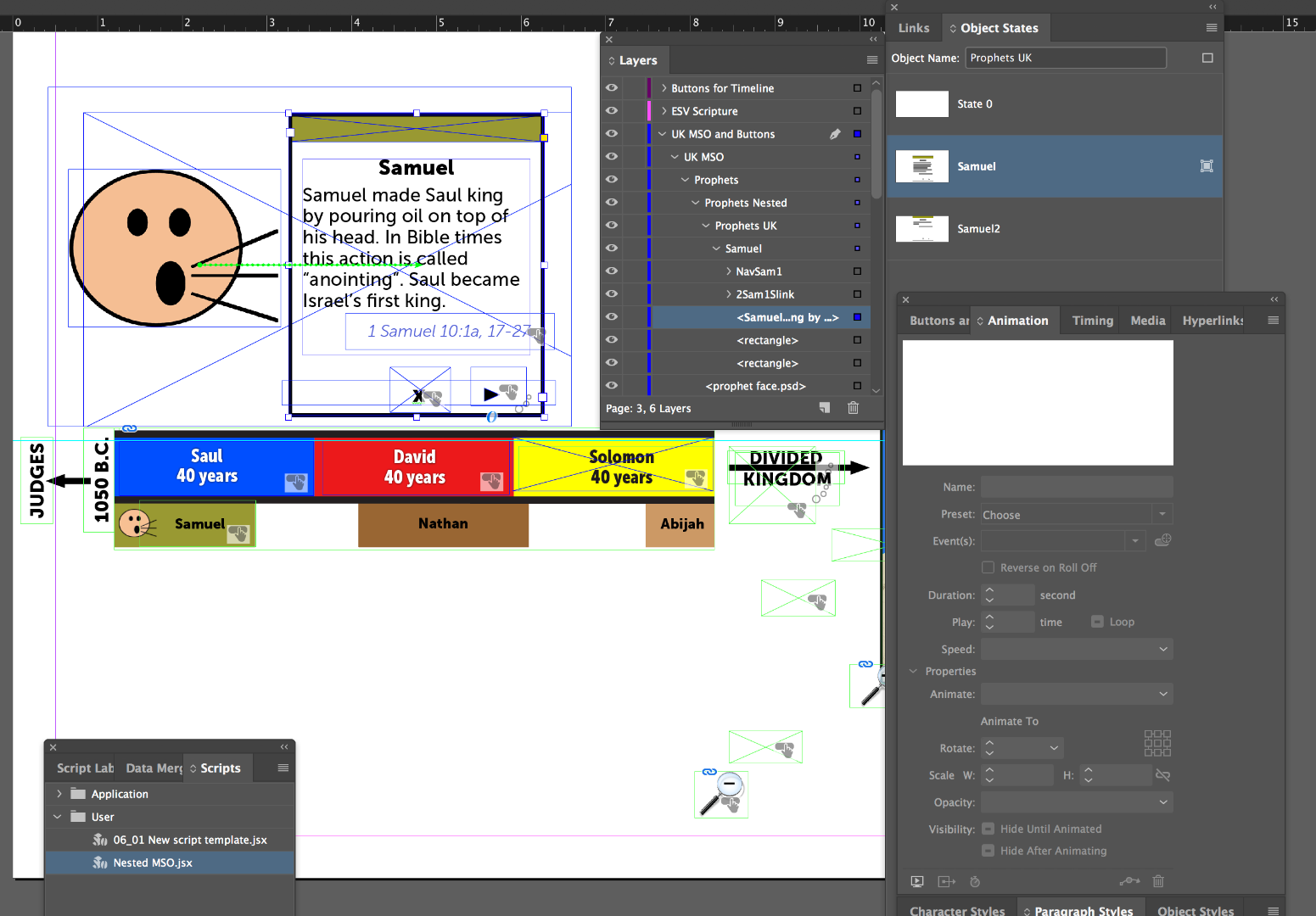
Here some construction details:

Note: You cannot change details of the animated object from the Animation panel ( all options are grayed out ) while the animated objects resides in the state of the MSO that is nested.
To change aspects of the animation other than changing the animation path showing here you have to move the animated object out of the state of the MSO.
Regards,
Uwe
Copy link to clipboard
Copied
Great work, Uwe!
Copy link to clipboard
Copied
Laubender,
Thank you so much for your assistance!! However, I did notice that the animations are not overlapping. Will it still work if the animations are overlapping?? I have noticed that buttons with regard to animations need to be strategically placed; otherwise, they will not work (at least for me). So, I wonder if it makes any difference in this if the animation is on top of others in the MSO. My largest MSO has over 40 states with animations all over the place, play and stop buttons and buttons advancing to and from states as well as a nested MSO with over 40 states. (I didn't need animation in it, just buttons).
If the animations do work when they overlap, then I suppose I'll be returning to Lynda.com to learn scripting. I haven't learned scripting or coding yet. InDesign has made it so where I haven't had to . . . yet.

Copy link to clipboard
Copied
does it work with so many states? i have had bad experieces with so many buttons and states, but i work with IN5. i had a popup and inside that pop up there was to be 19 buttons each showing and hidding other items. and it did not work well. Curious as to your feedback. i just stay away from that much complexity.
Copy link to clipboard
Copied
Hi sherlan ,
in principle it's very easy to add a new MSO to a selected graphic frame.
Just select a rectangle and execute the following ExtendScript (JavaScript) code:
app.selection[0].multiStateObjects.add();
This is the very core of a script.
It can be enhanced with other properties like size and position of the new MSO or its name like here:
app.selection[0].multiStateObjects.add( { name : "nestedMSO" } );
Note: The inserted MSO is positioned at default position and its size is also at default, so very small. And maybe you have to look for it outside the visible area of the rectangle you added it. Just like an image you placed to a frame and moved it outside the visible area of the frame.
But you should be able to identify it in the Layers panel, select it from there, therefore you can position it and give it a bigger shape.
It consists of 2 states.
Rectangle selected before adding MSO ( screenshots from my German inDesign 😞
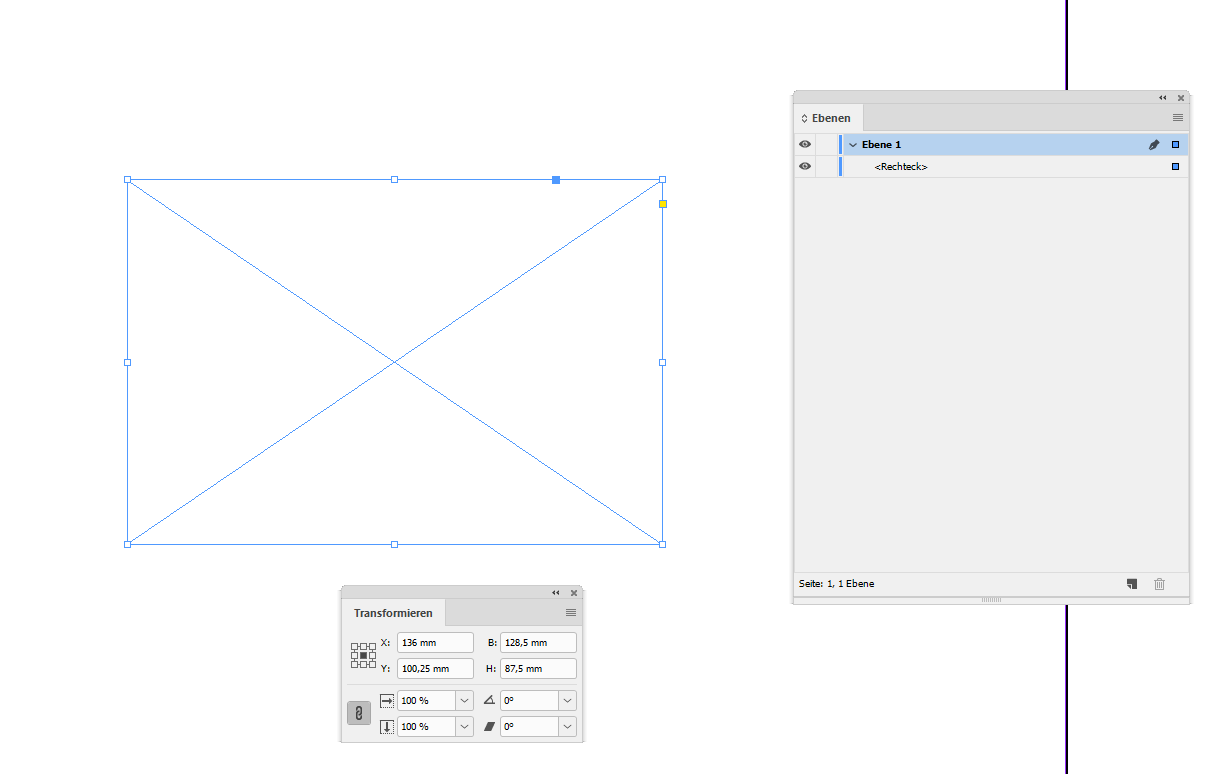
After running the script on the selected frame and selecting the MSO in the Layers panel:

And: Of course the selected rectangle could be part of the state of a MSO.
How to work with ExtendScript code and install it:
Indiscripts :: Indiscripts for Dummies
Best,
Uwe
Copy link to clipboard
Copied
Copy link to clipboard
Copied
Sorry Uwe, I had issues with my post earlier, and I was running out of time. I finally got to work on this today.
It WORKS!! Thanks to you! BUT, I must be doing something wrong. When I select the animated object, it shows the animation, but the animation panel is grayed out. Is that something I need to script? I took a small class on scripting in Indesign, and I know a wee bit, but I'm still extremely ignorant. Have I done something wrong?
Copy link to clipboard
Copied
Hi,
yes. Thought, I mentioned this. You have no access to the animation through the animation panel while the object is in a nested MSO. Pull it out, change the animation properties and add it again to the state. Or try to script it.
Regards,
Uwe
Copy link to clipboard
Copied
Uwe,
For some reason, mine grayed out when I pulled it out as well. I recreated it, and it worked. BUT, the timing is all grouped together. So the user is waiting for the animation. It's similar to what almost seems like a delay on your state 2.
I looked in the timing panel, and when I select the item to animate it shows all animations. I linked them together in hopes that might make a difference, but it still makes the user wait. Sometimes, it's not so bad, and sometimes it's 4 seconds (which is a long time to wait for something to pop up). Do you have any suggestions? I don't know why all of the animations for the nested MSO would be lumped together in one timing panel.
Everything else works, my play buttons, etc. Thanks again so much for your assistance.
Sherlan

Copy link to clipboard
Copied
Hm. I cannot give good advice for this kind of nested MSOs with animations.
This is uncharted land, so to say. Delays in parts of animations that should run together? I have no suggestion.
Sorry.
Regards,
Uwe
Copy link to clipboard
Copied
Uwe,
What it appears to be doing is lumping the timing of all animations from every state into 1 timing panel. I linked all animations in hopes that when each state advanced it would act as if it is the first animation. It doesn’t matter if they are linked or not linked. If it were just 2 or 3 states, it would be okay, but I’ll have approximately 6-10 states in one nested MSO, and at least 30 in another.
It acts as if the timing panel is for the initial MSO that holds all of the states. I bet I need to script something... maybe? Maybe if I finish figuring out how to run an animation script on the object, it will have a timing panel all on it’s own?? I may need to watch the video class again for the whole scripting thing to sink in better.
Thanks for all of your help.
Copy link to clipboard
Copied
Jonathan,
Yes, mine all work! Sound effects, animations & buttons. Well, it all works perfectly with Apple products but has several quirks that I need to deal with on Android. I'm not sure how that's going to pan out. What I have learned from this project is I need to be very careful where my animations end up. If the image covers a button and if I remember correctly or even animates across it (not 100% sure on that), the button will not work, no matter which state, the button won't work. At least that's what I gathered from my troubleshooting (which I love a good brain challenge).  Also, Bob Levine gives excellent instructions!
Kindest regards,
Sherlan
Copy link to clipboard
Copied
Laubender,
Thank you ever so much for the Indiscripts for Dummies link!! I'm looking forward to learning more! All of this may prompt me to make some design changes.


Get ready! An upgraded Adobe Community experience is coming in January.
Learn more
 AdChoices