Exit
  • Global community
    • Language:
      • Deutsch
      • English
      • Español
      • Français
      • Português
  • 日本語コミュニティ
  • 한국 커뮤니티
0

Can't move objects and images (anymore)

New Here ,
Apr 08, 2020 Apr 08, 2020

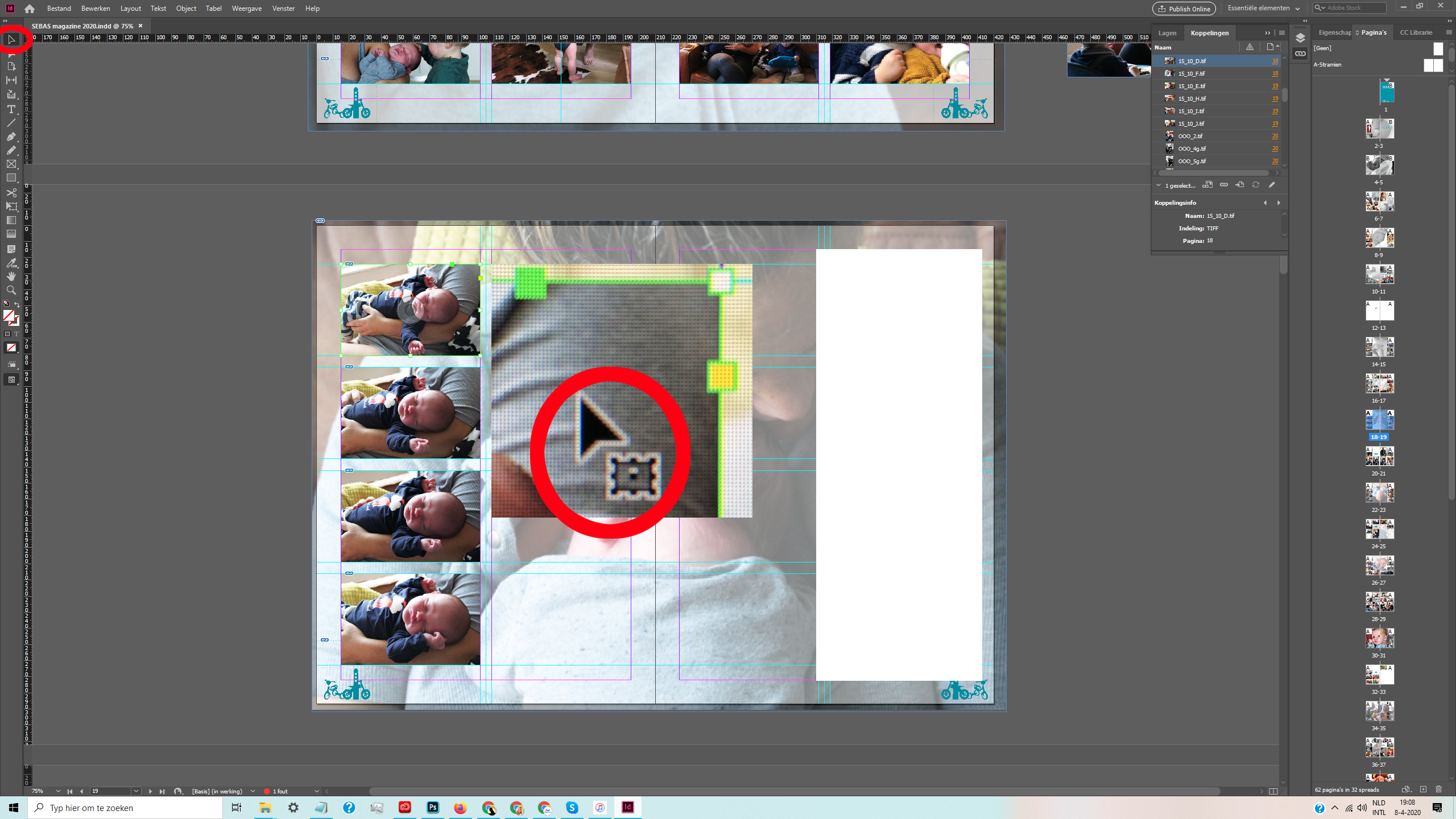
I always select an image or object using the (Select, V) and then simply move the object or image while holding the left key of my mouse. But all of a sudden I can not move any object or any image anymore that way for any of my files. Something seems locked or a setting changed.


I removed the app Indesign and re-installed it but the same issue occurs.

I have tried removing Preferences and Chase but that seem simpossible when using Adobe CC apps on a Windows. I can't seem the access the right folders for App data. 


Can someone please help me? 

TOPICS
Bug , How to , Performance
1.6K
Translate
Report
Community guidelines
Be kind and respectful, give credit to the original source of content, and search for duplicates before posting. Learn more
community guidelines
Community Expert ,
Apr 08, 2020 Apr 08, 2020
LATEST

Which version of InDesign and OS?

Have you checked in the Layers palette to see if the object is locked?

Translate
Report
Community guidelines
Be kind and respectful, give credit to the original source of content, and search for duplicates before posting. Learn more
community guidelines