Exit
  • Global community
    • Language:
      • Deutsch
      • English
      • Español
      • Français
      • Português
  • 日本語コミュニティ
  • 한국 커뮤니티
0

Close space between compound path shapes?

Contributor ,
Feb 19, 2021 Feb 19, 2021

I want to play with adding a photo to a sequence of shapes. I understand how to drag out a shape, make it a couple rows and convert it to a compound path, but I don't want so much space between the shapes so the image comes through better. Any tips? 🙂
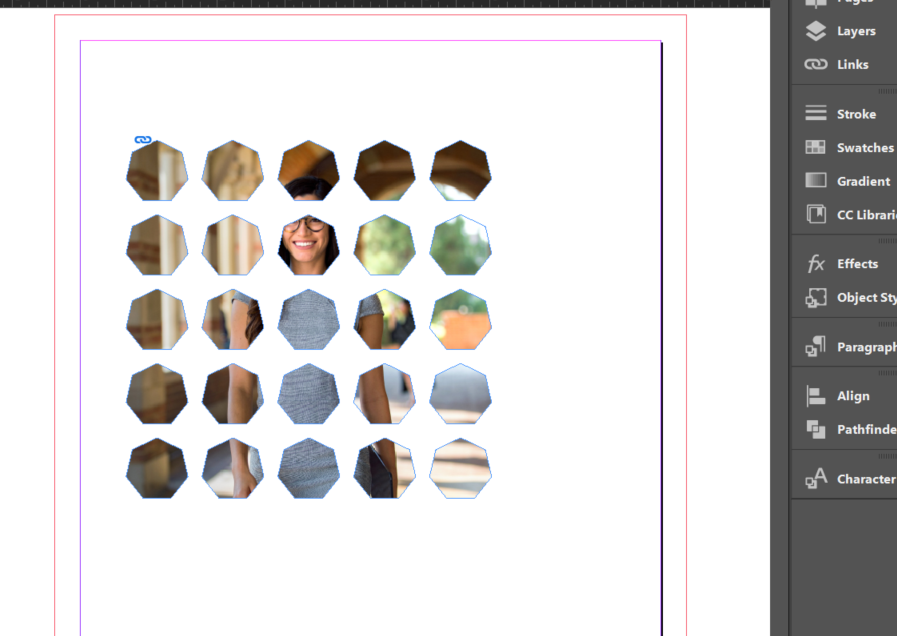



compound.PNG

TOPICS
How to
181
Translate
Report
Community guidelines
Be kind and respectful, give credit to the original source of content, and search for duplicates before posting. Learn more
community guidelines
Community Expert ,
Feb 19, 2021 Feb 19, 2021
LATEST

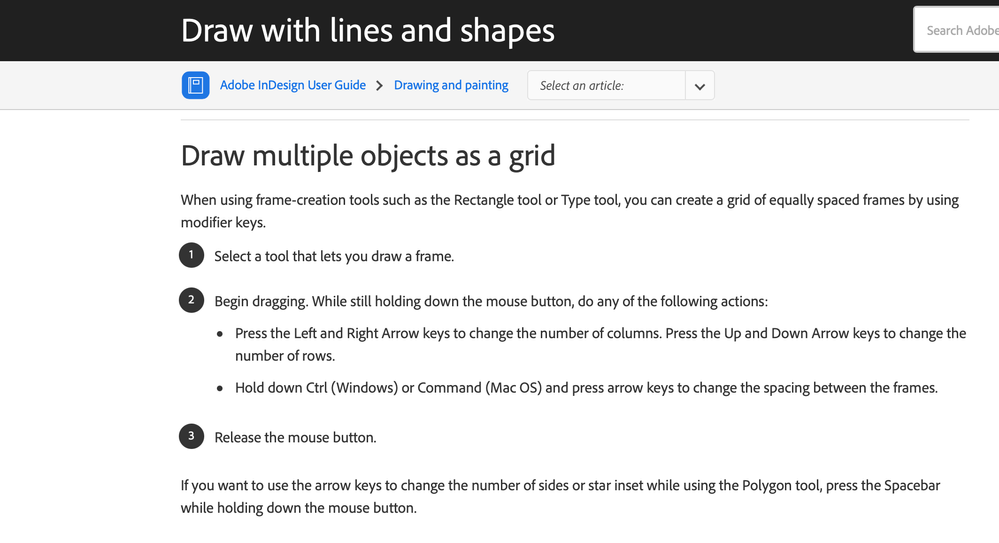
Hold down Command (Mac) or Ctrl (Windows) key with arrow keys to change spacing (before converting to a compound path, I would guess).


Screen Shot 2021-02-19 at 12.17.45 PM.png

Translate
Report
Community guidelines
Be kind and respectful, give credit to the original source of content, and search for duplicates before posting. Learn more
community guidelines