Exit
  • Global community
    • Language:
      • Deutsch
      • English
      • Español
      • Français
      • Português
  • 日本語コミュニティ
  • 한국 커뮤니티
0

Colors in Indesign

New Here ,
Oct 12, 2021 Oct 12, 2021

Hello,


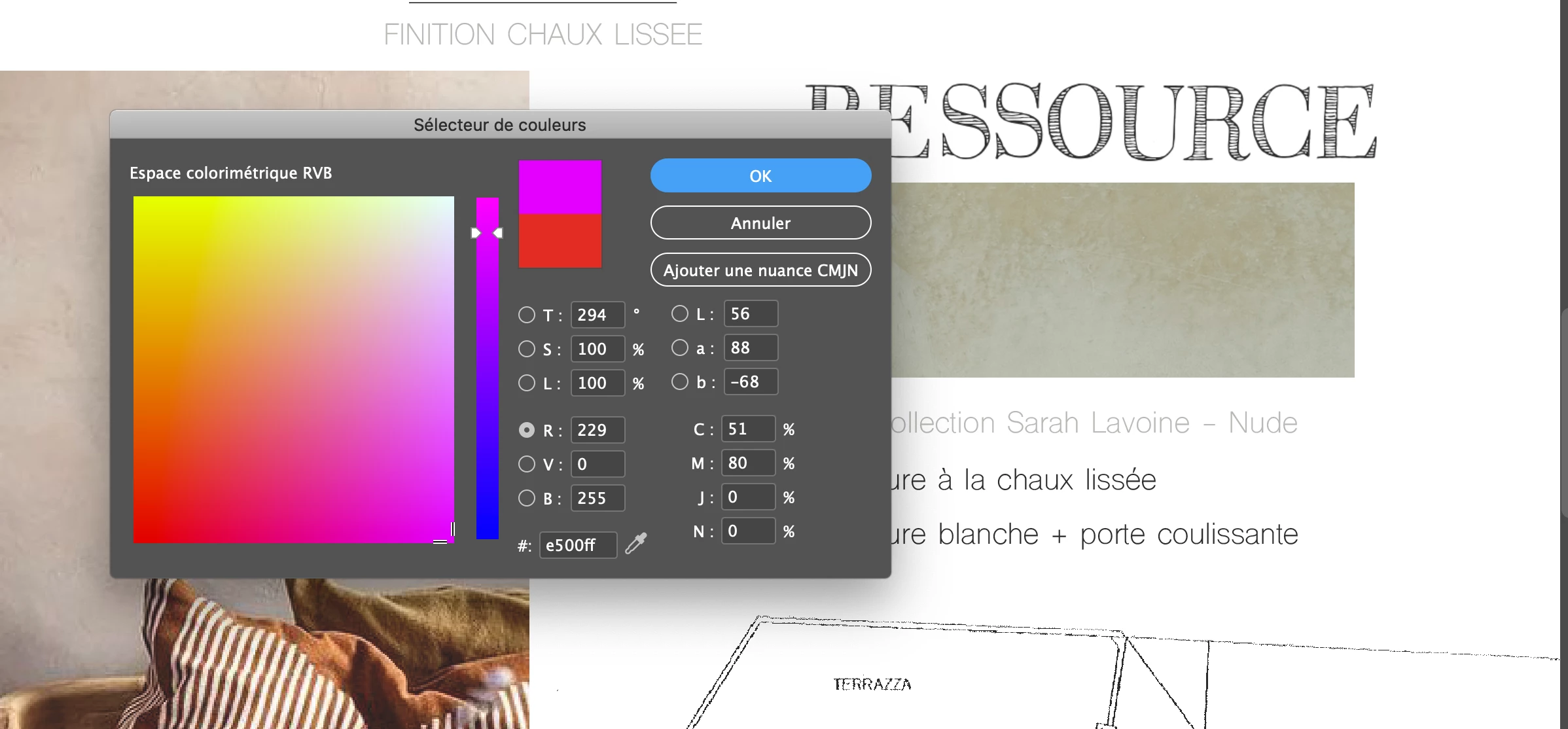
My colors appear "grey-ish" and darker on InDesign and I can't understand why.

I believe it has something to do with RVB / CMJN but I don't get it.

For example, when i try do draw a line which should be in neon pink, it appears purplish. 

I want it to be neon pink directly on the file as well as on the pdf.


Can someone help me with that please ? 🙂 


Thanks a lotCapture d’écran 2021-10-12 à 09.52.09.pngCapture d’écran 2021-10-12 à 09.52.21.png
TOPICS
Bug , How to , Import and export , Type
151
Translate
Report
Community guidelines
Be kind and respectful, give credit to the original source of content, and search for duplicates before posting. Learn more
community guidelines
Community Expert ,
Oct 12, 2021 Oct 12, 2021

Some CMYK colours cannot be created.

Neon Pink might be one of these.


Try inserting your cursor into the RGB fields - this should change the Save Swatch option to RGB.


As long as it stays RGB it should be ok - but if you're going to print you're going to have to discuss these neon pinks with your print supplier.


Translate
Report
Community guidelines
Be kind and respectful, give credit to the original source of content, and search for duplicates before posting. Learn more
community guidelines
Community Expert ,
Oct 12, 2021 Oct 12, 2021
LATEST

That is RGB vs CMYK (and also spot) colours. How is your knowledge on colours gamut?

Translate
Report
Community guidelines
Be kind and respectful, give credit to the original source of content, and search for duplicates before posting. Learn more
community guidelines