Exit
  • Global community
    • Language:
      • Deutsch
      • English
      • Español
      • Français
      • Português
  • 日本語コミュニティ
  • 한국 커뮤니티
0

Convert single page document to facing page Document

New Here ,
Jun 14, 2019 Jun 14, 2019

Is it possible to easily convert a single page document to a facing page document in InDesign?

I have read through the forums and been through YouTube videos, but most do not address my issue.

Frequently in my job, we are close to final on a document when we are asked to change from a single page layout to a double-sided or facing pages layout. The headers, footers and page numbers would all need to change position; for example, page numbers need to be in the lower outside corner. Is there an easy way to accomplish this? We all use InDesign CC on Windows 10 PCs, but some of the users are very new to InDesign.

One solution was to have 2 different templates, one with facing pages and one without, but this would require copying over the information from one file to the next. It is a lot of pages, so I am looking for an easy way to accomplish this conversion.

Thank you in advance for any help.

687
Translate
Report
Community guidelines
Be kind and respectful, give credit to the original source of content, and search for duplicates before posting. Learn more
community guidelines

correct answers 1 Correct answer

Community Expert , Jun 14, 2019 Jun 14, 2019

The headers, footers and page numbers would all need to change position; for example, page numbers need to be in the lower outside corner.

Those items typically would be on master pages, so it should be as simple as checking Facing Pages in Document Setup, and then moving the Master Page items.

What’s the purpose of setting the documents up as non-facing pages in the first place? Any document that will be printed and bound normally needs to be setup as facing pages, and a facing page document can

...
Translate
Community Expert ,
Jun 14, 2019 Jun 14, 2019

The headers, footers and page numbers would all need to change position; for example, page numbers need to be in the lower outside corner.

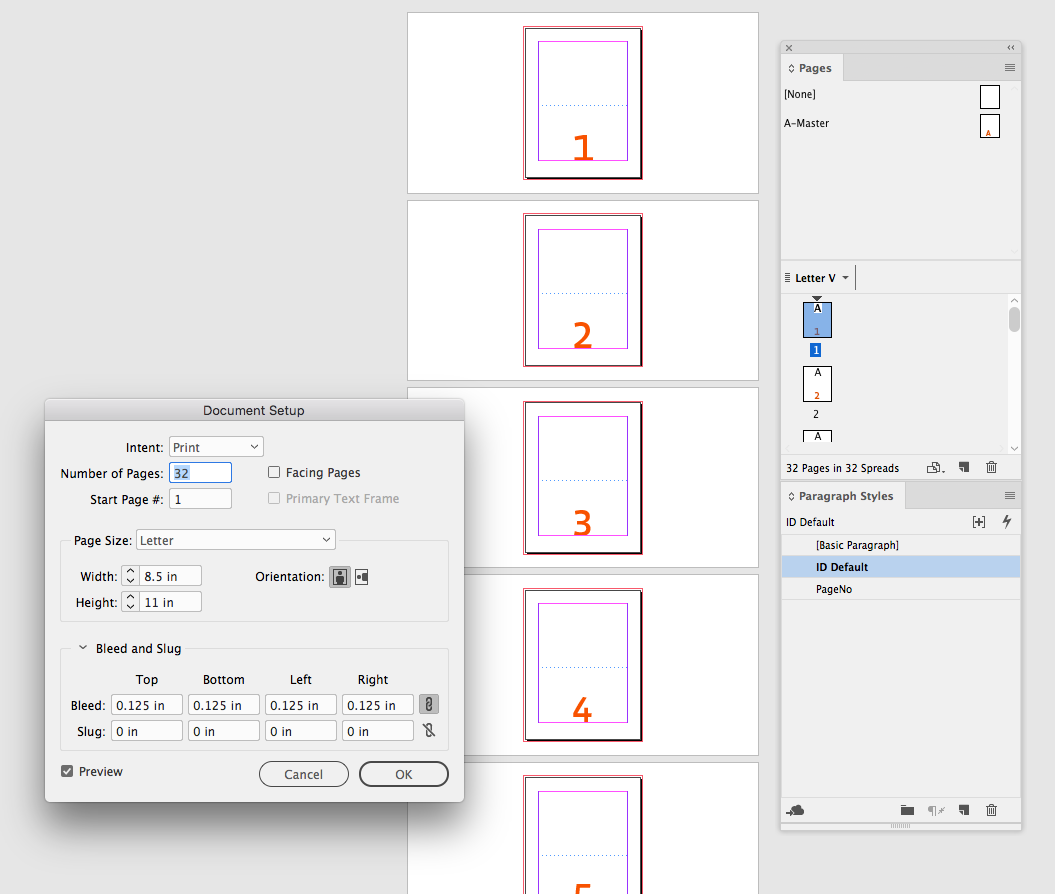
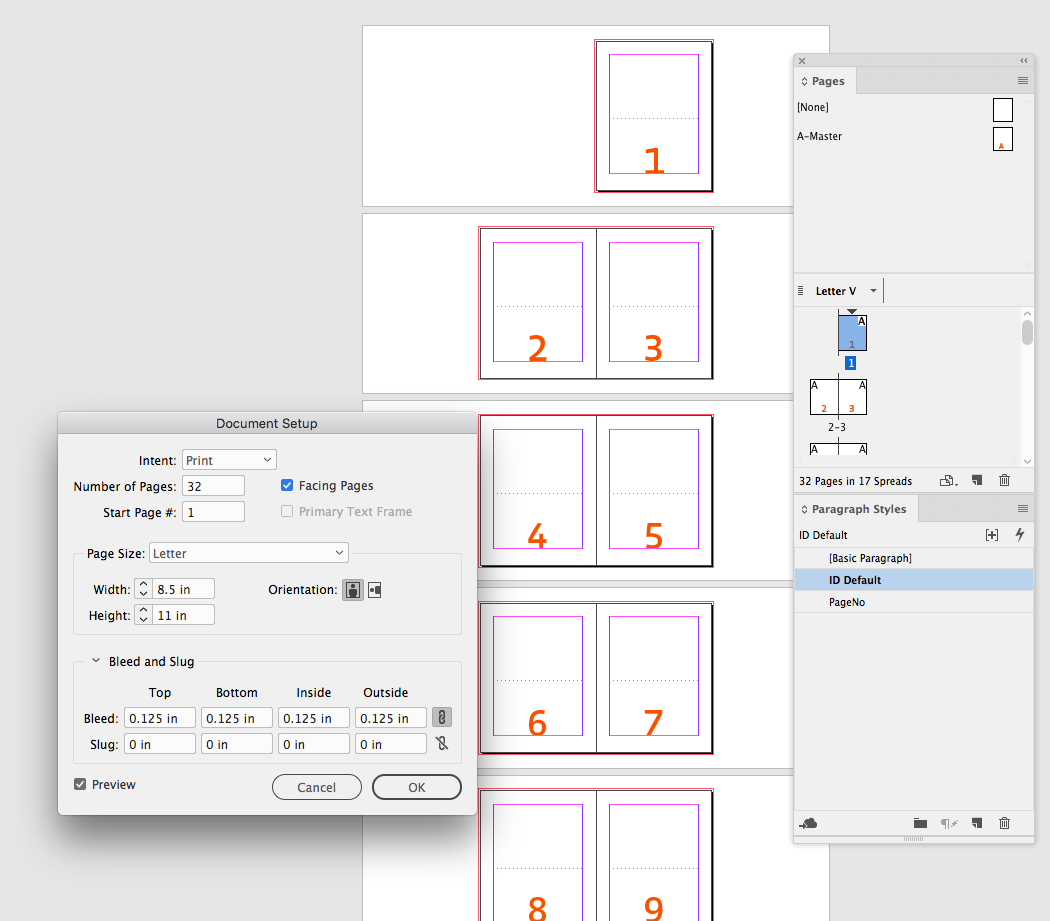
Those items typically would be on master pages, so it should be as simple as checking Facing Pages in Document Setup, and then moving the Master Page items.

What’s the purpose of setting the documents up as non-facing pages in the first place? Any document that will be printed and bound normally needs to be setup as facing pages, and a facing page document can still be exported as single pages.

Screen Shot 5.png

Screen Shot 6.png

Here I'm just changing the page number's position via Alignment in its Paragraph Style—I don't even need to edit its master

sample0.png

Translate
Report
Community guidelines
Be kind and respectful, give credit to the original source of content, and search for duplicates before posting. Learn more
community guidelines
New Here ,
Jun 18, 2019 Jun 18, 2019
LATEST

Thanks rob. I've got it figured out.

Translate
Report
Community guidelines
Be kind and respectful, give credit to the original source of content, and search for duplicates before posting. Learn more
community guidelines