


- Home
- InDesign
- Discussions
- Re: CRS InDesign Free Brochure Template
- Re: CRS InDesign Free Brochure Template
CRS InDesign Free Brochure Template

Copy link to clipboard
Copied
Hi,
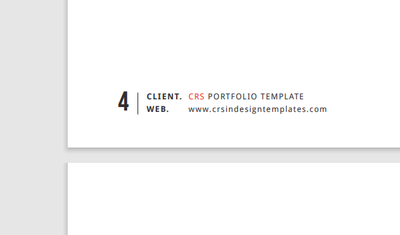
I downloaded a free template from CRS (Stock InDesign Templates - CRS InDesign Templates), and wondered if anybody else has, as at the bottom of each page next to the page numbering they have a locked advert for themselves, and I cant see if there an option to change it, as basically it wouldnt make sense to leave it there, but obviously it does for them.
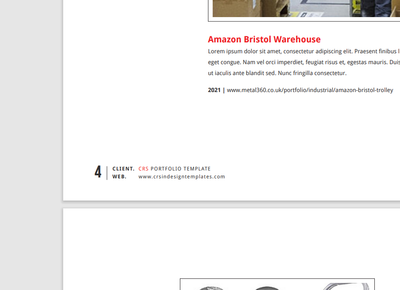
I was wondering if anybody knows how to edit it if it can be edited.
Thanks


 7
Replies
7
7
Replies
7


Copy link to clipboard
Copied
It is most likely on the Parent Page (formerly called Master Page)
You can access that at the top of the Pages pallet


Copy link to clipboard
Copied
If it is not there, which I agree with SJRiegel it probably is...Did you try to right click for options?

Copy link to clipboard
Copied
Confirmed: It's on the master page.
(It shows as "A-Master" when this template is loaded, even if you save it as a current-version file.)
Copy link to clipboard
Copied
Ok I have found the A-Master in the pages pallet, and clicked it and all I see is a completely blank page. It seems to automate itself witht he page numbering, so its like the numbering in that its added at the same time, and also changes its alignment according to the page.

Copy link to clipboard
Copied
Can you show a screen shot of your Pages Pallet?
If A-Master is blank, then there must be another master page that contains the content showing on your pages.
Copy link to clipboard
Copied
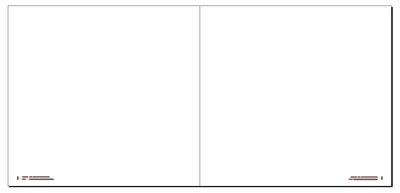
You are looking at A-Master A, which is a blank single page. A-Master is a two-page spread with the page footers on each page.

Copy link to clipboard
Copied
Oh Im so sorry, There was another one down a bit, I had to pull the bar down.
Ive got it thats brilliant thank you
Got to say InDesign is awesome, Im making a brochure for my business, and to be able to do this myself is brilliant.
Thanks you for the help


Get ready! An upgraded Adobe Community experience is coming in January.
Learn more
 AdChoices