
Answered
How to change text direction in the latest version?
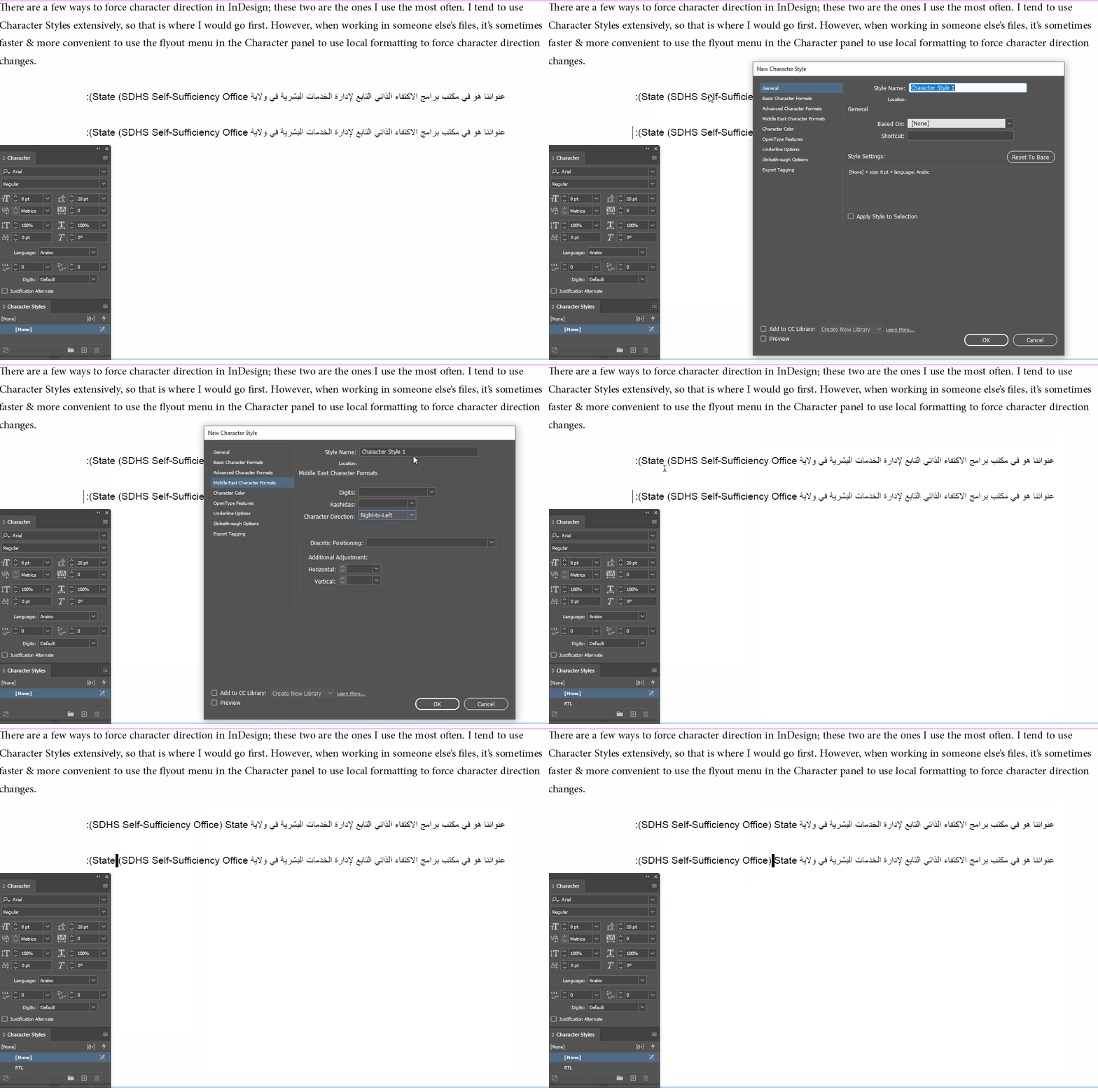
I'm using Indesign 2023 and I'm trying to type Arabic. I turned on the Adobe World Ready option in the Paragraph panel, but the direction of the text is wrong. symbols end up in the opposite area instead of the correct area.
I looked at YouTube videos and the place where they go does not exist in my version, where should I go for this? to make the text direction RTL for a certain paragraph?
Thanks!
 AdChoices