
Answered
How to insert a wingdings character using Find/Change in CS6
If it is possible to use Find/Change to insert a wingdings character into a CS6 document, how is that done?
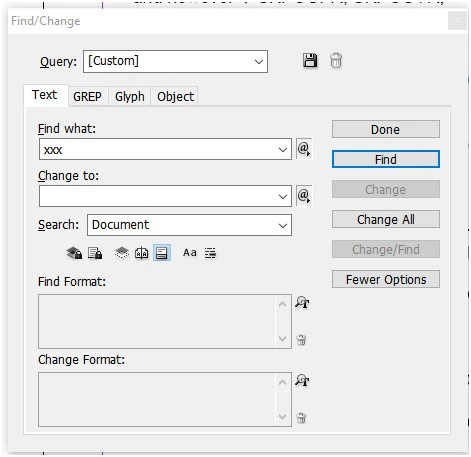
In the screenshot of the Find/Change box we use in CS6, I have typed three x’s to be replaced by wingdings character code 0x74 (Dec 10731, HEX U+29EB, Black lozenge) I think that’s a zero at the start of the character code, but if not, it might be a capital O.
What info needs to be entered in the Find/Change fields/boxes to do this? Or if it's easy to do, please enter the info needed and upload a screenshot of the Find/Change box as a reference to use.
Thanks!




 AdChoices