


- Home
- InDesign
- Discussions
- Re: Hyperlinks not working when publishing online
- Re: Hyperlinks not working when publishing online

Copy link to clipboard
Copied
Hi,
If anyone can help I would be very thankful.
I have create an interactive image I would like to share online. It only uses one invisible hyperlink space, when saving as an interactive PDF the link works correctly, when I try to publish online the link fails to appear / work.
Can anyone offer any advise?
Many thanks,
Kim


 2 Correct answers
Yes yours works if i publish it online...
I've just tried again with the hyperlink panel and it's worked this time...
Thank you I'm not sure what's changed but it's working now 🙂


I struggled with this for a while too – it seems that it arbitrarily works sometimes and not others!
The best solution I've found is to make sure of the following:
The text layer that your hyperlink is within is UNGROUPED from any other objects and also on the TOP layer of your file.
Once I'd resolved that, the links were working perfecly when published online.
 16
Replies
16
16
Replies
16


Copy link to clipboard
Copied
can you show us how you set up your link? screenshots helps
Copy link to clipboard
Copied
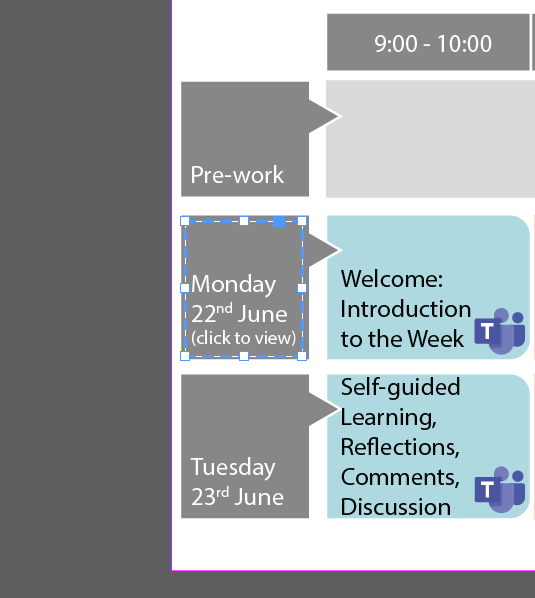
Thanks for replying! I have created a shape > Interactivity > Convert to button....
Copy link to clipboard
Copied
show us the button panel.
why are you making it a button, does it have hover over effects and stuff like that?
Copy link to clipboard
Copied
I tried it that way because the hyperlink option didn't seem to work which is what i would normally do. I'm using InDesign 15.1.
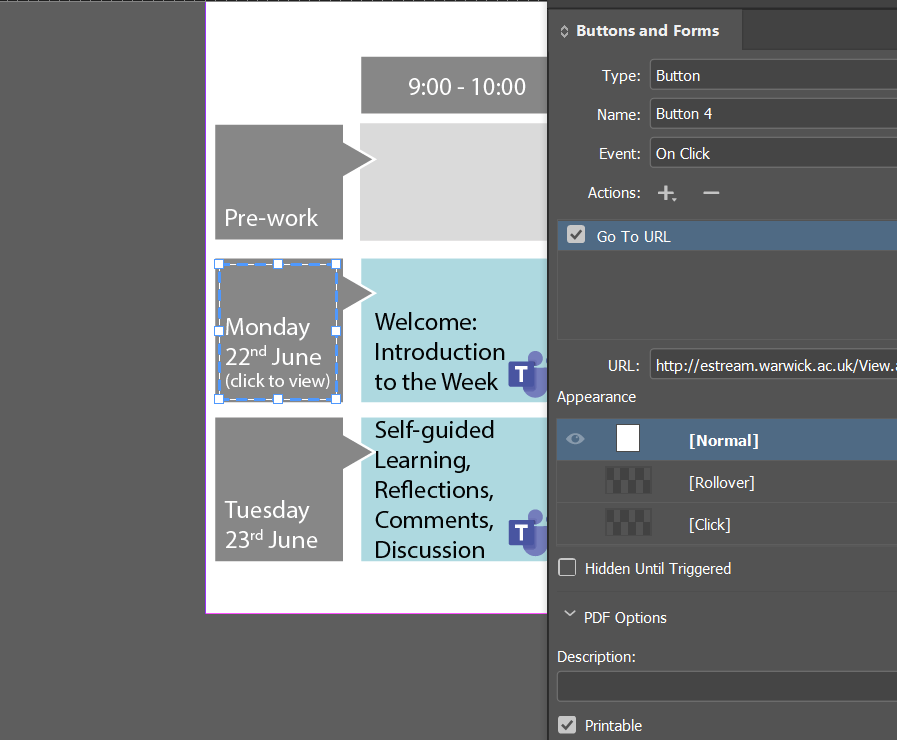
Copy link to clipboard
Copied
make it an object again from the buttons panel, and show me how you set up a hyperlink.
Copy link to clipboard
Copied
Button > event > on click > go to URL > add URL address....
Or
Highligh text > hyperlink > new hyperlink
Both work great when saved as an interactive PDF just not when 'published online'
Copy link to clipboard
Copied
yes, i see that. i meant set it up as a hyperlink. as in using the hyperlinks panel. see my file. i made the same thign 3 different ways, two as a button once as a hyperlink.
Copy link to clipboard
Copied
i just tried setting it up like you and it worked for me:
https://shared-assets.adobe.com/link/ee98822e-27f0-4de5-4c7b-89afa4e0c6c6
Copy link to clipboard
Copied
Interesting as i can't click on anything so maybe it's to do with my browser.. thank you for doing that
Copy link to clipboard
Copied
did you try to online publish my file? what was the result? update your browser? test in other browsers
Copy link to clipboard
Copied
Yes yours works if i publish it online...
I've just tried again with the hyperlink panel and it's worked this time...
Thank you I'm not sure what's changed but it's working now 🙂
Copy link to clipboard
Copied
it happens. its Indesign. i have had this happen. i have had entire intereactions work, than not, i make it all objects and start over, and it works..
Copy link to clipboard
Copied
please make sure you mark the correct answer for others to find it later
Copy link to clipboard
Copied
i marked yours as the correct answer since you solved your own issue by figuring out this is your web browser doing this.
[moderator]
thanks
jonathan
Copy link to clipboard
Copied
I struggled with this for a while too – it seems that it arbitrarily works sometimes and not others!
The best solution I've found is to make sure of the following:
The text layer that your hyperlink is within is UNGROUPED from any other objects and also on the TOP layer of your file.
Once I'd resolved that, the links were working perfecly when published online.

Copy link to clipboard
Copied
I did all that, URLs green on hyperlink panel in ID. URLs work perfectly when exported as interactive PDF. Publish Online has a mind of its own. URLs that did work, don't work; and vice-versa.


Get ready! An upgraded Adobe Community experience is coming in January.
Learn more
 AdChoices