Exit
  • Global community
    • Language:
      • Deutsch
      • English
      • Español
      • Français
      • Português
  • 日本語コミュニティ
  • 한국 커뮤니티
1

InDesign Accessibility Fails (bookmarks and tables)

Community Beginner ,
Sep 22, 2023 Sep 22, 2023

Hi


I'm getting more confident at setting up my InDesign files for accessibility. I am however having a few fails that I can't figure out what to do to correct them.


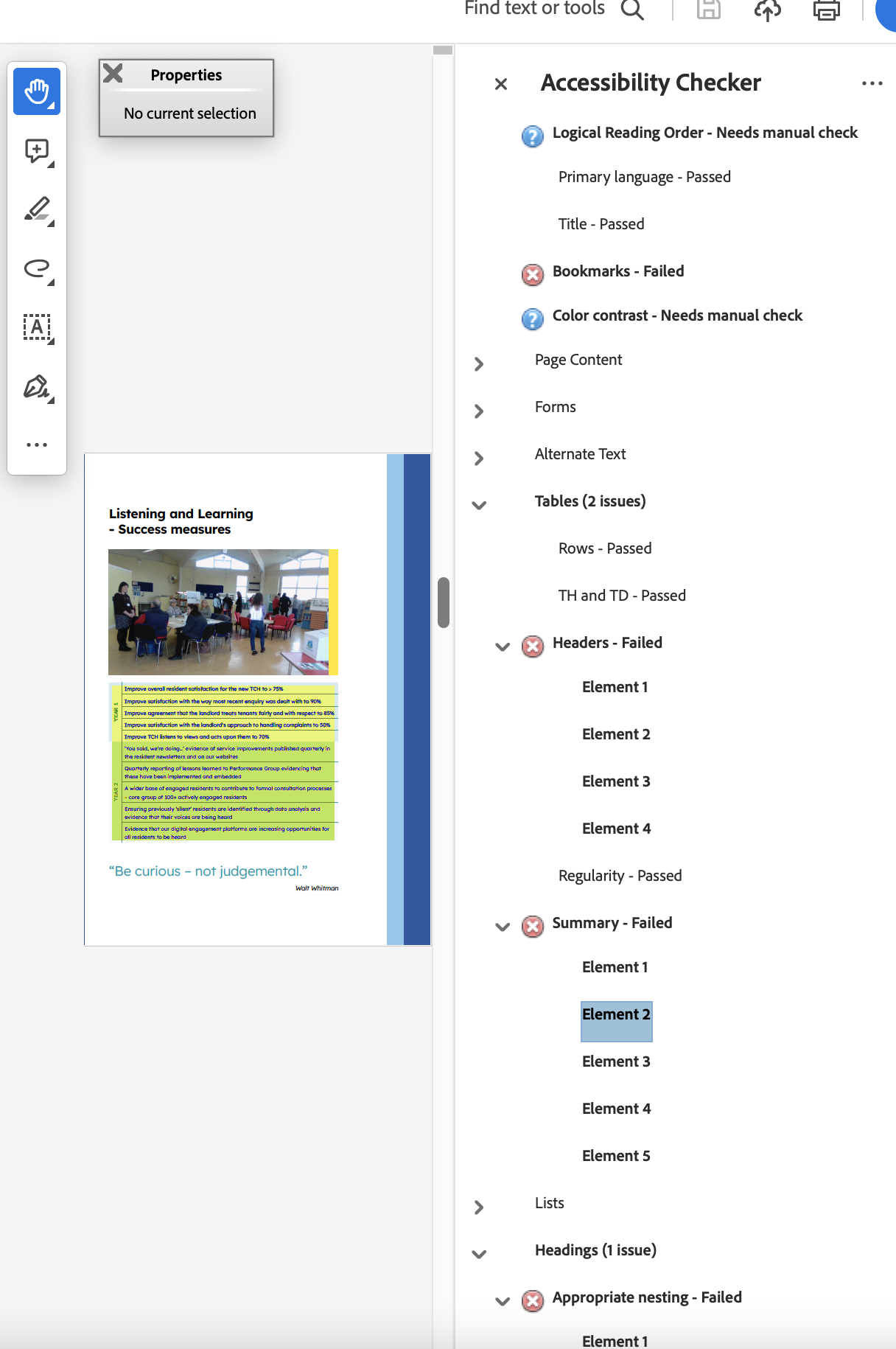
1. Bookmarks - Failed

I don't have a table of contents on this file, I also have nothing set in the Bookmarks window.

What could this be for?


2. Tables, headers and summary failed

I have some tables set within the flow of copy - they don't have a header but do have a header of sort in the left hand side (see file attached) I've played around changing the paragraph style tag to different H levels or even P but still comes up with the same issue for Header - Fail.

The Summary Element fail seems to be the whole selection of the table (this space has a P setting underneath the table).


Any help with this would be great, thank you

Jill

TOPICS
Import and export , Performance
696
Translate
Report
Community guidelines
Be kind and respectful, give credit to the original source of content, and search for duplicates before posting. Learn more
community guidelines
Community Expert ,
Sep 28, 2023 Sep 28, 2023
LATEST

1. Accessible documentments want a ToC of bookmark hyperlinks. What happens if you right click that fail?
2. InDesign cannot interpret sideways heads to accessible code, so you would either have to change/simplify the table design, or manually edit the tags in Acrobat for a fix.

Have you ever tried to use Acrobat tags panel to delete all existing tags and then regenerate tags?

Mike Witherell
Translate
Report
Community guidelines
Be kind and respectful, give credit to the original source of content, and search for duplicates before posting. Learn more
community guidelines