
Question
Indesign CC 2017 - Applying opacity creates horizontal random lines
Hi Everyone,
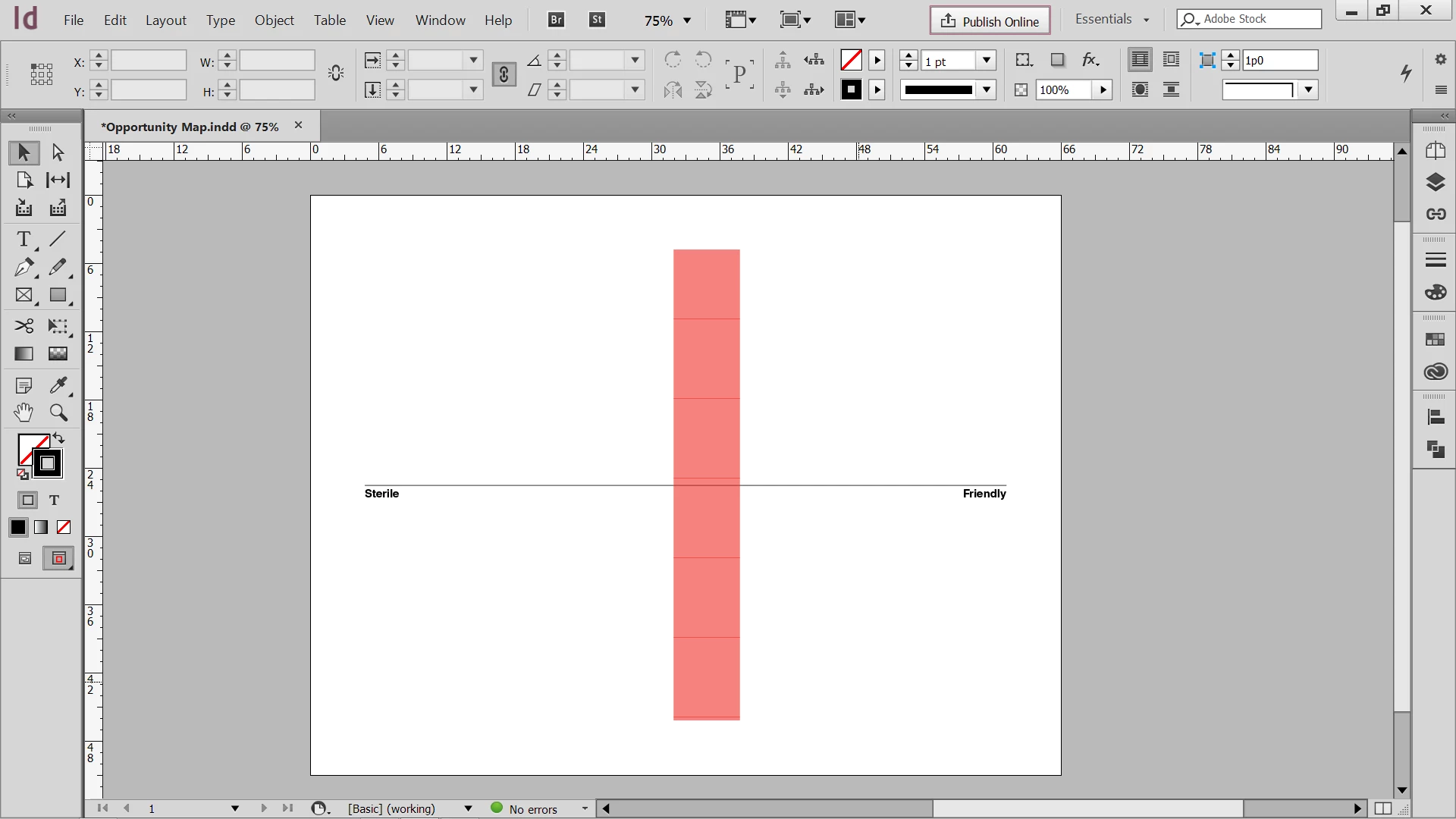
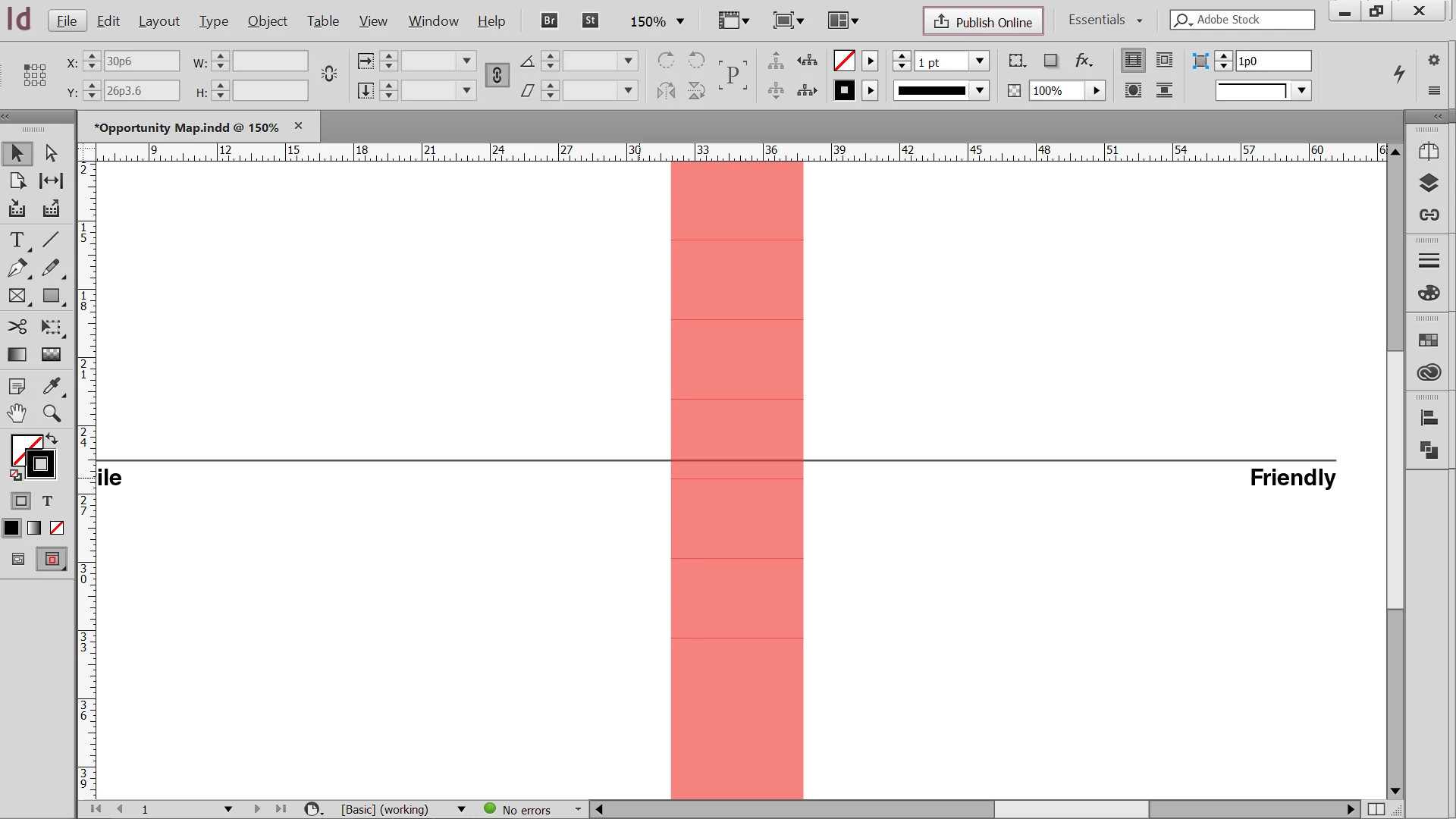
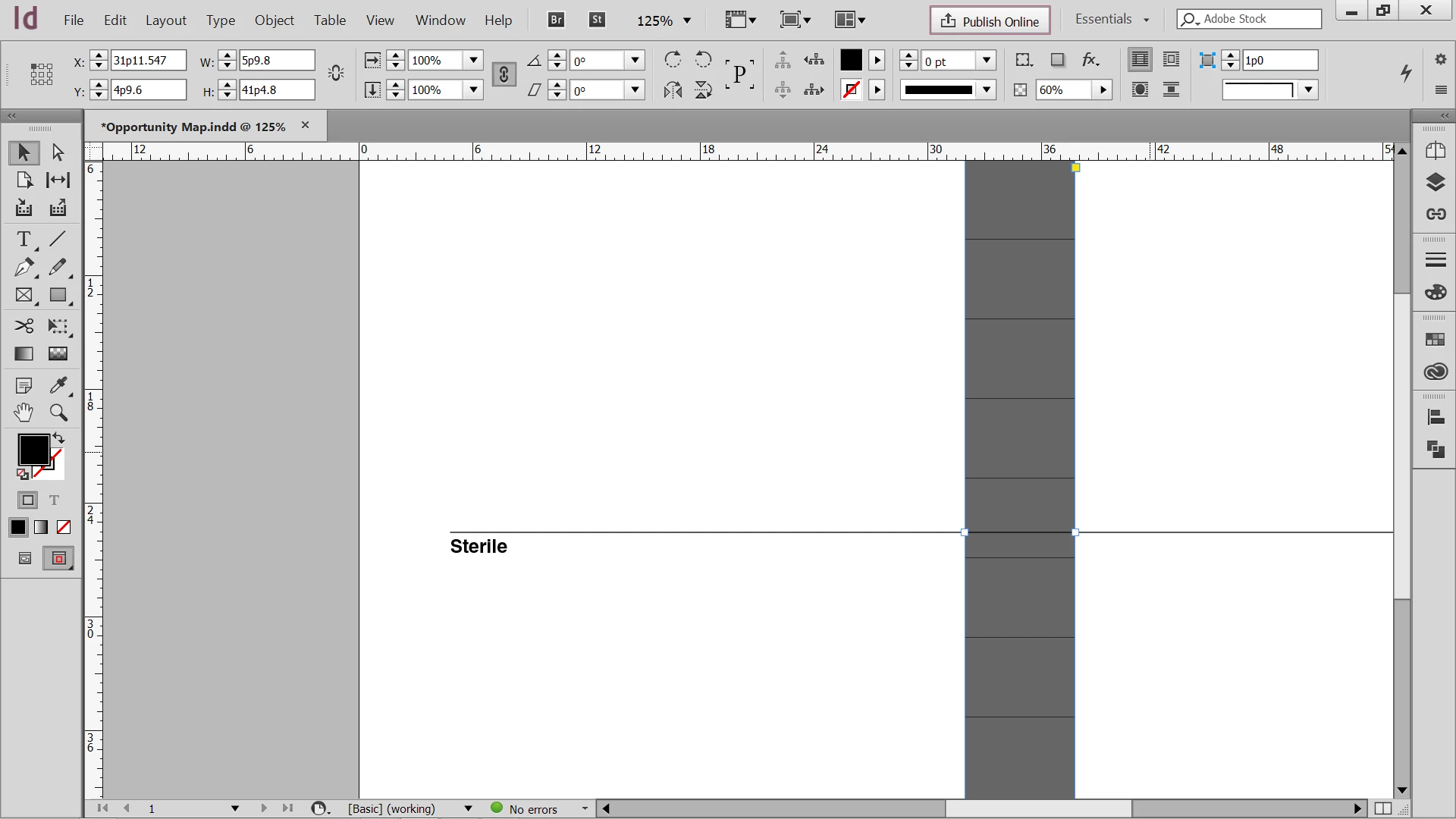
When I apply opacity to an object in indesign horizontal lines appear on the the object, they move around when zooming in and out. I have tried reinstalling, switching between different color modes, screen modes, and restarting my computer. None of these has fixed my problem and its starting to make it unbearable to work in. Below are some pictures that illustrate my problem.
The opacity/transparency also works in other adobe programs like illustrator and photoshop so it seems that it is isolated to indesign.
[Moved from generic Cloud/Setup forum to specific Program forum... Mod]
[Here is the list of all Adobe forums... https://forums.adobe.com/welcome]
 AdChoices