Exit
  • Global community
    • Language:
      • Deutsch
      • English
      • Español
      • Français
      • Português
  • 日本語コミュニティ
  • 한국 커뮤니티
1

InDesign Custom Pages showing duplicate presets

New Here ,
Aug 05, 2020 Aug 05, 2020


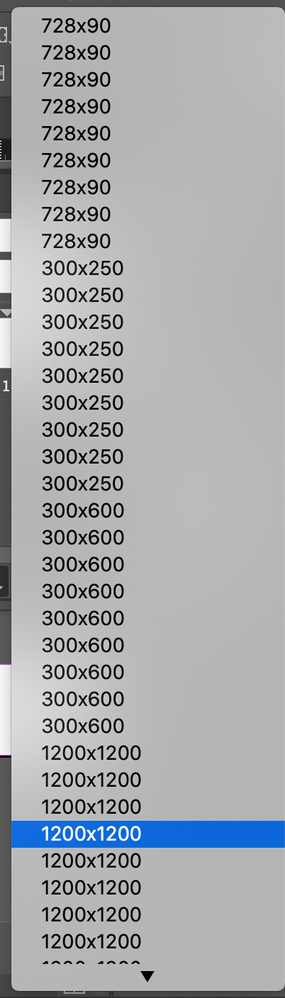
My InDesign will display duplicates of the same banner size I have saved within the presets. I'm not sure how to amend the issue without losing the preset banner sizes. Then when I am trying to select the banner size needed I have to try clicking through and seeing which one works. Does anyone know how to fix this? 

 

Screen Shot 2020-08-05 at 8.50.01 AM.png


Sincerely,


Jess

TOPICS
How to
276
Translate
Report
Community guidelines
Be kind and respectful, give credit to the original source of content, and search for duplicates before posting. Learn more
community guidelines

correct answers 1 Correct answer

Community Expert , Aug 05, 2020 Aug 05, 2020

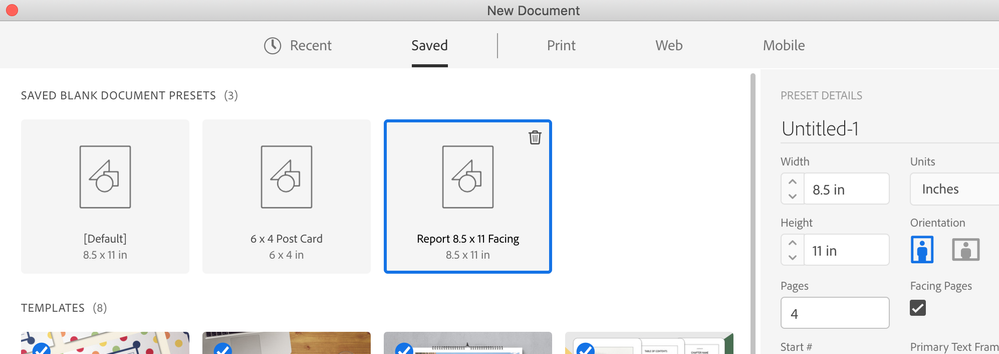
If you're creating Document Presets in the New Document dialog box like this....


Screen Shot 2020-08-05 at 8.53.55 AM.png


...you can't delete them in the dialog box.


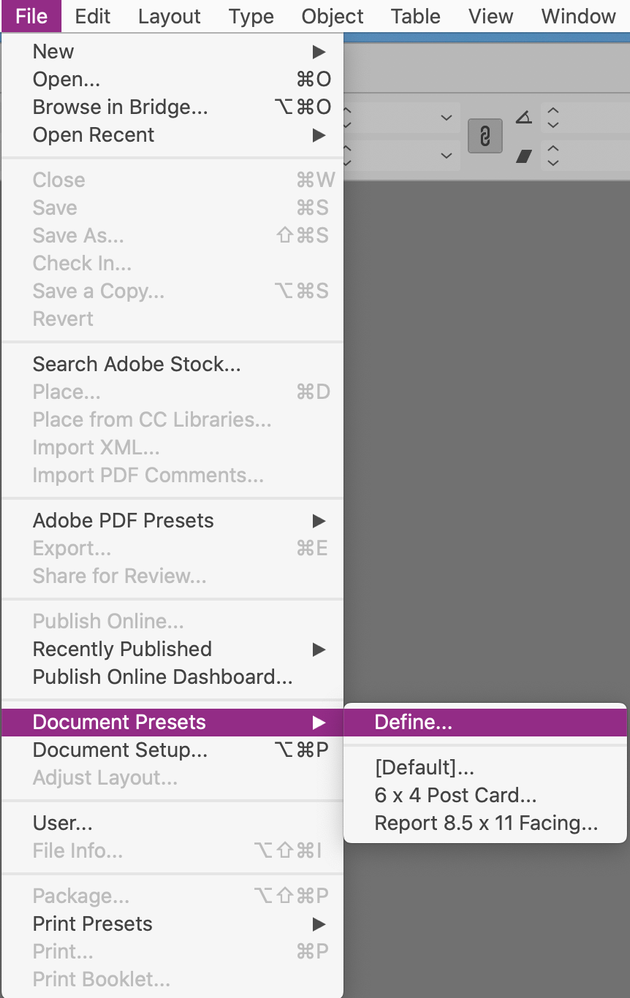
But they will also appear in File > Document Presets > Define:


Screen Shot 2020-08-05 at 8.54.23 AM.png


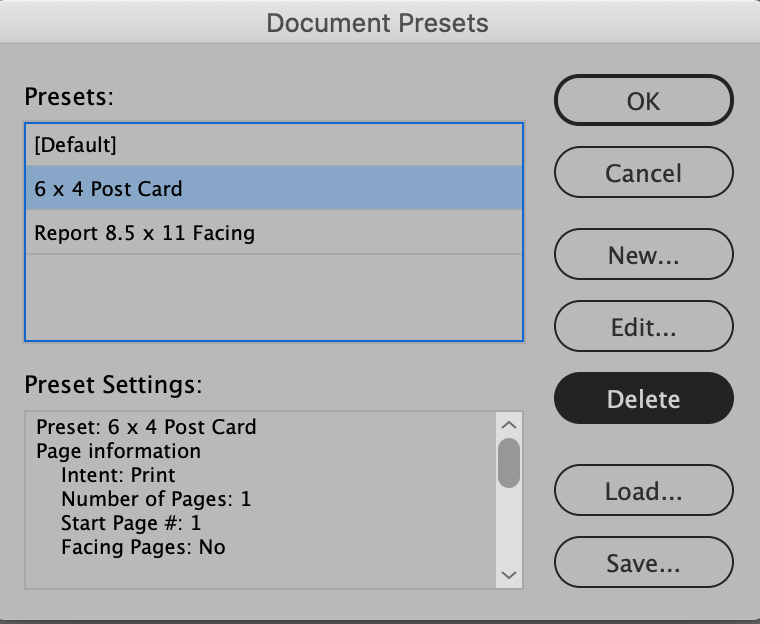
In that dialog box, you have the option to delete them:


Screen Shot 2020-08-05 at 8.54.46 AM.png

Translate
Community Expert ,
Aug 05, 2020 Aug 05, 2020
LATEST

If you're creating Document Presets in the New Document dialog box like this....


Screen Shot 2020-08-05 at 8.53.55 AM.png


...you can't delete them in the dialog box.


But they will also appear in File > Document Presets > Define:


Screen Shot 2020-08-05 at 8.54.23 AM.png


In that dialog box, you have the option to delete them:


Screen Shot 2020-08-05 at 8.54.46 AM.png

Translate
Report
Community guidelines
Be kind and respectful, give credit to the original source of content, and search for duplicates before posting. Learn more
community guidelines