Exit
  • Global community
    • Language:
      • Deutsch
      • English
      • Español
      • Français
      • Português
  • 日本語コミュニティ
  • 한국 커뮤니티
0

InDesign lines disappear when box filled with color

New Here ,
Apr 15, 2021 Apr 15, 2021

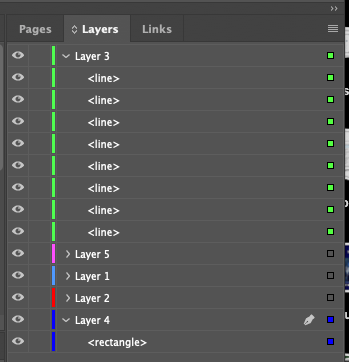
Hello, I have a very frustrating issue. I have a box, I have some black lines. The lines are layered above the box. When I fill the box with any color, the lines dissappear. How do I stop this from happening?Screen Shot 2021-04-15 at 9.21.55 AM.pngScreen Shot 2021-04-15 at 9.22.21 AM.pngScreen Shot 2021-04-15 at 9.22.10 AM.png

TOPICS
How to , Print
415
Translate
Report
Community guidelines
Be kind and respectful, give credit to the original source of content, and search for duplicates before posting. Learn more
community guidelines

correct answers 1 Correct answer

Community Expert , Apr 15, 2021 Apr 15, 2021

Do the lines have an effect applied? (Lighten)

Translate
Community Expert ,
Apr 15, 2021 Apr 15, 2021

Do the lines have an effect applied? (Lighten)

Translate
Report
Community guidelines
Be kind and respectful, give credit to the original source of content, and search for duplicates before posting. Learn more
community guidelines
New Here ,
Apr 15, 2021 Apr 15, 2021
LATEST

Indeed they did! I must have accidently touch scrolled on that or something. Switching them back to "normal" fixed the issue. They had the soft light effect on them. Thanks Luke!

Translate
Report
Community guidelines
Be kind and respectful, give credit to the original source of content, and search for duplicates before posting. Learn more
community guidelines